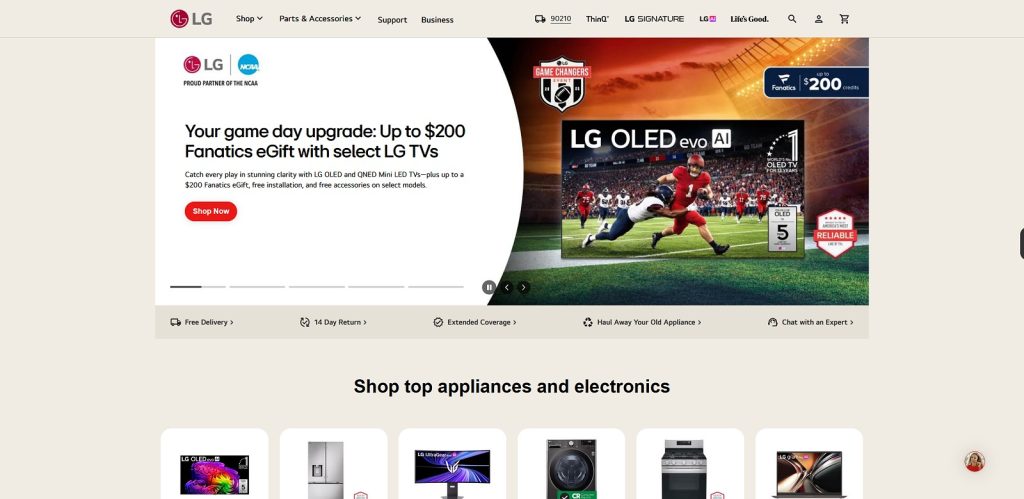
LG is a global technology brand known for displays, laptops, monitors, televisions, home electronics, and connected devices. In the computer market, the company is particularly well known for its lightweight LG gram laptops and a broad monitor portfolio covering gaming, professional work, productivity, and entertainment.
For computer users, the most interesting part of the portfolio is the combination of portable notebooks and advanced displays. LG gram focuses on lightweight mobile computing, while the monitor range includes UltraGear gaming displays, UltraFine professional monitors, UltraWide productivity screens, Smart Monitors, and conventional Full HD and QHD models.
The company has also embraced newer display technologies and AI-enabled computing. Current LG gram models include AI-focused systems, while the latest monitor portfolio contains OLED products designed for demanding gaming and visual applications.
Explore LG Products
Discover LG laptops, monitors, OLED displays, UltraWide screens, and computer technology.
Explore LGTable of Contents
- What Is LG?
- Quick Facts
- LG Computer Product Categories
- LG Laptops
- LG gram
- LG gram Pro
- LG gram Pro 2-in-1
- LG Laptops for Students
- LG Laptops for Business
- LG Laptops for Creators
- LG Monitors
- LG UltraGear
- LG UltraFine
- LG UltraWide
- LG Smart Monitors
What Is LG?
LG is a major South Korean technology company with products spanning consumer electronics, displays, appliances, vehicle components, and other technology markets.
For computer users, LG is particularly relevant because of its display technology and lightweight notebook products. The company has developed a strong reputation for large and high-quality monitors while also maintaining the LG gram line of portable computers.
The computer portfolio is not structured in the same way as brands that offer dozens of gaming and business laptop families. Instead, LG has traditionally concentrated on lightweight notebooks and a broad selection of displays.
This makes the brand particularly interesting for users who value screen quality, portability, productivity, and clean desktop setups.
The monitor range is especially diverse. LG currently categorizes its displays into UltraGear Gaming OLED, UltraGear Gaming, Smart, UltraWide, UltraFine UHD 4K & 5K, and Full HD & QHD products.
Quick Facts
| Fact | Details |
|---|---|
| Brand | LG |
| Company | LG Electronics |
| Industry | Consumer electronics and technology |
| Computer Products | Laptops, monitors and computer accessories |
| Laptop Family | LG gram |
| Premium Laptop Family | LG gram Pro |
| Gaming Monitor Family | LG UltraGear |
| Professional Monitor Family | LG UltraFine |
| Ultrawide Displays | LG UltraWide |
| Smart Displays | LG Smart Monitor |
| Display Technologies | OLED, IPS and other LCD technologies depending on model |
| AI Computing | Selected LG gram models with AI-focused hardware and software |
LG Computer Product Categories
The easiest way to understand LG’s computer portfolio is to divide it into laptops and displays. The laptop range focuses heavily on mobility, while the monitor portfolio covers a much wider variety of workloads.
| Category | Examples | Typical Users |
|---|---|---|
| Laptops | LG gram, LG gram Pro and convertible models | Students, professionals and mobile users |
| Gaming Monitors | UltraGear and UltraGear OLED | Gamers and enthusiasts |
| Professional Monitors | UltraFine | Creators and professional users |
| Ultrawide Monitors | UltraWide | Productivity users and gamers |
| Smart Monitors | LG MyView Smart Monitor | Home users and hybrid workers |
| Standard Monitors | Full HD, QHD and UHD models | Office and everyday users |
| Monitor Accessories | Stands, mounts, cables and related accessories | Home, office and professional users |
LG Laptops
LG’s laptop portfolio is centered around the gram family. These notebooks are designed with portability in mind and are particularly interesting for people who carry their computer frequently.
The current 2026 gram lineup includes LG gram, LG gram Pro, LG gram Pro 2-in-1, and LG gram Book models. Selected Pro configurations can also include dedicated NVIDIA graphics, making them suitable for more demanding creative applications and some gaming workloads.
Lightweight Design
Portability is one of the defining characteristics of the gram family.
For example, LG’s current gram range includes extremely thin and lightweight configurations. The Polish LG website lists a gram SuperSlim model measuring 10.9 mm thick and weighing approximately 990 grams.
This makes the range particularly interesting for students, business travelers, remote workers, and anyone who spends a significant amount of time carrying a laptop.
Performance
A lightweight notebook still needs sufficient performance for the intended workload. Modern gram models use current-generation processors and can be configured with substantial memory and fast NVMe storage.
The exact hardware varies by model, so buyers should compare processor, memory, storage, graphics, display, and battery specifications rather than judging performance from the family name alone.
Battery Life
Long battery life is particularly valuable in an ultraportable computer.
Students can use a lightweight notebook throughout classes, while professionals can work during travel without constantly searching for a power outlet.
Actual battery life depends on screen brightness, applications, wireless connectivity, processor workload, and other settings, so real-world usage can differ between users.
LG gram
LG gram is the core ultraportable laptop family. It is designed for users who want a lightweight computer without giving up the performance needed for modern productivity.
The current range includes different screen sizes and configurations, allowing buyers to choose between greater portability and a larger working area. LG’s current lineup spans models from compact displays through larger 16- and 17-inch notebooks.
LG gram for Everyday Work
An ultraportable notebook can easily handle common tasks such as web browsing, documents, spreadsheets, email, video calls, streaming, and cloud applications when configured appropriately.
For these workloads, portability and comfort can be more important than maximum processing power.
LG gram for Travel
Travelers can benefit considerably from a lightweight notebook. Reducing the weight of the computer can make a noticeable difference when carrying it throughout an airport, office, university, or city.
Connectivity should still be considered. Users who regularly connect external displays, Ethernet, storage, or other peripherals may need a USB-C dock or hub.
LG gram Displays
Display size is an important consideration when choosing between gram models.
A smaller notebook is easier to transport, while a larger display can provide more workspace for spreadsheets, creative applications, programming, and multitasking.
Explore LG gram Laptops
Discover lightweight LG gram notebooks for study, work, travel, creativity, and everyday computing.
Explore LG gramLG gram Pro
LG gram Pro is positioned toward users who need more performance while still wanting a relatively lightweight notebook.
The 2026 generation includes configurations with Intel Core Ultra or AMD Ryzen AI processors, while selected models can be equipped with NVIDIA GeForce RTX graphics. This gives the Pro range more flexibility for demanding multitasking, content creation, AI workloads, and selected gaming applications.
Performance for Creators
A more powerful processor and optional dedicated graphics can make a significant difference in applications such as video editing, image processing, 3D work, and other GPU-accelerated software.
Creators should still check the exact graphics configuration because not every gram Pro model provides the same performance.
AI Workloads
Newer gram Pro systems incorporate AI-focused hardware and software features. LG describes the 2026 range as supporting Dual AI capabilities, combining on-device and cloud-based AI functions.
Local AI processing can be useful for supported applications where responsiveness, privacy, or reduced dependence on an internet connection are important.
Mobility and Performance
The main attraction of this type of notebook is the combination of mobility and higher performance.
Users who need a workstation-class desktop replacement may still prefer a larger system with stronger cooling and expansion options, but mobile professionals can benefit from having more performance available without carrying a large gaming or workstation notebook.
LG gram Pro 2-in-1
The LG gram Pro 2-in-1 combines the characteristics of a lightweight notebook with a convertible design.
The 2026 Pro 2-in-1 includes a 16-inch WQXGA+ OLED touchscreen with stylus support, providing additional flexibility for drawing, note-taking, presentations, and creative workflows.
Flexible Work Modes
A convertible computer can be used in a conventional laptop position for typing and productivity, then repositioned for presentations, media consumption, or touch interaction.
This flexibility can be valuable for students and professionals who frequently switch between different types of work.
Creative Work
Touch and pen support can be particularly useful for sketching, annotating documents, taking handwritten notes, and interacting directly with creative applications.
However, buyers who rarely use touch or pen input may prefer a conventional notebook with similar hardware at a potentially lower cost.
Explore LG gram Pro
Find higher-performance LG gram notebooks for creators, professionals, AI workloads, and demanding applications.
View LG gram ProLG Laptops for Students
Students often need a computer that is lightweight enough to carry throughout the day while still providing enough performance for research, documents, presentations, online learning, and entertainment.
Portability
A lightweight notebook can be particularly convenient when moving between classrooms, libraries, accommodation, and home.
The gram family is well suited to this type of use because portability is one of its central design goals.
Battery Life
Students may spend several hours away from power outlets, making battery capacity and efficiency important considerations.
Display brightness and workload can have a significant effect on battery consumption, so actual runtime will vary depending on usage.
Technical Students
Students studying engineering, architecture, programming, design, or media production should check the hardware requirements of their applications before choosing a lightweight notebook.
More demanding software may require additional memory, stronger graphics, or a more powerful processor than a basic configuration provides.
Find an LG Laptop for Study
Explore lightweight notebooks for university, school, research, online learning, and productivity.
Explore LaptopsLG Laptops for Business
Business users can benefit from lightweight notebooks when portability, battery life, display quality, and productivity are important.
A mobile professional may use the same computer at home, in an office, during meetings, and while traveling.
Hybrid Work
A laptop combined with a USB-C monitor or docking station can create a flexible workstation.
At a desk, the notebook can connect to an external display, keyboard, mouse, Ethernet, storage, and other peripherals. Away from the desk, the same computer remains fully portable.
Video Meetings
Remote and hybrid workers should consider webcam quality, microphone performance, speakers, wireless connectivity, and battery life when choosing a notebook.
The surrounding environment also matters. Good lighting and a suitable camera position can improve video quality regardless of the laptop model.
Business Productivity
For documents, spreadsheets, email, presentations, web applications, and video meetings, a well-balanced notebook is usually more useful than an unnecessarily powerful configuration.
Users should prioritize the features they use every day, including the keyboard, display, ports, battery, and overall portability.
LG Laptops for Creators
Creators have more demanding requirements than typical office users. Photography, video editing, graphic design, animation, and other creative workflows can require substantial processing power, memory, storage, and display quality.
Photo Editing
Photographers should pay close attention to display resolution, color reproduction, brightness, and storage capacity.
Large RAW files can consume significant amounts of storage, while image editing applications can benefit from additional memory when working with large projects.
Video Editing
Video production can place heavy demands on both the processor and graphics hardware.
Higher-performance gram Pro configurations with dedicated graphics can therefore be more appropriate for demanding editing workflows than lightweight entry-level systems.
OLED for Creative Work
OLED displays can provide deep blacks, high contrast, and strong color performance. These characteristics can make them attractive for visual work and entertainment.
However, professional creators should still evaluate the exact display specifications, calibration characteristics, color coverage, brightness, and software requirements before choosing a particular model.
Monitors
Monitors are one of LG’s strongest computer-related product categories. The current portfolio covers gaming, professional creative work, productivity, entertainment, portable computing, and smart features.
LG’s official monitor categories currently include UltraGear Gaming OLED, UltraGear Gaming, Smart, UltraWide, UltraFine UHD 4K & 5K, and Full HD & QHD models.
Choosing the Right Display
The best monitor depends on the primary workload.
| Use Case | Important Features |
|---|---|
| Office Work | Resolution, ergonomics, readability and connectivity |
| Gaming | Refresh rate, response time, resolution and adaptive synchronization |
| Photography | Color accuracy, resolution and calibration |
| Video Editing | Resolution, color reproduction and workspace |
| Programming | Screen size, resolution and multi-monitor support |
| Entertainment | Contrast, image quality, size and panel technology |
Explore LG Monitors
Discover LG displays for gaming, productivity, creative work, entertainment, and professional applications.
Shop MonitorsUltraGear
UltraGear is LG’s gaming monitor family, with models designed around high refresh rates, fast response times, advanced panel technologies, and gaming-focused features.
The current range includes OLED gaming monitors as well as conventional gaming displays. LG also offers high-resolution, curved, ultrawide, and dual-mode gaming models.
UltraGear OLED
OLED technology is particularly well suited to gaming because of its high contrast and fast response characteristics.
LG’s current UltraGear OLED portfolio includes advanced models designed for high-refresh-rate gaming. Some displays combine high resolution with very high refresh rates or dual-mode functionality.
High Refresh Rates
Competitive gamers can benefit from high refresh rates because a display can update the image more frequently.
The graphics hardware should be matched to the monitor. A very high refresh rate provides the greatest benefit when the computer can generate sufficiently high frame rates.
Upgrade Your Gaming Display
Explore LG UltraGear gaming monitors with high refresh rates, OLED panels, and immersive displays.
Explore UltraGearUltrawide Gaming
Ultrawide displays provide a wider field of view and can create a more immersive gaming experience.
They can also be useful for productivity because the additional horizontal space allows multiple applications to remain visible simultaneously.
UltraFine Monitors
UltraFine is the professional display family, with an emphasis on high resolution, image quality, color reproduction, and productivity. The range includes 4K and 5K displays designed for users who work with detailed visual content and need a large, sharp workspace. :contentReference[oaicite:0]{index=0}
UltraFine for Creative Work
UltraFine displays can be a strong choice for photographers, designers, video editors, developers, and other professionals who benefit from a detailed image and accurate color reproduction.
High-resolution displays also provide more workspace for editing timelines, large documents, design applications, and multiple windows.
4K and 5K Resolution
Higher resolution increases the number of pixels available on the screen, allowing text and graphics to appear sharper and providing more usable workspace. LG’s current UltraFine range includes both 4K and higher-resolution professional displays.
UltraFine for Mac and PC
Users working with modern laptops and desktops should pay close attention to connectivity. Depending on the model, USB-C and Thunderbolt can simplify connections between a computer, display, peripherals, and external storage.
The exact ports and capabilities vary by model, so compatibility should always be checked before purchase.
Explore LG UltraFine
Discover high-resolution LG displays for photography, design, video editing, programming, and professional work.
Explore UltraFineUltraWide Monitors
UltraWide monitors are designed to provide considerably more horizontal workspace than conventional 16:9 displays. LG offers models in different sizes and resolutions, including very wide 21:9 and 32:9 configurations.
UltraWide for Productivity
A wide display can be particularly useful for multitasking. Users can place two or more applications side by side without constantly switching between windows.
This can be useful for spreadsheets, programming, research, content management, financial applications, and other workflows where multiple windows need to remain visible.
UltraWide for Multitasking
Some models support Picture-by-Picture, allowing content from two computers to be displayed simultaneously. This can be useful for people who work with both a desktop and laptop or need to manage separate systems from one desk.
32:9 SuperWide Displays
Extremely wide displays can effectively replace two conventional monitors while reducing the need for a central bezel between screens.
A 49-inch LG UltraWide model, for example, can provide a 5120 × 1440 workspace with a 32:9 aspect ratio.
UltraWide for Gaming
Wide displays can also provide a more immersive gaming experience. The larger horizontal field of view can be especially appealing in racing, simulation, strategy, and adventure games.
However, the graphics card must be powerful enough to drive the additional pixels, particularly at high resolutions and refresh rates.
Explore LG UltraWide
Discover ultrawide displays for multitasking, productivity, creative work, entertainment, and immersive gaming.View UltraWide
Smart Monitors
LG Smart Monitors combine a conventional computer display with smart features, making them useful for both work and entertainment. Current models can include webOS, allowing supported functions to operate without a conventional PC being connected. {index=5}
Work and Entertainment
A Smart Monitor can serve as a flexible screen for a home office while also providing access to entertainment features.
This can make sense for users who do not want a separate monitor and television in the same room.
webOS
Selected LG Smart Monitor models use webOS and can provide access to supported applications and smart features directly through the display. Some models can also connect remotely to a computer and provide productivity functions without a traditional desktop setup.
USB-C Connectivity
USB-C can make a Smart Monitor particularly useful with modern laptops. Depending on the exact model, one cable can handle video, data, and laptop charging.
For example, selected LG Smart Monitor models provide USB-C connectivity with power delivery, although the exact specification varies between products.
Explore LG Smart Monitors
Discover LG Smart Monitors for home working, streaming, entertainment, and everyday productivity.
Explore Smart MonitorsOLED Monitors
OLED is one of the most interesting display technologies in the current LG monitor portfolio. OLED pixels can produce their own light, allowing the display to achieve very deep blacks and extremely high contrast.
LG currently offers OLED monitors within the UltraGear gaming range, including advanced high-resolution and high-refresh-rate models.
OLED for Gaming
OLED is particularly attractive for gaming because of its combination of contrast and fast response characteristics.
Current LG UltraGear OLED models can offer very high refresh rates, while some newer designs combine high resolution with alternative performance modes.
OLED Contrast
Because OLED pixels can be controlled individually, dark areas can appear genuinely black rather than relying on a backlight that illuminates the entire panel.
This can make games and movies appear more cinematic, particularly in dark scenes.
OLED and Creative Work
OLED can also be attractive for visual applications where contrast and image quality matter.
Professional users should nevertheless evaluate the complete specification, including color coverage, calibration, brightness, resolution, connectivity, and the type of static content displayed during long work sessions.
OLED vs IPS
| Feature | OLED | IPS |
|---|---|---|
| Black Levels | Excellent | Good to very good |
| Contrast | Excellent | Good to very good |
| Response | Extremely fast on suitable models | Varies by model |
| Viewing Angles | Very wide | Very wide |
| Gaming | Excellent | Excellent on suitable models |
| Professional Work | Excellent on suitable models | Excellent on suitable models |
OLED is an excellent option when contrast, response time, and image quality are priorities. IPS remains highly versatile and can be an excellent choice for office work, design, photography, and general computing.
Explore LG OLED Monitors
Discover LG OLED displays with deep blacks, high contrast, fast response, and premium gaming performance.
Shop OLED MonitorsLG IPS Monitors
IPS remains one of the most versatile LCD technologies for computer displays. LG offers IPS monitors across productivity, UltraFine, UltraWide, Smart Monitor, and other categories.
IPS panels are known for wide viewing angles and strong color reproduction, making them suitable for a broad range of applications.
IPS for Office Work
For documents, spreadsheets, web applications, email, and general productivity, a good IPS display can provide excellent image quality without requiring the cost of a premium OLED panel.
IPS for Creators
Creative users should look beyond the panel label and examine the specific color gamut, calibration, resolution, brightness, and other characteristics of the chosen model.
IPS for Gaming
Modern IPS gaming monitors can provide high refresh rates and fast response times while retaining the viewing-angle advantages associated with the technology.
For many gamers, a high-quality IPS display can provide an excellent balance between image quality, performance, and price.
Choosing the Right Monitor Resolution
Resolution determines how many pixels are used to create the image. Higher resolutions generally provide greater detail and more workspace, but they also place greater demands on the graphics hardware when gaming.
| Resolution | Typical Use |
|---|---|
| 1920 × 1080 | Office work, everyday computing and entry-level gaming |
| 2560 × 1440 | Gaming, productivity and general high-quality computing |
| 3840 × 2160 | 4K gaming, creative work and detailed productivity |
| 5120 × 1440 | Superwide multitasking and immersive gaming |
| 5120 × 2160 | High-end ultrawide productivity, gaming and creative work |
There is no universally ideal resolution. A 27-inch QHD display can be a better choice for a gaming PC than a 4K monitor if the graphics card is designed around high frame rates at 1440p.
For professional applications, higher resolution can provide additional workspace and sharper text, particularly on larger displays.
Refresh Rate and Gaming Performance
Refresh rate indicates how many times per second a monitor can update the image. A 60 Hz display refreshes 60 times per second, while a 144 Hz display can refresh 144 times per second.
Higher refresh rates can make motion appear smoother, particularly in fast-paced games. LG’s current monitor lineup includes models ranging from conventional 60 Hz displays to much higher refresh rates designed for gaming.
60 Hz
60 Hz remains suitable for office work, browsing, documents, programming, streaming, and many everyday tasks.
100–165 Hz
This range can provide a noticeable improvement in motion smoothness and is a strong choice for many gaming and general-purpose systems.
240 Hz and Above
Very high refresh rates are primarily attractive to competitive gamers and users with powerful systems capable of producing high frame rates.
For everyday office use, paying substantially more for an extremely high refresh rate usually provides little practical benefit.
LG Ergo and Monitor Ergonomics
Ergonomics can be just as important as resolution or panel technology for people who spend many hours in front of a screen.
LG’s Ergo monitor designs can provide extensive adjustment, including height, tilt, swivel, and rotation depending on the model.
Height Adjustment
The monitor should generally be positioned so that the viewing angle is comfortable and the user does not need to keep the head tilted upward or downward.
Portrait Orientation
Rotation into portrait mode can be useful for programming, long documents, websites, communication applications, and other vertically oriented content.
Desk Space
Monitor arms can free up valuable desk space while also allowing the display to be positioned more precisely.
This can be especially useful with large UltraWide displays or multi-monitor setups.
Explore LG Displays for Creators
Discover high-resolution displays for photography, design, video editing, programming, and creative workflows.
Explore Creator MonitorsMonitor Connectivity
Connectivity is an important consideration because modern monitors can serve as more than simple display devices.
HDMI
HDMI is widely used for computers, gaming consoles, laptops, and other video sources.
DisplayPort
DisplayPort is particularly common on desktop computers and gaming systems. It is often used when higher refresh rates and resolutions are required.
USB-C
USB-C can simplify a laptop workstation by combining display connectivity with data and, on supported monitors, power delivery.
This can reduce cable clutter and make it easier to connect and disconnect a laptop from a desk setup.
USB Hubs
Some displays include integrated USB hubs, allowing keyboards, mice, storage devices, and other peripherals to connect directly to the monitor.
This can be especially convenient when the monitor is being used as a central docking point.
Dual-Monitor and Multi-Monitor Setups
Using two or more monitors can significantly increase the available workspace.
A dual-monitor configuration can place a browser, communication application, or reference material on one screen while the main application remains on the other.
Two Standard Monitors
Two conventional displays provide flexibility because each screen can be positioned independently.
The main disadvantage is the bezel between the screens, which can interrupt wide content.
One UltraWide Monitor
An UltraWide display provides a continuous workspace without a central bezel. It can be particularly attractive for video editing, programming, spreadsheets, and multitasking.
UltraWide vs Dual Monitor
| Feature | UltraWide | Dual Monitors |
|---|---|---|
| Continuous Workspace | Excellent | Limited by bezel |
| Window Management | Excellent | Excellent |
| Independent Positioning | Limited | Excellent |
| Cable Management | Usually simpler | More cables |
| Gaming Immersion | Excellent | Depends on setup |
| Desk Space | Can be substantial | Can be substantial |
The better option depends on the workflow. UltraWide is particularly attractive for continuous horizontal space, while two separate monitors provide greater flexibility.
Monitors for Business
Business users often need a display that provides comfortable long-term viewing, useful connectivity, and enough workspace for documents, spreadsheets, communication tools, and browser applications.
LG offers several monitor formats that can work well in professional environments, from conventional QHD and 4K displays to UltraWide and Smart Monitor models.
Office Productivity
A higher-resolution monitor can provide more workspace and sharper text, which can be particularly useful when working with spreadsheets, documents, dashboards, and multiple browser windows.
For many office users, a 27-inch QHD or 4K display provides a good balance between workspace, image quality, and desk space.
Remote and Hybrid Work
A USB-C monitor can simplify a laptop-based workstation. On compatible models, one connection can provide video, data, and power delivery while reducing cable clutter.
This can be especially convenient for users who regularly switch between working from home and working in an office.
Large Workspaces
UltraWide displays can be useful for professionals who regularly work with several applications simultaneously.
Instead of switching between windows, users can keep email, documents, spreadsheets, communication tools, and the main application visible at the same time.
Gaming
Gaming is one of the strongest areas of LG’s monitor portfolio. UltraGear provides gaming displays across several price and performance levels, including high-refresh-rate LCD models and premium OLED screens.
Gaming Resolution
The right resolution depends on the graphics hardware and the desired frame rate.
QHD can provide a strong balance between image detail and gaming performance, while 4K offers greater visual detail but requires considerably more graphics performance at high frame rates.
Gaming Refresh Rate
A higher refresh rate can make fast-moving games appear smoother and more responsive.
Competitive players may benefit most from very high refresh rates, while casual gamers can often achieve an excellent experience with a more moderate specification.
OLED Gaming
OLED is particularly attractive for gaming because of its deep blacks, high contrast, and fast response characteristics.
LG’s UltraGear OLED range targets users who want premium image quality combined with high refresh rates and gaming-focused features.
Ultrawide Gaming
An UltraWide gaming display can provide a more immersive experience, particularly in racing, simulation, strategy, and open-world games.
Before choosing an ultrawide gaming monitor, check whether the games you play support the aspect ratio correctly.
Monitors for Creators
Photographers, designers, video editors, and other creators need more than a high refresh rate. Color reproduction, resolution, screen size, brightness, and connectivity can all influence the workflow.
Photography
Photographers should consider color accuracy and coverage alongside resolution and brightness.
A high-quality 4K display can provide plenty of detail for editing large photographs, while an appropriate color profile can make editing more predictable.
Video Editing
Video editors can benefit from a large high-resolution workspace. More screen area allows the timeline, preview window, media browser, and editing controls to remain visible.
An UltraWide monitor can be particularly convenient for this type of workflow, while a high-resolution UltraFine display can be attractive when image detail is the priority.
Graphic Design
Graphic designers should evaluate the exact display specifications rather than choosing solely by product family.
Color gamut, calibration, resolution, contrast, brightness, and viewing angles can all influence the suitability of a display for professional design work.
Programming
Developers often benefit from high pixel density and additional workspace.
A 4K monitor can provide crisp text, while an UltraWide display can place code, documentation, terminal windows, and browser content side by side.
Laptop and Monitor Setup
One of the most practical ways to use an LG laptop is as the portable part of a larger desktop workstation.
At home or in the office, an external monitor can provide a larger display while the notebook continues to provide the processor, storage, operating system, and applications.
USB-C Workstation
Compatible USB-C monitors can simplify this setup considerably.
Instead of connecting multiple cables every time the laptop arrives at the desk, a single USB-C connection can potentially provide display output, data connectivity, and power delivery.
The exact capabilities depend on the laptop and monitor, so specifications should be checked before purchase.
Dual-Screen Laptop Setup
A laptop combined with an external monitor creates a practical two-screen workstation.
The laptop can display communication tools or reference information while the external monitor handles the main application.
Gram with UltraWide
An Gram paired with an UltraWide monitor can be an especially flexible combination. The notebook remains lightweight for travel, while the large external display provides a spacious desktop workspace when working at home.
Create a Flexible LG Workstation
Combine an LG gram laptop with a large monitor for a portable setup that becomes a full desktop workspace.Explore LG Technology
LG vs Other Computer Brands
LG occupies a somewhat different position from brands such as Dell, HP, ASUS, and Lenovo. Its laptop range is more concentrated, while its display portfolio is particularly extensive.
| Brand | Key Strength | Notable Categories |
|---|---|---|
| LG | Displays and lightweight laptops | gram, UltraGear, UltraFine, UltraWide, Smart Monitor |
| Dell | Business and professional computing | Dell Pro, XPS, Alienware, monitors |
| HP | Consumer and business computing | Laptops, desktops, business PCs, monitors |
| ASUS | Gaming, components and creator hardware | ROG, TUF Gaming, ProArt, Zenbook |
| Lenovo | Business and broad PC portfolio | ThinkPad, ThinkBook, Yoga, Legion |
| Samsung | Displays and consumer electronics | OLED monitors, Smart Monitor, gaming displays |
LG vs Dell
Dell offers a broader range of business and professional computers, while LG has a particularly strong position in displays and lightweight notebooks.
A buyer looking for a business laptop ecosystem may prefer Dell, while someone prioritizing a high-quality monitor or lightweight gram notebook may find LG more interesting.
LG vs ASUS
ASUS has a much broader gaming and PC component ecosystem, including graphics cards, motherboards, gaming desktops, and extensive gaming peripherals.
LG’s advantage is its display expertise and broad selection of OLED, UltraWide, professional, and productivity monitors.
LG vs Samsung
LG and Samsung are both major display manufacturers with strong monitor portfolios.
Both offer OLED gaming displays, ultrawide monitors, smart displays, and high-resolution products. The best choice should be based on the exact panel, resolution, refresh rate, connectivity, ergonomics, and price.
OLED vs IPS: Which Is Better?
There is no universal winner between OLED and IPS. The right choice depends on how the monitor will be used.
Choose OLED If You Prioritize:
- Deep blacks and very high contrast
- Fast response characteristics
- Premium gaming
- Movies and entertainment
- Immersive visual experiences
Choose IPS If You Prioritize:
- General productivity
- Long office sessions
- Professional applications
- Wide viewing angles
- A broad choice of screen sizes and specifications
- Potentially lower purchase cost
OLED is particularly compelling for premium gaming and entertainment, while IPS remains a highly versatile technology for office, creative, and everyday computing.
How to Choose the Right LG Product
Step 1: Decide Between Laptop and Monitor
If you need a portable computer, start with the gram range. If your main goal is improving an existing computer setup, a monitor may provide a more noticeable upgrade.
Step 2: Define Your Workload
Determine whether you mainly work with documents, programming, gaming, photography, video, design, or entertainment.
This will help narrow down the appropriate display technology and performance level.
Step 3: Choose the Screen Size
A compact 24- or 27-inch monitor can be practical for everyday work, while larger 32-inch and ultrawide displays are better suited to users who need substantial workspace.
Step 4: Choose the Resolution
QHD is an excellent middle ground for many users. 4K is attractive for detailed creative work and large displays, while Full HD remains practical for basic computing and lower-cost systems.
Step 5: Choose the Refresh Rate
Office users generally do not need an extremely high refresh rate. Gamers should match refresh rate to the capabilities of their graphics hardware and the games they play.
Step 6: Choose OLED or IPS
OLED is attractive for premium gaming and high-contrast imagery. IPS offers a highly versatile solution for productivity, creative work, and general computing.
Step 7: Check Connectivity
Check HDMI, DisplayPort, USB-C, USB hubs, audio connections, and power delivery if you are planning to connect a laptop.
Step 8: Consider Ergonomics
Height adjustment, tilt, swivel, rotation, and monitor-arm compatibility can make a significant difference during long working sessions.
Step 9: Compare the Exact Model
Do not rely only on the product family. Specifications can vary substantially between individual models, even when they belong to the same range.
Explore LG Products
Discover LG laptops, monitors, OLED displays, UltraWide screens, and computer technology.
Explore LGAdvantages and Considerations
| Advantages | Considerations |
|---|---|
| Strong display technology | The large monitor range can make choosing difficult |
| Excellent OLED monitor selection | OLED models can be expensive |
| Very lightweight gram laptops | The focus on portability can limit upgradeability |
| Excellent UltraWide selection | Very wide displays require substantial desk space |
| Strong gaming monitor portfolio | High refresh rates may require powerful graphics hardware |
| Professional UltraFine displays | Premium professional displays can cost more |
| Smart Monitor options | Smart features vary by model |
| USB-C workstation options | USB-C capabilities differ between computers and monitors |
Ready to Explore LG?
Discover LG gram laptops, UltraGear gaming monitors, OLED displays, UltraFine screens, and UltraWide monitors.
Explore LG ProductsFrequently Asked Questions
What is the brand best known for in computing?
LG is particularly well known for monitors and lightweight gram laptops. Its display portfolio includes gaming, professional, ultrawide, smart, and general-purpose models.
Does the company make laptops?
Yes. LG produces the gram family of lightweight laptops, including standard gram, gram Pro, and convertible Pro 2-in-1 models.
What is LG gram?
LG gram is a family of lightweight laptops designed primarily around portability, productivity, and mobile computing.
What is LG gram Pro?
LG gram Pro is a higher-performance notebook family that combines the lightweight gram concept with more powerful processors and, on selected models, dedicated graphics.
Are LG gram laptops good for students?
Yes. Their lightweight design and portability make them particularly suitable for students who regularly carry a laptop between home, university, classrooms, and other locations.
Are LG gram laptops good for business?
They can be a strong option for professionals who prioritize portability, battery life, display quality, and productivity.
Are gram laptops good for gaming?
Some gram Pro configurations with dedicated graphics can handle gaming, but dedicated gaming families from brands such as ASUS and Lenovo may provide a wider range of gaming-focused features.
Are there gaming monitors available?
Yes. UltraGear is LG’s dedicated gaming monitor family, including high-refresh-rate LCD and OLED displays.
What is LG UltraGear?
UltraGear is the gaming display family, with monitors designed for high refresh rates, fast response, gaming performance, and immersive image quality.
Does LG make OLED monitors?
Yes. LG offers OLED monitors, particularly within the UltraGear gaming range.
Are LG OLED monitors good for gaming?
Yes. OLED can provide excellent contrast and very fast response characteristics, making it particularly attractive for gaming.
Does LG make professional monitors?
Yes. UltraFine monitors are designed for professional and high-resolution applications, including creative workflows.
What is LG UltraWide?
UltraWide is LG’s range of wide and superwide monitors designed for multitasking, productivity, creative work, and immersive gaming.
Are UltraWide monitors good for work?
Yes. Their additional horizontal workspace can be useful for spreadsheets, programming, video editing, research, communication, and multitasking.
Are LG monitors good for photo editing?
Selected LG monitors can be very suitable for photo editing, particularly high-resolution professional models. Color accuracy and calibration should be checked for the exact model.
Are LG monitors good for video editing?
Yes. High-resolution and UltraWide displays can provide useful workspace for timelines, previews, media libraries, and editing controls.
Is OLED better than IPS?
Neither technology is universally better. OLED offers exceptional contrast and response characteristics, while IPS remains highly versatile for productivity, creative work, and everyday computing.
What monitor size is best for work?
A 27-inch display is a popular choice for general productivity, while 32-inch and UltraWide displays can provide more workspace for demanding multitasking.
Is 4K worth it for a computer monitor?
4K can be worthwhile for large displays, creative applications, detailed content, and users who value sharp text and images. QHD can offer a better balance for many gaming systems.
Is 144Hz enough for gaming?
144Hz is a strong choice for many gamers and can provide noticeably smoother motion than 60Hz. Competitive players with powerful hardware may prefer even higher refresh rates.
Does LG make Smart Monitors?
Yes. LG Smart Monitor models combine conventional display functionality with smart features and, on selected models, webOS.
Can I connect a laptop to an monitor with USB-C?
Many LG monitors and laptops support USB-C connectivity, but capabilities vary. Check whether the specific monitor supports video input, data, and power delivery at the required level.
Is LG Right for You?
LG is particularly attractive to users who value display quality, portability, and flexible desktop setups.
The gram family provides lightweight laptops for students, professionals, travelers, and everyday users, while gram Pro expands the range toward higher-performance workloads and selected creative applications.
The monitor portfolio is arguably the biggest reason to consider the brand. UltraGear targets gamers, UltraFine serves professional and creative users, UltraWide focuses on expansive workspaces, and Smart Monitor models combine display functionality with additional smart features.
OLED is another major strength. Users who want deep blacks, high contrast, and fast response characteristics have several options within the UltraGear family.
At the same time, buyers should compare exact models carefully. Screen size, resolution, refresh rate, ports, panel technology, brightness, ergonomics, and graphics requirements can vary considerably between products.
For someone building a modern workstation, LG can also be a useful ecosystem because a lightweight gram laptop can become the portable computer while an LG monitor provides a much larger desktop workspace at home or in the office.
The combination of lightweight laptops and a broad monitor portfolio gives LG a distinctive position in the computer market.
Ready to Explore LG?
Discover LG gram laptops, UltraGear gaming monitors, OLED displays, UltraFine screens, and UltraWide monitors.
Explore LG Products