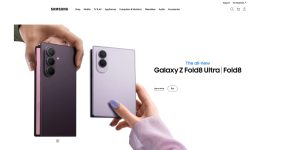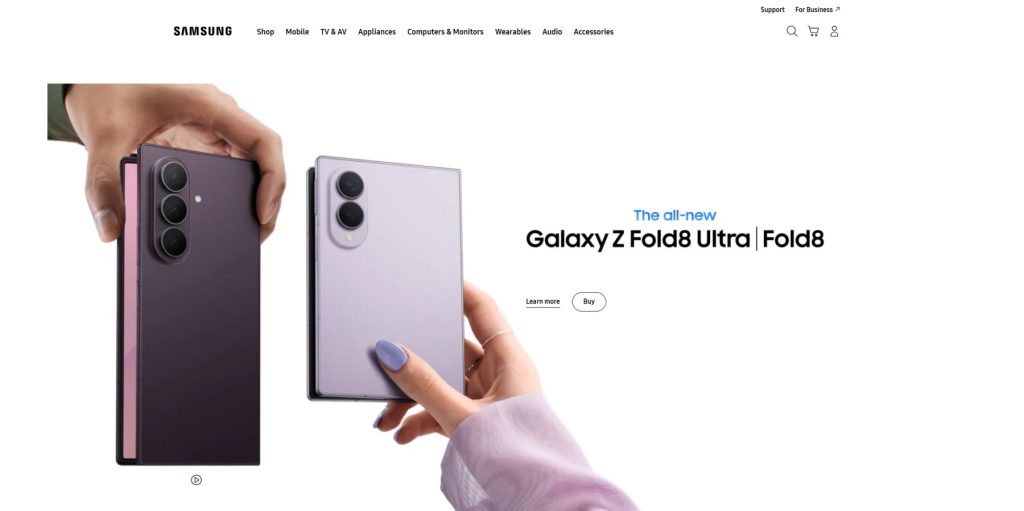
Samsung is one of the world’s largest technology brands, offering a broad range of consumer electronics, mobile devices, computers, displays, home appliances, and connected products. Its portfolio includes Galaxy smartphones and tablets, smartwatches, wireless earbuds, laptops, monitors, televisions, and appliances.
One of the company’s biggest strengths is the sheer variety of products available within its ecosystem. A customer can choose a smartphone for everyday communication, a tablet for entertainment or productivity, a Galaxy Watch for wearable features, and Galaxy Buds for wireless audio.
The company also has a strong presence in displays and home entertainment. Its product range includes televisions, gaming monitors, computer displays, soundbars, and other devices designed for modern homes and workspaces.
Samsung also develops connected home technology. Compatible appliances and devices can be managed through its broader smart-home ecosystem, allowing users to connect products and control supported functions from compatible devices.
This guide explores the major product categories, their strengths and limitations, the Galaxy ecosystem, and the factors worth considering when choosing the right device.
Explore Samsung Products
Discover Galaxy smartphones, tablets, watches, earbuds, TVs, monitors, laptops, appliances, and connected technology.
Explore ProductsTable of Contents
- What Is Samsung?
- Samsung Product Categories
- Galaxy Smartphones
- Galaxy Tablets
- Galaxy Watch
- Galaxy Buds and Audio
- Galaxy Book Computers
- Samsung Monitors
- Samsung TVs
- Home Appliances
- Samsung Ecosystem
- Who Are Samsung Products Best For?
- Frequently Asked Questions
Quick Facts
| Fact | Details |
|---|---|
| Founded | 1938 |
| Headquarters | Suwon, South Korea |
| Industry | Consumer electronics, technology, displays, semiconductors and home appliances |
| Known For | Galaxy smartphones, TVs, displays, tablets, wearables and home appliances |
| Smartphones | Galaxy smartphones |
| Tablets | Galaxy Tab |
| Wearables | Galaxy Watch and Galaxy Buds |
| Computers | Galaxy Book laptops and related devices |
| Displays | Gaming monitors, professional monitors and other displays |
| Home Entertainment | Televisions, soundbars and related products |
| Home Appliances | Refrigerators, washing machines, dryers, ovens and other appliances |
What Is Samsung?
Samsung is a South Korean technology company with a long history spanning multiple industries. The business was established in 1938 and later expanded into electronics, becoming one of the world’s most recognized technology companies.
Today, the brand is particularly well known for consumer electronics and the Galaxy product family. Its technology portfolio extends far beyond smartphones, however, covering displays, televisions, computers, appliances, wearables, audio products, and connected devices.
This broad portfolio gives the company a different position from brands that specialize in only one category. A customer can build a technology setup using products from several categories while maintaining compatibility between many of them.
The Galaxy ecosystem is especially important for mobile users. Smartphones, tablets, watches, earbuds, and other compatible devices can share information and provide features that become more useful when multiple products are used together.
The company also has a significant presence in home entertainment and appliances. This makes it possible for customers to use the same technology brand across personal electronics and parts of the home.
Samsung Product Categories
The easiest way to understand the portfolio is to divide it into several major categories. Each product family has a different purpose, but many devices can be combined into a connected setup.
| Category | Products | Best For |
|---|---|---|
| Smartphones | Galaxy smartphones | Communication, photography, gaming and everyday mobile use |
| Tablets | Galaxy Tab | Entertainment, education and productivity |
| Wearables | Galaxy Watch | Fitness, notifications and connected features |
| Audio | Galaxy Buds | Wireless music and calls |
| Laptops | Galaxy Book | Work, study and mobile productivity |
| Monitors | Gaming and professional displays | Gaming, work and content creation |
| TVs | Smart TVs and premium displays | Home entertainment |
| Appliances | Refrigerators, washers, dryers and other appliances | Connected home and everyday household use |
Galaxy Smartphones
Galaxy smartphones are one of the most recognizable parts of the company’s product portfolio. The range covers different price levels and use cases, from more accessible models to premium flagship devices.
The flagship Galaxy S family is aimed at users who want advanced displays, cameras, processing performance, and premium features. The current Galaxy S26 family includes Galaxy S26, Galaxy S26+, and Galaxy S26 Ultra.
Galaxy S Series
The Galaxy S range is designed for users who want high-end smartphone hardware. These devices typically combine premium displays, powerful processors, advanced camera systems, fast connectivity, and a broad selection of software features.
The Galaxy S26 series continues this approach. The standard S26 is designed as a compact flagship, while the S26+ provides a larger display and battery. The Ultra model is positioned at the top of the range and adds more advanced camera and display capabilities.
When choosing between flagship models, shoppers should consider display size, camera requirements, battery capacity, storage, weight, and whether premium features will actually be useful in everyday use.
Galaxy AI
Artificial intelligence has become an increasingly important part of modern Galaxy smartphones. Current models integrate AI-assisted features into areas such as photography, editing, productivity, communication, and everyday tasks.
For example, the Galaxy S26 range includes features such as Photo Assist and AI-related tools designed to help users edit images and interact with their devices more naturally.
AI features can be useful, but they should not be the only factor considered when choosing a smartphone. Display quality, battery life, cameras, processor performance, software support, storage, and ergonomics remain important.
Galaxy A Series
The Galaxy A family provides options for users who want many of the familiar Android and Galaxy features at a lower price than the flagship S range.
These smartphones can be particularly attractive to students, families, casual users, and shoppers who want a good balance between specifications and price.
The right model depends on budget and priorities. A user who mainly browses the web, communicates through messaging applications, watches videos, and takes occasional photographs may not need a premium flagship.
Camera Performance
Camera capabilities are an important consideration across the smartphone lineup. Higher-end models generally provide more advanced camera systems, while less expensive models focus on delivering useful everyday photography at a lower cost.
Users who frequently take photographs or record video should also consider storage capacity. High-resolution media can consume significant amounts of storage, especially when a phone is used as the primary camera.
Gaming on Galaxy Smartphones
Modern Galaxy smartphones can also provide strong gaming performance. Higher-end processors, fast displays, responsive touchscreens, and advanced cooling systems can make premium models suitable for demanding mobile games.
Gamers should pay particular attention to sustained performance, refresh rate, battery capacity, thermal management, and storage rather than focusing only on processor specifications.
Find the Right Galaxy Smartphone
Compare Galaxy phones for photography, gaming, productivity, entertainment, and everyday mobile use.
Explore Galaxy PhonesGalaxy Tablets
Galaxy Tab tablets provide a larger-screen alternative to smartphones and can be used for entertainment, education, productivity, drawing, browsing, and communication.
The tablet lineup includes different sizes and performance levels, allowing users to choose between compact devices and larger models designed for more demanding workloads.
Galaxy Tab for Entertainment
A tablet can be particularly convenient for watching movies, browsing websites, reading, playing games, and using social applications. The larger screen provides more space than a smartphone while remaining more portable than a laptop.
Galaxy Tab for Productivity
Compatible keyboards and stylus accessories can make a tablet considerably more useful for productivity. Students can use a compatible S Pen for handwritten notes and annotations, while professionals can use a keyboard for documents, email, and other tasks.
Before using a tablet as a laptop replacement, consider the applications you need. Some professional workflows are better suited to a full desktop operating system.
Galaxy Tab for Creative Work
A large touchscreen combined with stylus support can make a tablet useful for drawing, illustration, note-taking, photo editing, and other creative tasks.
Artists and designers should pay attention to display size, resolution, stylus support, storage, performance, and application compatibility.
Galaxy Watch
Galaxy Watch brings wearable technology into the broader ecosystem. It can provide notifications, fitness tracking, communication, health-related features, apps, timers, and other functions from the wrist.
Everyday Use
A smartwatch can reduce the need to constantly check a smartphone. Notifications, calls, messages, calendar information, music controls, and other supported functions can be accessed directly from the watch.
Users should compare models according to display size, battery life, durability, connectivity, fitness features, and compatibility with their smartphone.
Fitness and Outdoor Activities
Galaxy Watch devices can be useful for people who track workouts and daily activity. Depending on the model, features can include workout tracking, GPS, heart-rate monitoring, sleep-related measurements, and other fitness tools.
People who exercise regularly should prioritize battery life, comfort, durability, water resistance, and the fitness features they are actually likely to use.
Galaxy Buds and Wireless Audio
Galaxy Buds are wireless earbuds designed for music, podcasts, calls, video, and everyday listening. Their compact design makes them easy to carry, while compatible features can integrate them with other Galaxy devices.
Wireless Earbuds
Wireless earbuds are particularly useful for people who want portable audio without dealing with cables. Features such as active noise cancellation can make them more useful in offices, public transportation, airplanes, and other noisy environments.
When choosing earbuds, consider fit, comfort, battery life, microphone quality, noise cancellation, sound preferences, and compatibility with your devices.
Galaxy Buds and Galaxy Devices
Users who already own a Galaxy smartphone or tablet may benefit from additional integration between compatible products. Automatic connections, device switching, and other ecosystem features can make everyday use more convenient.
Explore Galaxy tablets, watches, earbuds and smartphones designed to work together. Explore Galaxy Products
Galaxy Book Computers
Galaxy Book is the company’s laptop family, designed for users who want a Windows computer that can fit naturally into a broader Galaxy setup. These laptops can be used for work, education, browsing, entertainment, productivity, and creative applications.
Different Galaxy Book models target different types of users. Some prioritize portability and battery life, while higher-performance configurations are designed for users who need more processing power for demanding applications.
Galaxy Book for Work
A lightweight Galaxy Book can be a practical choice for office work, web browsing, video meetings, documents, email, and cloud-based applications. Users who regularly travel or work from different locations may particularly appreciate a portable design and long battery life.
Before choosing a configuration, consider the amount of memory, storage, processor performance, display size, connectivity, and the applications you use every day.
Galaxy Book for Students
Students can use these laptops for research, writing assignments, presentations, online classes, communication, and entertainment. A compact model may be easier to carry between home, school, and university.
Users should check the software requirements of their course before purchasing. Some specialist applications may require specific Windows configurations or additional hardware.
Galaxy Book and Galaxy Devices
One of the advantages of using a Galaxy Book with compatible smartphones and tablets is the additional integration available through the ecosystem. Depending on the devices and software involved, users can share information, files, photographs, and other content between compatible products.
This can make a Windows laptop more convenient for people who already use Galaxy smartphones, tablets, watches, or earbuds.
Samsung Monitors
Monitors are another important part of the product portfolio. The range includes displays designed for office work, gaming, content creation, entertainment, and general-purpose computing.
The company offers several monitor families with different panel technologies, resolutions, sizes, refresh rates, and features. This makes it possible to choose a display according to the type of computer and workload being used.
Gaming Monitors
Gaming displays are designed around features such as high refresh rates, fast response times, adaptive synchronization, and low input latency. These characteristics can be particularly useful for competitive games and fast-paced action.
When choosing a gaming monitor, do not focus only on refresh rate. Resolution, graphics card performance, panel technology, connectivity, HDR capabilities, and screen size should also be considered.
Smart Monitors
Smart Monitor products combine traditional display functionality with additional smart features. Depending on the model, they can provide access to streaming services and other applications without requiring a separate computer for every task.
This can be useful in bedrooms, small offices, apartments, and other spaces where users want a flexible display that can serve more than one purpose.
Professional Monitors
Professional users should pay particular attention to color accuracy, resolution, panel technology, connectivity, ergonomics, and screen size.
Photographers, designers, video editors, and other creative professionals may have different requirements from office users. A display that is excellent for gaming is not automatically the best option for professional color-critical work.
Upgrade Your Display
Explore gaming monitors, Smart Monitors, professional displays, and screens for work, entertainment, and creative projects.
Explore MonitorsSamsung TVs
Televisions are one of the company’s strongest consumer electronics categories. The lineup includes LED, QLED, Neo QLED, OLED, lifestyle televisions, and other display technologies designed for different budgets and viewing environments.
OLED TVs
OLED displays are designed around individually controlled pixels, allowing them to produce deep blacks and high contrast. They can be particularly attractive for movie enthusiasts, gamers, and viewers who want a premium home cinema experience.
When considering an OLED television, shoppers should also look at screen size, refresh rate, HDMI connectivity, gaming features, brightness, viewing distance, and the amount of ambient light in the room.
Neo QLED
Neo QLED televisions use advanced LED backlighting and quantum-dot technology. They can provide high brightness and strong contrast while offering a wide range of sizes and features.
These displays can be particularly attractive for bright rooms, sports viewing, gaming, and users who want a large premium television.
QLED TVs
QLED models offer a combination of quantum-dot technology, strong brightness, and broad color reproduction. They can provide a good balance between image quality and price depending on the model.
The Frame
The Frame is a lifestyle television designed to look more like a piece of wall art when it is not being used for conventional television viewing.
This type of television can be particularly appealing to users who care about interior design and want their display to blend into the room rather than looking like a traditional black screen.
TVs for Gaming
Modern televisions can also function as gaming displays. Gamers should look for features such as high refresh rates, low input latency, HDMI 2.1 connectivity, variable refresh rate support, and suitable gaming modes.
The ideal screen size depends on viewing distance. A large television can be excellent for living-room gaming, while a smaller model may be more practical for a desk or bedroom.
Projectors and Home Entertainment
In addition to televisions, the company offers projectors and other home entertainment products. Projectors can provide a very large image while taking up less permanent wall space than a large television.
They can be useful for movies, sports, gaming, presentations, and flexible home cinema setups. However, room lighting, projection distance, screen quality, and placement should be considered before choosing a projector.
Soundbars and Audio
Soundbars are designed to improve the audio experience of a television without requiring a large collection of separate speakers.
A soundbar can provide clearer dialogue, stronger bass, and a wider soundstage than many built-in TV speakers. Higher-end systems can add wireless subwoofers and surround-sound features.
When choosing a soundbar, consider the size of the room, television compatibility, HDMI connections, wireless features, subwoofer requirements, and whether you want a simple setup or a more immersive home cinema system.
Improve Your Home Entertainment
Explore OLED and QLED TVs, projectors, soundbars, and other products for a modern home entertainment setup.
Explore TVs and AudioSamsung Home Appliances
The company’s portfolio extends beyond personal electronics into household appliances. The range includes refrigerators, washing machines, dryers, ovens, dishwashers, vacuum cleaners, and other connected home products.
Refrigerators
Modern refrigerators can include features such as flexible storage, water and ice systems, smart connectivity, cameras, and advanced temperature management.
When choosing a refrigerator, capacity and physical dimensions should be considered first. Smart features can be useful, but they should not replace practical requirements such as storage space, energy efficiency, layout, and reliability.
Washing Machines and Dryers
Washing machines and dryers can provide automated programs, energy-saving features, connectivity, and different capacity options.
Families should pay particular attention to drum capacity, dimensions, energy consumption, noise levels, available programs, and whether the appliance can be integrated with a connected-home setup.
Kitchen Appliances
The appliance range also includes ovens, cooking products, dishwashers, and other kitchen equipment. Some models incorporate smart features and connectivity that allow users to monitor or control compatible functions.
Vacuum Cleaners
Modern cordless and robot vacuum cleaners can simplify everyday cleaning. Depending on the model, features may include automated navigation, different cleaning modes, docking stations, and smart-home integration.
The best choice depends on floor type, home size, pets, furniture layout, battery requirements, and how much manual cleaning you want to perform.
Samsung Ecosystem and SmartThings
SmartThings is one of the most important elements connecting compatible products across the broader ecosystem. The platform is designed to bring supported devices together and provide centralized control through compatible applications.
Compatible products can include smartphones, televisions, appliances, lighting, sensors, and other smart-home devices. Samsung’s Polish website currently highlights SmartThings alongside Galaxy devices, TVs, monitors, appliances, and other connected products.
Smart Home Control
A connected home can allow users to manage compatible devices from a smartphone or other supported interface. Depending on the product, this may include checking appliance status, changing settings, receiving notifications, or creating automated routines.
The main advantage is convenience. Instead of managing every connected device through a separate application, compatible products can be brought together within a broader smart-home environment.
Galaxy Devices and SmartThings
Galaxy smartphones and tablets can act as convenient control points for compatible smart-home products. This can make it easier to manage televisions, appliances, and other devices while away from home or moving between rooms.
Compatibility should always be checked for individual products because not every device supports every feature.
Connected Entertainment
Smart TVs and other entertainment products can also interact with compatible devices. This can create useful scenarios such as controlling supported equipment from a television or using a smartphone as an additional control interface.
One Connected Technology Setup
The biggest advantage of choosing several products from the same ecosystem is convenience. A user can combine a smartphone, tablet, watch, earbuds, laptop, monitor, television, and compatible home appliances without treating every device as completely separate.
However, building a complete ecosystem is not necessary for everyone. Someone who only needs a smartphone does not need to purchase a television or smart appliances from the same manufacturer.
The best approach is to choose products based on actual requirements and then take advantage of ecosystem features where they provide meaningful benefits.
Privacy and Security
Connected devices create additional convenience, but they also make security important. Smartphones, televisions, watches, appliances, and smart-home products may exchange information through accounts, applications, and network connections.
Users should keep device software updated, use strong account credentials, enable available security features, and review permissions for connected applications.
It is also worth considering which devices genuinely need internet connectivity. A smart feature can be useful, but there is little benefit in enabling unnecessary connectivity if you do not plan to use it.
Who Are Samsung Products Best For?
Samsung products are suitable for a wide range of users, from people looking for an affordable smartphone to enthusiasts who want premium mobile devices, high-end televisions, gaming monitors, laptops, and connected home technology.
The broad product range is one of the main advantages of the brand. Users can choose a single device or gradually build a connected setup around their needs.
Students may appreciate Galaxy smartphones, tablets, and laptops for communication, research, studying, note-taking, and entertainment. Professionals can choose from Galaxy Book computers, large monitors, smartphones, and tablets depending on their workloads.
Gamers can benefit from high-refresh-rate monitors, powerful smartphones, large televisions, and compatible audio products. Home entertainment enthusiasts can build a setup around a premium TV, soundbar, and other connected devices.
The ecosystem can be particularly appealing to people who already use several compatible products and want them to communicate with each other.
Advantages and Considerations
| Advantages | Considerations |
|---|---|
| Very broad range of consumer electronics | The large product range can make choosing a model more complicated |
| Strong Galaxy smartphone and tablet ecosystem | Some ecosystem features work best with compatible devices |
| Wide selection of displays and televisions | Premium models can be relatively expensive |
| Gaming monitors with high refresh rates and advanced features | High-end specifications may not be necessary for casual users |
| Connected home products and SmartThings integration | Smart features depend on compatibility and internet connectivity |
| Products covering personal electronics and the home | Not every product category is equally relevant to every customer |
How to Choose the Right Samsung Product
The best way to choose a product is to start with your primary use case. A person buying a smartphone for messaging and browsing has very different requirements from someone who wants a device for photography, gaming, or professional productivity.
For smartphones, consider display quality, processor performance, camera capabilities, battery life, storage, size, weight, and software features.
For tablets, think about screen size, portability, stylus support, keyboard compatibility, performance, and the applications you intend to use.
When buying a monitor, pay particular attention to resolution, refresh rate, panel technology, response time, connectivity, ergonomics, and the capabilities of your computer.
Television buyers should consider screen size, viewing distance, room brightness, panel technology, refresh rate, gaming features, HDMI connectivity, and audio requirements.
For appliances, practical factors such as dimensions, capacity, energy consumption, noise, available programs, and installation requirements should generally be considered before smart features.
Galaxy S vs Galaxy A
The Galaxy S and Galaxy A families target different segments of the smartphone market.
| Feature | Galaxy S | Galaxy A |
|---|---|---|
| Positioning | Premium and flagship | Mid-range and accessible |
| Performance | Generally higher | Focused on everyday use and value |
| Cameras | More advanced options | Designed for everyday photography |
| Displays | Premium display technologies and features | Strong displays depending on model |
| Price | Higher | Generally more affordable |
| Best For | Enthusiasts and demanding users | Everyday users and value-focused shoppers |
A premium model is not automatically the best choice for everyone. If your main activities are messaging, web browsing, social media, video streaming, and occasional photography, a well-equipped mid-range device may provide everything you need.
The flagship range becomes more attractive when you need advanced cameras, higher performance, premium displays, gaming capabilities, or additional features.
Compare Galaxy smartphones, tablets, watches, earbuds, and other devices for work, entertainment, gaming, and everyday use. Explore Galaxy Devices
OLED vs QLED
OLED and QLED represent two different approaches to television display technology. Both can provide excellent image quality, but their characteristics are different.
| Characteristic | OLED | QLED |
|---|---|---|
| Black Levels | Excellent | Very Good to Excellent |
| Contrast | Excellent | Very Good to Excellent |
| Brightness | Very Good | Excellent on suitable models |
| Viewing Angles | Excellent | Very Good to Excellent |
| Gaming | Excellent | Excellent on suitable models |
| Bright Rooms | Very Good | Often particularly strong |
OLED can be particularly attractive to movie enthusiasts and gamers who prioritize deep blacks and contrast. QLED and related display technologies can be attractive to users who want high brightness, large screen sizes, and strong performance in brighter rooms.
Room conditions should therefore be considered alongside technical specifications. The most expensive display is not necessarily the best choice for every viewing environment.
Choose Your Ideal TV
Compare OLED, QLED, Neo QLED and other displays to find the right TV for movies, gaming, sports, and everyday entertainment.
Explore TVsWhich Monitor Is Best for Gaming?
Gaming monitor selection should start with the graphics hardware in your computer. A high refresh rate is most useful when the system can produce enough frames to take advantage of it.
Competitive gamers may prioritize refresh rate, response time, input latency, and adaptive synchronization. Players who prefer cinematic games may place greater importance on resolution, HDR, contrast, and image quality.
Screen size and viewing distance also matter. A very large display can be excellent at a desk when positioned appropriately, but it may not be comfortable if the viewing distance is too short.
Galaxy Tab vs Galaxy Book
A tablet and laptop can overlap in some areas, but they are designed around different interaction models.
| Use Case | Galaxy Tab | Galaxy Book |
|---|---|---|
| Web Browsing | Excellent | Excellent |
| Media Consumption | Excellent | Very Good |
| Note-Taking | Excellent with compatible stylus | Very Good |
| Office Work | Very Good with keyboard | Excellent |
| Traditional Desktop Software | Limited compared with Windows | Excellent |
| Portability | Excellent | Very Good to Excellent |
A tablet is a strong option for users who value portability, touchscreen interaction, entertainment, drawing, and handwritten notes. A laptop is generally better for users who depend on traditional desktop applications, extensive multitasking, file management, and a conventional keyboard-and-mouse workflow.
Choosing a Samsung TV for Gaming
A modern television can be an excellent gaming display, especially when paired with a current console or powerful gaming PC.
Gamers should look for features such as a high refresh rate, low input latency, variable refresh rate support, suitable HDMI connectivity, and a gaming mode.
Screen size should be selected according to viewing distance. A large television can work particularly well in a living room, while a smaller display may be more appropriate for close-range gaming.
OLED models can be attractive for players who prioritize contrast and fast pixel response, while QLED and related technologies can provide strong brightness and are often well suited to rooms with significant ambient light.
Samsung for Home Entertainment
The company offers a wide range of products for creating a connected entertainment system. A television can be combined with a soundbar, wireless speakers, streaming applications, and compatible smart-home devices.
A soundbar is often one of the easiest upgrades for improving television audio. It can provide clearer dialogue and stronger sound without requiring a complex surround system.
For users who want a more immersive experience, a soundbar with a wireless subwoofer and additional compatible speakers can create a more convincing home cinema setup.
Samsung for Work and Productivity
Users can build a productive workstation around a Galaxy Book laptop and external monitor. A larger display can provide additional workspace for documents, spreadsheets, web applications, communication, and creative software.
A Galaxy smartphone can complement the computer by handling calls, messages, photographs, authentication, and mobile applications.
For people who frequently work away from home, a lightweight laptop or tablet can provide a more portable solution. The right choice depends on whether traditional desktop software is required.
Samsung for Students
Students can use smartphones, tablets, and laptops for research, online classes, documents, presentations, communication, and entertainment.
A Galaxy Tab can be particularly useful for handwritten notes, reading textbooks, annotating documents, and carrying a lightweight device between classes.
A Galaxy Book may be a better primary computer for students who need desktop applications, extensive typing, programming tools, or more traditional multitasking.
Before making a purchase, students should check the software requirements of their course and consider whether they need Windows applications that may not be available on a tablet.
Samsung for Gamers
Gamers have several options across the portfolio. A high-end Galaxy smartphone can provide strong mobile gaming performance, while gaming monitors can deliver high refresh rates and fast response times for PC gaming.
Large televisions can provide an immersive console gaming experience, particularly when they support modern gaming features.
Gaming audio can also improve immersion and communication. Wireless earbuds may be convenient for mobile gaming, while a dedicated headset or soundbar can be more appropriate for a PC or living-room setup.
Frequently Asked Questions
What is Samsung best known for?
The company is best known for Galaxy smartphones, televisions, displays, tablets, wearables, wireless earbuds, laptops, and home appliances.
Is Samsung a good brand?
The brand offers a very broad range of products across different price levels and categories. The best choice depends on the specific product and the features that matter to you.
What is the Galaxy S series?
The Galaxy S series is the flagship smartphone family, designed for users who want premium displays, cameras, performance, connectivity, and advanced features.
What is the Galaxy A series?
The Galaxy A family focuses more strongly on value and everyday use. It provides smartphones at different price levels for users who do not necessarily need flagship hardware.
Is Galaxy S better than Galaxy A?
The S series generally provides more advanced hardware and features, while the A series focuses on value. The better option depends on your budget and requirements.
Is Samsung good for gaming?
Yes. The company offers gaming-capable smartphones, high-refresh-rate monitors, televisions with gaming features, and audio products suitable for different gaming setups.
Does Samsung make gaming monitors?
Yes. The monitor portfolio includes displays designed specifically for gaming, with features such as high refresh rates, fast response times, and gaming-oriented connectivity.
Does Samsung make OLED TVs?
Yes. The company offers OLED televisions alongside QLED, Neo QLED, and other display technologies.
What is the difference between OLED and QLED?
OLED uses individually controlled pixels to produce deep blacks and high contrast, while QLED uses quantum-dot technology with LED backlighting and can provide very high brightness.
Is QLED good for gaming?
Yes. Suitable QLED models can provide high refresh rates, low input latency, strong brightness, and gaming features that make them suitable for consoles and gaming PCs.
Are Samsung TVs good for movies?
Many models provide strong image quality and smart-TV features for movies and streaming. OLED models can be particularly attractive to viewers who prioritize contrast and deep blacks.
Does the company make laptops?
Yes. Galaxy Book laptops provide Windows-based computers for work, education, entertainment, and productivity.
Is Galaxy Book good for students?
Galaxy Book laptops can be suitable for students who need Windows applications, traditional desktop software, document creation, research, and multitasking.
Are Galaxy tablets good for students?
Yes. Galaxy Tab models can be useful for reading, note-taking, research, entertainment, drawing, and online learning, particularly when paired with a compatible stylus.
Does the company make smartwatches?
Yes. Galaxy Watch products provide notifications, fitness tracking, communication, apps, and other smartwatch features.
Do Galaxy Buds work with other phones?
Galaxy Buds can be used with compatible devices beyond the Galaxy ecosystem, although some advanced features may depend on the device and software being used.
What is SmartThings?
SmartThings is a connected-home platform designed to bring compatible devices together and provide centralized control of supported smartphones, TVs, appliances, lighting, sensors, and other products.
Can Samsung devices work together?
Yes. Compatible smartphones, tablets, watches, earbuds, laptops, televisions, and smart-home products can provide additional integration and shared functionality.
Is Samsung good for home appliances?
The company offers a broad range of refrigerators, washing machines, dryers, ovens, dishwashers, vacuum cleaners, and other household products. Buyers should compare capacity, dimensions, energy use, features, and price.
Are Samsung products expensive?
The range covers multiple price segments. Entry-level and mid-range products can provide good value, while premium smartphones, televisions, monitors, and appliances can cost considerably more.
Which Samsung TV is best?
The best model depends on your room, viewing distance, budget, gaming requirements, and preference for technologies such as OLED, QLED, or Neo QLED.
Which Samsung phone should I buy?
Choose according to your budget and requirements. Flagship Galaxy S models are aimed at demanding users, while Galaxy A models can provide a more affordable solution for everyday use.
Is Samsung Right for You?
Samsung is particularly attractive if you want a broad selection of technology products and the option to build a connected ecosystem over time.
The portfolio covers smartphones, tablets, watches, earbuds, laptops, monitors, televisions, audio products, and home appliances. This makes it possible to find products for many different areas of everyday life without being restricted to a single category.
The Galaxy ecosystem can be especially useful for users who already own several compatible devices. Smartphones, tablets, watches, earbuds, and laptops can complement one another and provide additional convenience.
At the same time, you do not need to buy every product from the same manufacturer. A user may prefer one brand for a smartphone and another for a television or laptop. Comparing individual products based on specifications, price, compatibility, and intended use is still the best way to make a purchasing decision.
For shoppers who value choice, modern display technology, connected devices, and a broad range of products covering both personal electronics and the home, Samsung is a brand worth considering.
Ready to Upgrade Your Technology?
Discover Galaxy smartphones, tablets, watches, earbuds, laptops, monitors, TVs, appliances, and connected technology.
Explore Samsung Products