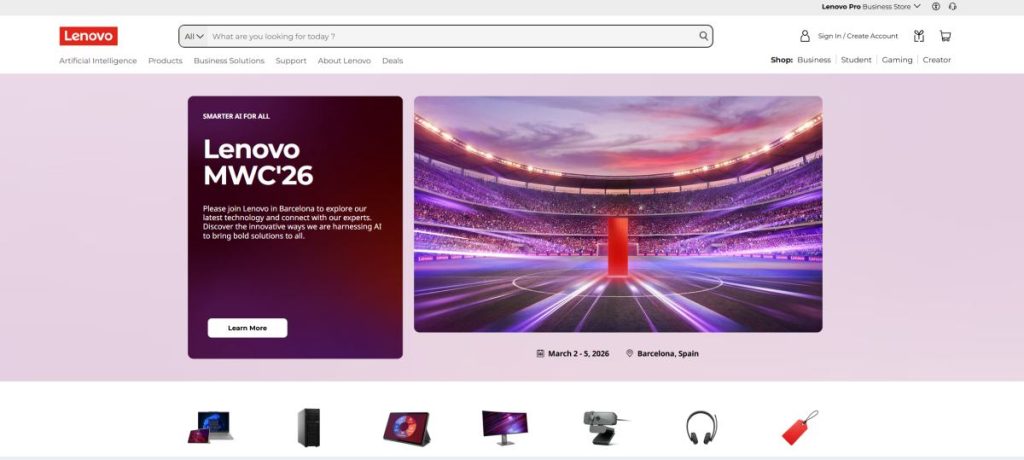
Lenovo is a global technology brand with a broad portfolio spanning laptops, desktop PCs, workstations, tablets, monitors, gaming systems, accessories, servers, storage, and business technology. The company serves a wide range of users, from students and home users to gamers, creators, professionals, enterprises, and organizations managing complex IT environments.
One of the brand’s greatest strengths is the variety of its product families. ThinkPad is closely associated with business and professional computing, IdeaPad targets broad consumer needs, Yoga focuses on premium and flexible experiences, Legion serves performance-oriented gamers, and LOQ provides another route into gaming hardware. The wider portfolio also includes ThinkCentre desktops, ThinkStation workstations, tablets, monitors, accessories, and infrastructure solutions.
This breadth means there is no single type of Lenovo customer. A student looking for an affordable everyday laptop, a business user choosing a durable productivity machine, a creator comparing premium displays, and a gamer seeking dedicated graphics may all find relevant options within the same ecosystem.
What Is Lenovo?
Lenovo is a technology company offering products and solutions across personal computing, mobile devices, gaming, professional workstations, displays, accessories, infrastructure, and enterprise technology. For many consumers, the company is best known for laptops and desktop computers, but its overall portfolio is considerably broader.
A useful way to understand the brand is through its major product families. Instead of placing every computer under one generic name, the company uses distinct lines aimed at different audiences and workloads.
These include:
- ThinkPad for business and professional users
- IdeaPad for broad consumer and everyday computing
- Yoga for premium, creative, and flexible computing
- Legion for performance-focused gaming
- LOQ for gaming-oriented systems across additional price points
- ThinkCentre for desktop business computing
- ThinkStation for professional workstation workloads
Understanding these families makes it much easier to narrow down the right product category before comparing individual models and configurations.
Lenovo Product Range Overview
The product range covers considerably more than traditional notebooks. Depending on market availability, users can explore multiple categories of personal and professional technology.
| Product Family | Primary Audience | Typical Use Cases |
|---|---|---|
| ThinkPad | Business and professionals | Productivity, mobility, corporate environments |
| IdeaPad | Consumers and students | Everyday computing, study, home use |
| Yoga | Premium and creative users | Mobility, creation, flexible form factors |
| Legion | Gamers and performance users | Gaming, demanding applications, high-performance workloads |
| LOQ | Gaming-focused buyers | Gaming and performance-oriented everyday use |
| ThinkCentre | Businesses and organizations | Office desktops, managed environments |
| ThinkStation | Professional users | Engineering, design, content creation, technical workloads |
Product availability, specifications, configurations, and family positioning can vary by country and may change over time.
Explore Lenovo Products and Current Offers
Browse current laptops, desktops, gaming systems, tablets, monitors, accessories, and available deals.
ThinkPad Laptops for Business and Professional Use
ThinkPad is one of the most recognizable business laptop families in the computer market. The range is associated with professional productivity, enterprise deployment, business-oriented features, and a distinctive design language.
ThinkPad devices can appeal to:
- business professionals
- remote and hybrid workers
- corporate IT departments
- developers and technical users
- frequent travelers
- users who prioritize productivity-oriented keyboards and connectivity
The ThinkPad name covers multiple sub-series and configurations, so buyers should not assume that every model offers identical performance, portability, display quality, upgrade options, or business features.
A compact professional notebook may prioritize mobility and battery efficiency, while a larger performance-oriented configuration may be better suited to demanding workloads. The right choice depends on how the computer will actually be used.
IdeaPad Laptops for Everyday Computing
IdeaPad is a broad consumer-oriented laptop family designed to cover a variety of everyday needs and price points. These computers can be relevant to students, home users, families, and buyers who need a general-purpose machine without necessarily requiring enterprise-focused functionality.
Typical use cases include:
- web browsing
- office applications
- online learning
- video calls
- media consumption
- light creative tasks
- general home computing
Because the IdeaPad range is broad, specifications matter more than the family name alone. Processor class, memory capacity, storage, display quality, battery size, graphics hardware, and construction can differ significantly between models.
For buyers on a budget, the most important step is to avoid choosing solely by price. A slightly more expensive configuration with adequate memory and storage may provide a much better long-term experience than the cheapest available model.
Yoga Laptops and Flexible Computing
Yoga is associated with premium mobility, creative workflows, modern designs, and flexible computing experiences. The family includes conventional premium laptops as well as convertible and 2-in-1 concepts depending on the specific model.
Yoga devices may appeal to:
- mobile professionals
- creators
- students seeking premium portability
- users interested in touch interaction
- buyers who value display quality
- people who want flexible form factors
Some users benefit greatly from convertible designs, while others rarely use tablet or presentation modes. Before paying a premium for flexibility, consider whether touch input, pen support, or a rotating hinge will genuinely improve your workflow.
Legion Gaming Laptops and Desktops
Legion is the company’s performance-focused gaming family. It includes gaming laptops, desktop systems, and related devices aimed at users who need stronger graphics performance and gaming-oriented hardware.
When comparing Legion systems, important factors include:
- CPU performance
- GPU class and power configuration
- display resolution and refresh rate
- cooling design
- memory capacity
- SSD storage
- port selection
- weight and portability
Gaming buyers should compare complete configurations rather than relying only on the model name. Two systems from the same family can deliver substantially different results when equipped with different processors, graphics hardware, memory, displays, and cooling capabilities.
LOQ Gaming Devices
LOQ provides another gaming-oriented product family. It can be relevant to users who want dedicated gaming hardware while comparing different performance levels and budgets within the wider ecosystem.
As with any gaming computer, the most important specifications are the components that directly affect your intended games and workloads. A powerful GPU may be valuable for demanding titles, while additional memory can help with multitasking, streaming, and creative applications.
Buyers should also consider display quality and cooling. A gaming laptop is a complete system, and headline CPU or GPU specifications do not tell the entire story.
Looking for a Lenovo Laptop or Gaming PC?
Explore current Lenovo models, configurations, gaming systems, and available offers.
Desktop PCs and All-in-One Computers
The company also offers desktop computing for home, business, and specialized use cases. Desktop systems can provide advantages when portability is not required.
Potential benefits include:
- larger cooling capacity
- greater performance potential
- more connectivity options
- easier integration with larger monitors
- potential expansion depending on system design
All-in-one computers take a different approach by integrating core computing hardware with the display. They can reduce desk clutter and simplify installation, although upgrade flexibility may be more limited than with a traditional tower.
Business users may also consider ThinkCentre systems, which are designed around professional and organizational computing needs.
ThinkStation Professional Workstations
ThinkStation systems are designed for professional workloads that can demand more than a typical consumer desktop. Potential use cases include engineering, architecture, design, 3D work, scientific applications, content creation, and other compute-intensive tasks.
Professional workstation buyers should evaluate:
- processor requirements
- professional GPU needs
- memory capacity
- storage architecture
- application certification requirements
- expansion needs
- support expectations
A workstation should be selected around actual software and workflow requirements. Paying for professional hardware that your applications cannot use efficiently may provide little benefit, while under-specifying a machine for demanding workloads can reduce productivity.
Tablets and Mobile Devices
The wider portfolio includes tablets designed for entertainment, productivity, education, and mobile use. Available models can vary in screen size, performance, accessories, software experience, and intended audience.
Before choosing a tablet, consider:
- display size and quality
- processor performance
- memory and storage
- battery requirements
- keyboard availability
- pen support
- software ecosystem
A tablet can be excellent for media consumption and lightweight mobility, but it does not automatically replace a laptop for every workflow. Your applications and input requirements should guide the decision.
Monitors, Accessories, and the Wider Ecosystem
Beyond computers and tablets, the brand offers monitors and accessories that can support home, office, gaming, and professional setups. Depending on the market, users may find displays, keyboards, mice, docks, headsets, chargers, cases, and other peripherals.
When choosing a monitor, consider more than screen size. Resolution, panel technology, refresh rate, connectivity, ergonomic adjustment, color requirements, and intended workload can all affect the experience.
For laptop users, a suitable dock and external monitor can transform a portable computer into a more comfortable desktop-style workstation.
Business and Enterprise Solutions
The company’s role in technology extends beyond consumer PCs. Its wider portfolio includes business computing, professional workstations, servers, storage, infrastructure, services, and enterprise-oriented solutions.
This broad presence can matter to organizations seeking technology across multiple layers, from employee endpoints to infrastructure. However, enterprise purchasing decisions involve different criteria from consumer shopping and may require careful evaluation of deployment, management, support, security, compatibility, and lifecycle requirements.
AI PCs and the Evolution of Modern Computing
Artificial intelligence has become an increasingly visible part of the modern PC market. Newer computer platforms may include dedicated hardware intended to accelerate selected AI-related workloads and operating system features.
Across modern product families, AI-oriented capabilities are increasingly connected with areas such as:
- productivity assistance
- creative workflows
- communication features
- system optimization
- local AI processing
- new interaction models
Buyers should still focus on practical value. The presence of an AI label does not automatically make one computer better than another. Processor performance, memory, storage, display, battery life, graphics capabilities, software compatibility, and price remain critical.
Before making a decision, compare specifications carefully and check current Lenovo products and offers to see which configurations are currently available.
How to Choose the Right Lenovo Device
The easiest way to choose the right device is to begin with your workload rather than a product family or promotional discount.
For students
Consider portability, battery life, sufficient memory, reliable storage, webcam quality, and the applications required by your course. IdeaPad and selected Yoga models may be relevant depending on budget and performance needs.
For business users
ThinkPad is a logical starting point, but compare specific models carefully. Portability, connectivity, security-related features, support options, and performance requirements can vary significantly.
For gamers
Compare Legion and LOQ configurations according to the games you play, target resolution, desired frame rates, GPU requirements, cooling, and budget.
For creators
Pay close attention to display quality, processor performance, graphics hardware, memory capacity, storage, and connectivity. Selected Yoga systems, performance laptops, or professional workstations may be relevant depending on workload intensity.
For home users
A balanced IdeaPad or desktop configuration may provide everything required for browsing, office tasks, communication, shopping, and entertainment without paying for unnecessary professional or gaming hardware.
Potential Advantages and Limitations
Potential Advantages
- very broad product portfolio
- options across consumer, business, gaming, and professional markets
- well-established ThinkPad family
- multiple laptop form factors
- dedicated Legion gaming ecosystem
- desktop and workstation options
- tablets, monitors, and accessories
- solutions for organizations and enterprise environments
Potential Limitations
- the large number of product families can be confusing
- quality and features vary between price tiers
- similar model names may hide important configuration differences
- availability varies by country
- promotional pricing can change frequently
- not every premium feature is useful for every buyer
Lenovo FAQ
What products does Lenovo make?
The company offers laptops, desktops, workstations, tablets, monitors, accessories, gaming devices, servers, storage, infrastructure solutions, and other technology products and services.
What is ThinkPad?
ThinkPad is a business and professional laptop family. It includes multiple series and configurations designed for different levels of mobility, performance, and organizational requirements.
What is the difference between ThinkPad and IdeaPad?
ThinkPad is generally associated with business and professional computing, while IdeaPad is aimed more broadly at consumer and everyday use. Exact differences depend on the specific models being compared.
What is Lenovo Yoga?
Yoga is a premium-oriented family associated with modern designs, mobility, creative use, and flexible form factors. Some models offer convertible or 2-in-1 functionality.
Is Lenovo good for gaming?
The company offers dedicated gaming products through families such as Legion and LOQ. Suitability depends on the exact configuration, including processor, graphics hardware, memory, display, cooling, and storage.
What is Lenovo Legion?
Legion is a gaming-focused family that includes performance-oriented laptops, desktops, and related devices designed for gaming and demanding workloads.
What is Lenovo LOQ?
LOQ is another gaming-oriented family offering systems for users comparing different performance requirements and budgets.
Does Lenovo make desktop computers?
Yes. The portfolio includes consumer and business desktops, all-in-one systems, ThinkCentre computers, gaming desktops, and professional ThinkStation workstations.
Does Lenovo make tablets?
Yes. Tablet options are available for different use cases such as entertainment, education, mobility, and productivity. Availability varies by market.
Does Lenovo make monitors?
Yes. The wider ecosystem includes monitors for home, office, gaming, and professional use, with specifications varying by model.
Which Lenovo laptop is best for students?
The best choice depends on budget, required software, portability, and performance needs. IdeaPad can be a practical starting point, while selected Yoga models may appeal to students who value premium mobility or flexible designs.
Which Lenovo laptop is best for business?
ThinkPad is the most obvious family to explore for professional use, but the right model depends on mobility, performance, display, connectivity, and organizational requirements.
Which Lenovo laptop is best for gaming?
Legion and LOQ are the main gaming-oriented families to compare. The best configuration depends on target games, resolution, frame-rate expectations, GPU class, cooling, and budget.
Is Lenovo a good choice for creators?
It can be, depending on the model. Creators should compare display quality, processor performance, GPU capabilities, memory, storage, and connectivity rather than choosing by brand name alone.
Should I choose a laptop or desktop?
Choose a laptop when mobility is important. A desktop may be preferable when you prioritize sustained performance, larger displays, connectivity, or potential expansion and do not need portability.
Are all Lenovo laptops the same quality?
No. The portfolio spans multiple price points and audiences, so construction, displays, components, features, and performance can differ substantially between models.
What should I check before buying?
Compare the exact processor, memory, storage, display, graphics hardware, battery capacity, ports, operating system, warranty, and total price. Do not rely only on the product family name.
Is Lenovo the Right Brand for You?
Lenovo can be a strong option for users who value choice. Its broad portfolio covers everyday consumer laptops, professional business systems, premium mobile devices, gaming hardware, desktops, workstations, tablets, monitors, accessories, and enterprise technology.
The main advantage of this breadth is flexibility. Students can explore IdeaPad models, professionals can compare ThinkPad systems, premium users can consider Yoga devices, and gamers can evaluate Legion or LOQ configurations. Organizations and technical professionals also have access to business desktops, workstations, and broader infrastructure solutions.
The main challenge is that such a large portfolio can make selection more complicated. Product family names are useful starting points, but the exact configuration matters more. Before buying, compare specifications, intended workload, display requirements, portability, upgrade expectations, warranty, and total cost.
For most buyers, the best approach is simple: identify your primary use case first, choose the most relevant product family, and then compare individual models based on the features you will actually use.
Ready to Explore Lenovo?
Compare current products, specifications, configurations, and available offers before choosing your next device.