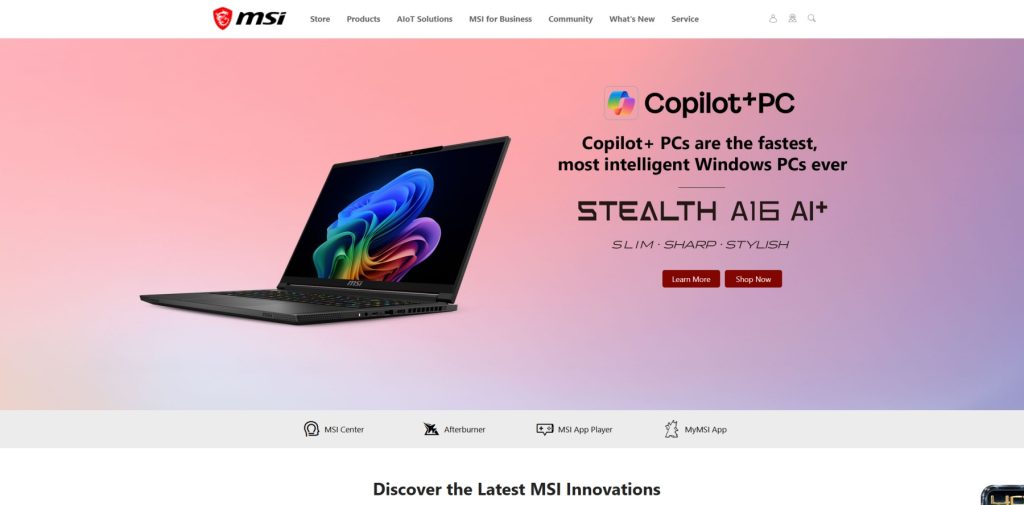

MSI is a global technology brand best known for gaming laptops, desktops, monitors, graphics cards, motherboards, and high-performance PC hardware. The company has built a particularly strong reputation among gamers and PC enthusiasts, while its current portfolio also includes business laptops, creator-focused computers, peripherals, networking products, storage, power supplies, and gaming handhelds.
One of the biggest advantages of the MSI ecosystem is its breadth. Instead of focusing on a single category, the company offers many of the components and devices needed to build a complete gaming or productivity setup. A customer can choose a laptop or desktop, pair it with a high-refresh-rate monitor, and add a keyboard, mouse, headset, networking equipment, and other accessories from the same ecosystem.
The product range also extends into PC components for people who prefer to build their own computers. Graphics cards, motherboards, power supplies, cases, cooling products, and SSDs allow enthusiasts to select individual components and create a system around their own performance and budget requirements.
Although gaming remains central to the brand, the portfolio has expanded considerably. Creator and business laptops provide alternatives for professionals, while modern desktop and notebook systems increasingly include hardware designed for AI-assisted workloads. The company also offers handheld gaming PCs through its MSI Claw family.
This guide explores the main product categories, laptop families, gaming systems, monitors, PC components, desktops, peripherals, and other technology products available from the brand. It is designed to help shoppers understand which products are best suited to gaming, productivity, content creation, and custom PC building.
Explore MSI Gaming & Technology
Discover gaming laptops, desktops, monitors, graphics cards, PC components, peripherals, and other MSI technology products.
Explore MSI ProductsDiscover gaming laptops, desktops, monitors, graphics cards, PC components, peripherals, and other MSI technology products.
Table of Contents
- What Is MSI?
- MSI Product Categories
- MSI Laptops
- Gaming Laptops
- Creator & Professional Laptops
- Gaming Desktops
- Gaming & Professional Monitors
- PC Components
- Gaming Peripherals
- Handheld Gaming PCs
- Software & System Management
- Who Are MSI Products Best For?
- Frequently Asked Questions
Quick Facts
| Feature | Details |
|---|---|
| Industry | Consumer and Professional Technology |
| Best Known For | Gaming laptops, desktops, monitors, graphics cards and PC components |
| Laptops | Gaming, Creator, Business and mainstream models |
| Gaming | Gaming PCs, monitors, peripherals and handheld systems |
| PC Components | Graphics Cards, Motherboards, Power Supplies, Cases, Cooling and SSDs |
| Additional Products | Networking, accessories, AI computing and enterprise solutions |
What Is MSI?
MSI is a technology company with a broad portfolio spanning personal computing, gaming hardware, PC components, displays, peripherals, networking, and enterprise computing. Its gaming products are among the most recognizable parts of the business, but the company has developed into a much larger technology ecosystem.
The laptop portfolio includes dedicated gaming machines, creator-oriented notebooks, and business systems. Gaming products are designed around performance and cooling, while professional models place greater emphasis on portability, display quality, battery life, and productivity.
Desktop systems provide another important part of the portfolio. Customers can choose prebuilt gaming computers designed for different performance levels, including compact systems and larger machines with more powerful hardware. The current desktop lineup includes families such as Aegis, Trident, Infinite, and Codex, covering different approaches to gaming performance, size, and expandability. :contentReference[oaicite:1]{index=1}
For enthusiasts who prefer building their own PC, the company offers individual components including motherboards, graphics cards, power supplies, cases, cooling products, and SSD storage. This makes the ecosystem particularly attractive to users who want to customize their systems rather than purchase a complete computer.
MSI Product Categories
The product range can be divided into several major categories. Each serves a different type of customer, from casual gamers and home users to professional creators and PC enthusiasts.
| Product Category | Best For | Key Priorities |
|---|---|---|
| Gaming Laptops | PC gamers and enthusiasts | GPU performance, cooling, display refresh rate |
| Creator Laptops | Designers, editors and creators | Display quality, processing power, portability |
| Business Laptops | Professionals and businesses | Productivity, portability, connectivity |
| Gaming Desktops | Gamers and enthusiasts | Performance, cooling, upgradeability |
| Gaming Monitors | Gamers | Resolution, refresh rate, response time |
| PC Components | DIY PC builders | Compatibility, performance and customization |
| Peripherals | Gamers and PC users | Comfort, responsiveness and connectivity |
| Handheld Gaming PCs | Portable gaming | Performance, portability and controls |
MSI Laptops
Laptops are one of the most important product categories and cover several distinct use cases. Gaming machines prioritize graphics performance and cooling, while Creator and business-oriented notebooks focus more heavily on mobility, display quality, productivity, and professional workloads.
When comparing laptops, shoppers should look beyond the processor and graphics card. Screen technology, refresh rate, memory, storage, battery capacity, weight, keyboard design, connectivity, webcam quality, and cooling can all influence the overall experience.
For gaming, the graphics processor is particularly important. A powerful GPU can make a significant difference when playing modern games at higher resolutions or refresh rates. However, it should be paired with an appropriate CPU, sufficient RAM, fast storage, and effective thermal management.
For professional users, the priorities may be very different. A creator or business user might value a high-quality display, long battery life, comfortable keyboard, low weight, and strong connectivity more than maximum gaming performance.
Gaming Laptops
Gaming laptops form the core of the product identity. They are designed to provide desktop-class gaming capabilities in a portable form factor, making them useful for players who want to take their games between home, school, work, or gaming events.
Depending on the model, gaming notebooks can include powerful Intel or AMD processors, dedicated NVIDIA GeForce graphics, high-refresh-rate displays, advanced cooling systems, fast SSD storage, and large memory configurations.
Cooling is especially important because gaming hardware can generate significant heat during demanding workloads. Performance-oriented designs therefore use dedicated thermal solutions to move heat away from the CPU and GPU and maintain stable performance during extended gaming sessions.
Find the Right MSI Gaming Laptop
Compare gaming laptops designed for competitive gaming, demanding AAA titles, content creation, and high-performance computing.
Shop MSI Gaming LaptopsPerformance and Display Considerations
A gaming laptop should be evaluated as a complete system. A high-end graphics processor is useful only if the display, cooling system, CPU, memory, and power delivery can support it effectively.
High refresh rate displays are particularly useful for competitive games because they can produce smoother motion. Resolution is also important, although higher resolutions place additional demands on the graphics processor.
Users should also consider whether portability is important. High-performance gaming laptops can be substantially heavier than thin productivity notebooks because they require larger cooling systems and more powerful hardware.
Find the Right MSI Gaming Laptop
Compare gaming laptops designed for competitive gaming, demanding AAA titles, content creation, and high-performance computing.Shop MSI Gaming Laptops
Creator & Professional Laptops
Not every user needs a gaming-focused machine. Creator and professional laptops are designed for workloads such as photo editing, video production, graphic design, programming, business applications, and other demanding productivity tasks.
For creators, display quality can be just as important as processing performance. Accurate colors, high resolution, sufficient brightness, and a suitable screen size can make a major difference when working with photographs, video, illustrations, and other visual content.
Professional users may also benefit from a lighter design and longer battery life. Someone who frequently works from different locations may prefer a portable notebook over a heavier gaming system, even if the latter provides more graphics performance.
The current ecosystem includes dedicated Creator products alongside business-oriented systems, allowing professional users to choose hardware based on the type of work they perform rather than simply selecting a gaming computer.
Gaming Desktops
Gaming desktops provide an alternative to laptops for users who want high performance, larger cooling systems, and greater flexibility for future upgrades. A desktop setup can accommodate more powerful components while providing additional space for storage, memory, and graphics hardware.
The desktop portfolio includes several families designed around different priorities. Compact systems are useful when desk space is limited, while larger towers can provide additional room for powerful components and more advanced cooling.
Prebuilt gaming computers are particularly convenient for users who want a complete system without selecting and installing every individual component themselves. They can also be a practical choice for newcomers to PC gaming who want a ready-to-use computer with compatible hardware.
Desktop Performance and Upgradeability
One of the biggest advantages of a desktop is upgradeability. Depending on the model, users may be able to replace or expand memory, storage, graphics hardware, cooling components, and other parts as their requirements change.
When choosing a prebuilt gaming desktop, it is important to consider not only the processor and graphics card but also the power supply, cooling system, motherboard, memory configuration, and available expansion options. These components determine how easily the computer can be upgraded later.
Gaming & Professional Monitors
Monitors are another major part of the product ecosystem. The lineup includes gaming displays as well as models designed for professional work, productivity, content creation, and general computing.
Gaming monitors place particular emphasis on refresh rate, response time, adaptive synchronization, resolution, and panel technology. These characteristics can have a noticeable impact on smoothness and responsiveness, especially in competitive games.
Professional users may have different priorities. A designer, photographer, or video editor may place greater importance on color accuracy, resolution, brightness, viewing angles, and screen consistency than on extremely high refresh rates.
| Monitor Feature | Why It Matters |
|---|---|
| Resolution | Determines image detail and available workspace. |
| Refresh Rate | Controls how frequently the display can update the image. |
| Response Time | Can affect motion clarity and ghosting during fast movement. |
| Panel Technology | Influences contrast, colors, viewing angles, and response characteristics. |
| Adaptive Sync | Helps synchronize display refresh with compatible graphics hardware. |
| Connectivity | Determines compatibility with computers, consoles, and other devices. |
QD-OLED and High-End Displays
Premium gaming displays increasingly use advanced panel technologies such as QD-OLED. These displays can provide deep blacks, strong contrast, vivid colors, and fast response characteristics, making them attractive to gamers and content creators who want a premium visual experience.
However, premium display technology also increases the price. Shoppers should therefore consider whether the additional image quality and performance justify the cost for their particular use case.
Build a Better Gaming Setup
Explore gaming monitors, desktops, laptops, graphics cards, peripherals, and other hardware for a complete setup.Explore MSI Gaming Products
PC Components
PC components are one of the areas where the brand has a particularly strong presence. DIY builders can select individual parts and assemble a computer around their own performance goals, budget, and aesthetic preferences.
The component ecosystem includes graphics cards, motherboards, power supplies, PC cases, cooling solutions, and SSD storage. This allows enthusiasts to create systems ranging from affordable gaming computers to high-end workstations.
Graphics Cards
Graphics cards are essential for gaming and many professional workloads. A dedicated GPU handles graphical calculations and can dramatically improve performance in modern games, 3D applications, video editing, and other GPU-accelerated workloads.
When choosing a graphics card, buyers should consider the resolution and refresh rate of their monitor, the games or applications they use, available power supply capacity, physical case dimensions, and cooling requirements.
It is also important to maintain balance between components. Pairing a very powerful graphics card with an unsuitable processor or insufficient power supply can prevent the system from reaching its full potential.
Motherboards
The motherboard connects the major components of a computer and determines many of the system’s expansion and connectivity possibilities. MSI offers motherboard platforms for different processors, budgets, form factors, and workloads.
For a new PC build, motherboard compatibility should be checked carefully. The processor socket, chipset, memory type, expansion slots, storage interfaces, networking features, and power delivery should all match the intended components.
Gaming-oriented motherboards may also provide features such as enhanced networking, additional M.2 storage slots, advanced BIOS controls, improved power delivery, and connectivity designed for high-performance systems.
Power Supplies
A reliable power supply is one of the most important components in a gaming PC. It provides electricity to the processor, graphics card, storage, motherboard, cooling system, and other components.
When choosing a PSU, wattage is only one consideration. Efficiency certification, connector availability, protection features, physical dimensions, and compatibility with modern graphics cards should also be evaluated.
PC Cases and Cooling
PC cases affect airflow, component compatibility, expansion capacity, and overall system design. A good case should provide enough room for the motherboard, graphics card, CPU cooler, power supply, and storage devices while maintaining effective airflow.
Cooling becomes particularly important in high-performance systems. Powerful processors and graphics cards generate substantial heat, so appropriate fans, heatsinks, or liquid cooling can help maintain stable performance during demanding workloads.
SSD Storage
Solid-state storage can significantly improve the responsiveness of a computer compared with traditional mechanical hard drives. Faster storage can reduce operating system startup times, application loading times, and game loading times.
When building or upgrading a PC, shoppers should consider both capacity and interface. A larger SSD is useful for extensive game libraries and media files, while modern high-speed interfaces can provide greater transfer performance for demanding workloads.
Build Your MSI Gaming Setup
Explore gaming monitors, desktops, graphics cards, motherboards, peripherals, and other hardware for a complete setup.
Explore MSI Gaming ProductsGaming Peripherals
A complete gaming setup also requires peripherals. The ecosystem includes products such as gaming keyboards, mice, headsets, webcams, controllers, and other accessories designed to complement gaming computers.
A gaming mouse can provide precise sensor tracking and customizable controls, while mechanical keyboards can offer responsive switches and programmable functions. Gaming headsets add communication and positional audio capabilities for multiplayer games.
Comfort is particularly important when choosing peripherals. Gamers can spend many hours using the same keyboard, mouse, or headset, so ergonomics, weight, button placement, and adjustability can have a greater impact than specifications alone.
Handheld Gaming PCs
Portable gaming PCs provide another way to access PC games without sitting at a traditional desktop setup. The MSI Claw family combines a compact handheld design with PC hardware and Windows-based gaming capabilities.
Handheld systems are particularly attractive to players who want to play games while traveling or relaxing away from a desk. Their integrated controls, display, battery, and compact form factor eliminate the need for a separate monitor and keyboard.
There are trade-offs, however. A handheld cannot provide the same sustained performance or upgradeability as a full desktop computer. Battery life also depends heavily on the game, display settings, processor workload, and performance mode being used.
Software & System Management
Hardware is only part of the experience. Software utilities can make it easier to monitor system performance, update drivers, adjust hardware settings, and manage gaming features.
Depending on the product, users may have access to utilities for monitoring temperatures, adjusting performance profiles, controlling RGB lighting, configuring supported peripherals, and managing system updates.
Driver and firmware updates are particularly important for gaming hardware because they can improve compatibility, address bugs, and introduce support for newer software and games. Keeping the system updated can therefore contribute to a more stable computing experience.
What Makes a Good Gaming PC?
A good gaming PC is not defined by a single component. Performance depends on how the processor, graphics card, memory, storage, cooling, power supply, and display work together.
The graphics card usually has the largest influence on gaming performance, particularly at higher resolutions. However, the processor can become equally important in games that depend heavily on CPU performance or when targeting very high frame rates.
Memory capacity also matters. Modern games and multitasking workloads can benefit from sufficient RAM, while fast SSD storage improves loading times and overall system responsiveness.
Cooling should not be overlooked. A powerful computer needs an effective way to dissipate heat, especially during long gaming sessions. Good airflow and appropriate cooling can help maintain stable performance and reduce thermal throttling.
Finally, the monitor should match the capabilities of the computer. A high-end graphics card paired with an entry-level display may prevent users from taking full advantage of the available performance.
Who Are MSI Products Best For?
MSI products are primarily aimed at people who want strong performance, gaming features, or the flexibility to build and customize a high-performance computer. The range is broad enough to accommodate different budgets and workloads, although the brand is particularly well suited to gamers and PC enthusiasts.
Gamers can choose from laptops, desktops, monitors, graphics cards, motherboards, peripherals, and handheld systems. This makes it possible to build an entire gaming setup around compatible products while choosing individual components according to performance requirements.
Content creators and professionals can also benefit from the portfolio. Creator-focused laptops and high-quality displays can be useful for photo editing, video production, graphic design, programming, and other demanding applications.
DIY PC builders are another important audience. The availability of motherboards, graphics cards, cooling systems, power supplies, cases, and storage gives enthusiasts considerable freedom when designing a custom computer.
- PC gamers looking for high-performance laptops, desktops, monitors, and peripherals.
- Competitive gamers who prioritize fast displays, responsive hardware, and low latency.
- Content creators who need powerful processors, dedicated graphics, and high-quality displays.
- PC enthusiasts who want to build and customize their own computers.
- Professionals who need powerful mobile workstations for demanding applications.
- Technology enthusiasts interested in modern PC hardware and gaming accessories.
Advantages and Considerations
| Advantages | Considerations |
|---|---|
| Extensive gaming hardware ecosystem | Performance-oriented products can be more expensive than basic alternatives |
| Wide selection of gaming laptops and desktops | High-performance laptops can be heavier and less portable |
| Strong range of PC components for DIY builders | Component compatibility should be checked carefully before building a PC |
| Gaming and professional monitor options | Premium display technologies can significantly increase the price |
| Gaming peripherals and accessories | Some features are aimed specifically at enthusiasts rather than casual users |
| Handheld gaming PCs | Portable systems cannot match the upgradeability of desktop computers |
How to Choose the Right MSI Product
The best product depends on how you intend to use it. A gamer looking for maximum frame rates will have very different requirements from a professional who primarily works with documents, creative software, or business applications.
For gaming laptops and desktops, the graphics card should be one of the first specifications to evaluate. The GPU has a major influence on gaming performance, especially when playing modern titles at high resolutions or refresh rates.
The processor is also important. A capable CPU can help prevent performance bottlenecks and is particularly valuable for users who stream games, edit video, compile software, or run multiple demanding applications at the same time.
Memory and storage should also match the intended workload. More RAM can improve multitasking, while a fast SSD provides quicker system startup and application loading. Gamers with large game libraries should consider storage capacity as well as drive performance.
For monitors, focus on resolution, refresh rate, response time, panel technology, brightness, color reproduction, and connectivity. There is little benefit in buying a very high-refresh-rate display if the computer cannot produce enough frames to take advantage of it.
For a custom PC, compatibility is especially important. The motherboard must support the selected processor and memory, the case must accommodate the graphics card and cooling solution, and the power supply must provide enough capacity and the appropriate connectors.
Gaming Laptop vs Desktop
Gaming laptops and desktops can both provide excellent gaming performance, but they are designed for different priorities.
| Feature | Gaming Laptop | Gaming Desktop |
|---|---|---|
| Portability | Excellent | Limited |
| Upgradeability | Limited | Generally much better |
| Cooling | Compact thermal system | More space for advanced cooling |
| Performance Potential | High | Very high |
| External Monitor Required | No | Usually yes |
| Long-Term Flexibility | More limited | Excellent |
A gaming laptop is the better choice for users who need portability. It provides a complete system with an integrated display, keyboard, battery, and trackpad, making it possible to play games in different locations.
A desktop is usually better for users who primarily game at home and want maximum performance or future upgradeability. Larger cases allow manufacturers and builders to use more substantial cooling systems and provide greater room for component expansion.
Is MSI Good for Gaming?
MSI is particularly well suited to gaming because gaming is a central part of its hardware ecosystem. The company offers gaming laptops, desktops, monitors, graphics cards, motherboards, storage, power supplies, keyboards, mice, headsets, and other peripherals.
This broad selection gives gamers considerable flexibility. Someone buying a complete gaming laptop can choose a ready-to-use system, while a desktop enthusiast can select individual components and build a computer around specific performance requirements.
The gaming range also covers different performance levels. Entry and mid-range systems can provide a more accessible route into PC gaming, while high-end products target enthusiasts who want powerful graphics, advanced cooling, premium displays, and additional features.
However, shoppers should always compare individual configurations. Product families can contain several models with significantly different processors, GPUs, displays, memory configurations, and storage options.
Is MSI Good for Content Creation?
Some models are well suited to content creation because they combine powerful processors, dedicated graphics, fast storage, and high-quality displays. These characteristics can benefit applications used for video editing, photography, 3D design, animation, and other creative workloads.
Display quality is particularly important for visual professionals. A screen with accurate colors, high resolution, good brightness, and wide color coverage can make it easier to work with photographs and video.
Performance is also important when working with large projects. Additional memory can improve multitasking, while a powerful CPU and GPU can accelerate demanding editing and rendering tasks.
For professionals who frequently travel, a creator-oriented laptop can offer a better balance of portability and performance than a large gaming machine.
Explore MSI Technology
Compare gaming laptops, desktops, monitors, graphics cards, components, peripherals, and other products.Explore MSI Products
Frequently Asked Questions
What is MSI best known for?
MSI is best known for gaming laptops, gaming desktops, monitors, graphics cards, motherboards, and other high-performance PC hardware. It also offers creator and business computers, peripherals, networking products, and handheld gaming systems.
Are MSI laptops good for gaming?
Yes. The gaming laptop range includes systems with dedicated graphics, powerful processors, fast displays, advanced cooling, and high-speed storage designed for modern PC games.
Does MSI make gaming desktops?
Yes. The desktop lineup includes several gaming families designed for different performance levels, sizes, and upgrade requirements.
Does MSI make graphics cards?
Yes. MSI produces graphics cards based on NVIDIA GPU platforms, with different models designed for various performance levels, cooling requirements, and budgets.
Does MSI make motherboards?
Yes. The company offers motherboards for different processor platforms, form factors, budgets, and workloads, including models designed specifically for gaming and enthusiast PC builds.
Are MSI monitors good for gaming?
Many gaming displays offer features such as high refresh rates, fast response times, adaptive synchronization, high resolutions, and advanced panel technologies designed for gaming.
Does MSI make OLED monitors?
Yes. The monitor portfolio includes models using OLED technology, including premium displays designed for gaming and users who prioritize image quality.
Are MSI laptops good for students?
Some models can be suitable for students, particularly when the student needs additional performance for programming, engineering software, creative applications, or gaming. Less demanding users may prefer a lighter productivity-focused computer.
Are MSI laptops suitable for video editing?
Yes. Models with powerful CPUs, dedicated graphics, sufficient RAM, fast SSD storage, and high-quality displays can be suitable for video editing and other creative workloads.
Does MSI make keyboards and mice?
Yes. The product ecosystem includes gaming keyboards, mice, headsets, controllers, and other peripherals designed to complement gaming PCs and laptops.
Does MSI make SSDs?
Yes. SSD storage is part of the PC component ecosystem and can be used for system storage, applications, games, and large files.
Does MSI make power supplies?
Yes. Power supplies are available for gaming and enthusiast PC builds. When selecting a PSU, users should check wattage, efficiency, connectors, physical dimensions, and compatibility with the rest of the system.
Is MSI good for building a custom PC?
Yes. The company offers many of the components needed for a custom PC, including motherboards, graphics cards, power supplies, cases, cooling products, and storage.
What is the MSI Claw?
MSI Claw is a family of handheld gaming PCs designed to provide portable access to PC games. These systems combine a compact display, integrated controls, battery, and PC hardware in a handheld form factor.
Are MSI products expensive?
Pricing varies considerably between product categories and configurations. The portfolio includes more accessible products as well as premium gaming and enthusiast hardware, so shoppers should compare specifications rather than judging value solely by the product family.
Where can I compare MSI products?
You can explore the available products and compare different hardware categories through the shopping link provided on this page.
Is MSI Right for You?
MSI is a strong option for shoppers who want performance-oriented technology and a broad selection of products built around gaming and PC computing. Its portfolio extends from laptops and desktops to monitors, graphics cards, motherboards, storage, power supplies, cooling systems, peripherals, and handheld gaming devices.
The brand is particularly attractive to gamers and PC enthusiasts because the ecosystem covers almost every part of a modern gaming setup. Users can purchase a complete gaming laptop or desktop, or build a custom PC from individual components.
Professional users can also find suitable products, particularly in the creator and productivity categories. Powerful processors, dedicated graphics, high-quality displays, and fast storage can provide the performance needed for creative and professional workloads.
The most important consideration is choosing the right configuration. Hardware requirements vary significantly between users, so specifications such as CPU, GPU, RAM, storage, display quality, cooling, and connectivity should be compared carefully before making a purchase.
If you want a technology brand with a particularly strong focus on gaming and PC hardware, MSI offers a broad ecosystem worth exploring.
Ready to Upgrade Your Setup?
Explore MSI gaming laptops, desktops, monitors, graphics cards, PC components, peripherals, and handheld gaming systems.
Explore MSI Products