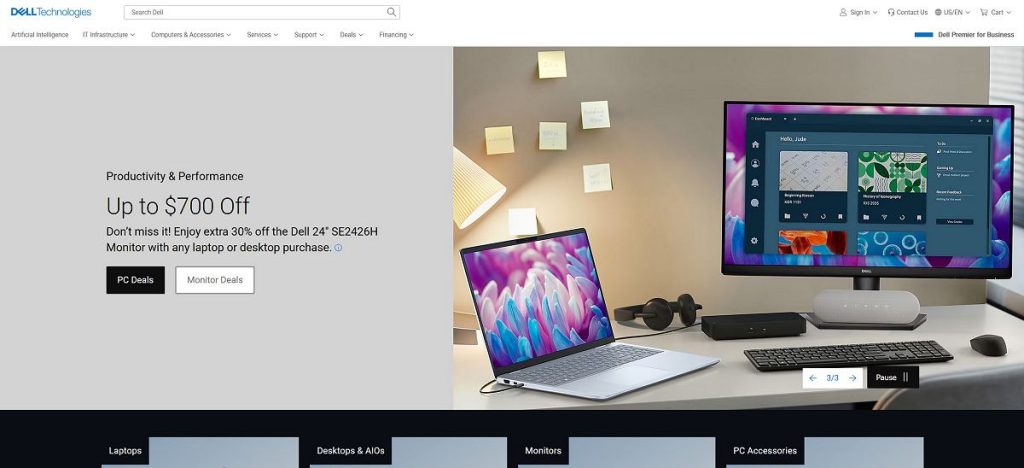
Dell is one of the world’s best-known computer technology brands, offering laptops, desktops, workstations, monitors, accessories, and business technology. Its portfolio ranges from everyday computers designed for home users and students to professional systems, gaming hardware, and advanced workstations.
The company has developed a particularly broad presence in personal computing. Its Client Solutions Group includes notebooks, desktops, workstations, displays, docking stations, keyboards, mice, webcams, audio devices, and other peripherals. The portfolio serves both consumer and commercial customers.
Today’s lineup also includes several distinct product families. Dell-branded systems cover everyday computing, while Dell Pro focuses on professional users. Dell Pro Precision addresses workstation-class requirements, XPS targets premium personal computing, and Alienware serves the gaming market.
This range makes the brand relevant to many different types of users. A student may need an affordable and portable notebook, while a business professional may prioritize security, connectivity, docking support, and manageability. A gamer has completely different requirements, including dedicated graphics and high-refresh-rate displays.
The company also produces a wide selection of monitors and accessories that can be used to build a complete workstation around a desktop or laptop.
Explore Dell Products
Discover laptops, desktops, gaming systems, monitors, workstations, and accessories for home and business.
Explore ProductsTable of Contents
- What Is Dell?
- Quick Facts
- Dell Product Categories
- Dell Laptops
- Dell Base and Plus Laptops
- Dell XPS
- Dell Pro
- Dell Pro Precision
- Business Computers
- Alienware Gaming
- Dell Desktop Computers
- Dell Monitors
- Dell Accessories
- AI PCs
- Who Are Dell Products Best For?
- Frequently Asked Questions
Quick Facts
| Fact | Details |
|---|---|
| Company | Dell Technologies |
| Industry | Computer technology, infrastructure, personal computing and IT solutions |
| Personal Computing | Laptops, desktops, workstations and peripherals |
| Premium PC Family | XPS |
| Business Portfolio | Dell Pro and Dell Pro Precision |
| Gaming Brand | Alienware |
| Displays | Monitors for productivity, gaming and professional use |
| Accessories | Docks, keyboards, mice, webcams, audio devices and other peripherals |
| AI Computing | AI-enabled PCs and AI-optimized infrastructure |
| Enterprise Technology | Servers, networking and storage solutions |
| Global Presence | Operations and customers across more than 170 countries |
What Is Dell?
Dell is a global technology company offering products and services across personal computing, business technology, data infrastructure, and artificial intelligence. Its portfolio extends from laptops and desktops to servers, networking, storage, peripherals, and professional services.
For everyday shoppers, the most visible part of the business is personal computing. Laptops, desktops, monitors, and accessories form a broad ecosystem for home users, students, professionals, and gamers.
For businesses, the portfolio is considerably larger. Dell Technologies also provides infrastructure designed for data centers, cloud environments, artificial intelligence, networking, and storage.
This distinction is important when researching the brand. Someone looking for a laptop will interact primarily with the Client Solutions Group, while an enterprise customer may be interested in servers, storage, networking, and other infrastructure solutions.
Dell’s Client Solutions Group includes branded PCs such as notebooks, desktops, and workstations, together with displays, docking stations, keyboards, mice, webcams, audio devices, and other peripherals. The company also provides configuration, support, deployment, and warranty services.
The consumer portfolio ranges from essential computing and productivity products to higher-performance systems and gaming hardware. Commercial products focus more heavily on professional requirements such as flexibility, manageability, security, and hybrid work.
Dell Product Categories
The easiest way to understand the portfolio is to divide it into several major categories. Each category serves a different type of customer and workload.
| Category | Typical Products | Best For |
|---|---|---|
| Laptops | Dell, Dell Plus, XPS, Dell Pro and Alienware notebooks | Home, education, business, creativity and gaming |
| Desktops | Consumer, business and gaming desktop systems | Home, office and high-performance computing |
| Workstations | Dell Pro Precision systems | Engineering, design, content creation and professional workloads |
| Gaming | Alienware laptops, desktops and accessories | Gaming and demanding entertainment |
| Monitors | Productivity, professional and gaming displays | Office work, gaming, design and entertainment |
| Accessories | Docks, keyboards, mice, webcams and audio products | Workstations, mobility and communication |
| AI PCs | AI-enabled notebooks and desktops | Productivity, creativity and supported AI workloads |
| Enterprise Technology | Servers, storage and networking | Data centers, businesses and AI infrastructure |
Dell Laptops
Laptops are one of the most important parts of the consumer and commercial portfolio. Current models cover several levels of performance, portability, design, and professional functionality.
The right notebook depends heavily on how it will be used. A student carrying a computer between classes has different priorities from a video editor, business traveler, software developer, or gamer.
Everyday Laptop Users
For web browsing, documents, email, video streaming, online meetings, and everyday applications, a balanced laptop is usually more useful than an unnecessarily powerful configuration.
Important characteristics include a comfortable keyboard, good display, sufficient memory, fast SSD storage, reliable wireless connectivity, and reasonable battery life.
Users should also consider the size and weight of the device. A 14-inch notebook can offer a useful balance between portability and screen space, while a 16-inch model provides more room for multitasking but is less convenient to carry.
Laptops for Students
Students generally benefit from a portable computer with good battery life and enough performance for research, documents, presentations, video calls, and online learning.
A lightweight model can be easier to transport between home, school, university, and other locations.
Students studying engineering, architecture, design, programming, or other technical subjects should check the hardware requirements of their applications before choosing a computer.
Laptops for Professionals
Professional users often need stronger connectivity, security, docking support, and reliability than casual home users.
A business notebook may spend much of its life connected to an external monitor and docking station. In that situation, USB-C capabilities, display outputs, Ethernet support, and docking compatibility can be just as important as processor performance.
Laptops for Creators
Photographers, designers, video editors, and other creators should pay particular attention to the display, processor, graphics capabilities, memory, and storage.
High-resolution photographs and video projects can consume large amounts of storage. Users working with substantial media libraries should consider a larger internal SSD or a fast external storage solution.
Display quality is equally important. Resolution, brightness, color accuracy, panel technology, and viewing angles can all affect the creative workflow.
Find Your Next Dell Laptop
Explore laptops for students, professionals, home users, creators, and everyday computing.
Shop LaptopsDell Base and Plus Laptops
The current consumer lineup uses a simpler naming structure than many of the older product families shoppers may remember. Dell’s current laptop range includes Base and Plus configurations, alongside XPS, Dell Pro, Dell Pro Essential, and specialized workstation and rugged products.
Dell Base
Base models are intended to cover essential computing and everyday productivity. They can be suitable for browsing, office applications, education, communication, streaming, and general home use.
The key advantage of this type of system is balance. Users who do not need dedicated graphics or workstation-level performance can focus their budget on features that affect everyday usability.
Dell Plus
Plus models are positioned toward users who want additional performance and capabilities. Current products include Dell 14 Plus, Dell 14 Plus 2-in-1, Dell 16 Plus, and Dell 16 Plus 2-in-1 models.
Two-in-one designs can be useful for users who want greater flexibility when interacting with the computer. The ability to change the physical position of the display can be convenient for presentations, media consumption, note-taking, and other tasks.
Choosing Between Base and Plus
| Priority | Base | Plus |
|---|---|---|
| Everyday Computing | Excellent | Excellent |
| Office Productivity | Very Good | Excellent |
| Multitasking | Good | Very Good to Excellent |
| Creative Applications | Basic to Moderate | Better suited |
| Premium Features | More limited | More extensive |
| Budget Focus | Strong | Moderate |
The correct choice depends on how demanding your workload is. There is little benefit in paying for performance that will not be used, while users who multitask heavily may appreciate the additional capability of a higher-tier configuration.
Explore Everyday Dell Laptops
Compare practical laptops for home, school, work, entertainment, and everyday productivity.
View LaptopsDell XPS
XPS is the premium personal computing family. It is aimed at users who want a combination of performance, design, display quality, portability, and advanced features.
The current lineup continues to position XPS as a premium notebook range, alongside the standard Dell and Dell Plus products.
Premium Design
Premium notebooks are often chosen not only for their specifications but also for their materials, dimensions, display quality, keyboard, touchpad, and overall construction.
This can be particularly important to professionals who carry their computer every day and interact with it for many hours.
XPS for Creators
Higher-performance configurations can be attractive to photographers, designers, developers, and other users who need more processing power than a basic productivity notebook can provide.
When choosing a premium notebook for creative work, buyers should still compare the exact processor, graphics hardware, memory, SSD capacity, and display rather than assuming that every model in the same family has identical capabilities.
XPS for Professionals
The premium design can also make this family appealing to professionals who want a computer that combines portability with a higher level of hardware and display quality.
Frequent travelers should pay particular attention to weight, dimensions, battery capacity, charging options, and the number of available ports.
Explore Premium Dell Laptops
Discover premium notebooks designed for productivity, creativity, mobility, and advanced everyday computing.
Explore XPS & MoreDell Pro
Dell Pro is the current professional computing family designed around business productivity and professional workflows. The portfolio includes notebooks, desktops, and other systems intended for commercial users.
The current range emphasizes professional productivity, AI PC capabilities, manageability, and solutions designed for modern work environments.
Dell Pro Notebooks
Business notebooks are designed for employees who need reliable computing for documents, communication, collaboration, web applications, and professional software.
Security and manageability can become especially important when computers are deployed across an organization. A business computer may also need to connect to docking stations, external monitors, wired networks, and other office equipment.
Dell Pro Desktops
Desktop systems can be particularly practical for employees who work from a permanent office location.
Compared with laptops, desktops can provide more flexibility in terms of physical space for cooling, expansion, and component configuration.
They can also be paired with large monitors and ergonomic peripherals to create comfortable long-term workstations.
Dell Pro Essential
Dell Pro Essential products provide a professional option for organizations that need practical business computing without necessarily requiring the highest-end configuration.
They can be suitable for common office workloads such as email, productivity applications, web-based tools, video meetings, and document management.
Explore Dell Pro Computers
Find professional laptops and desktops designed for productivity, hybrid work, security, and business use.
Explore Business PCsDell Pro Precision Workstations
Dell Pro Precision represents the workstation side of the professional portfolio. These systems are designed for workloads that require more performance or specialized hardware than a standard business computer.
Typical users can include engineers, architects, designers, developers, scientists, content creators, and professionals working with demanding applications.
Engineering and CAD
Computer-aided design applications can benefit from powerful processors, dedicated professional graphics, substantial memory, and fast storage.
Workstation selection should be based on the requirements of the specific software. Some applications depend heavily on CPU performance, while others benefit more from GPU acceleration or additional memory.
3D and Visualization
Three-dimensional modeling and visualization can place substantial demands on graphics hardware and system memory.
Professionals working with complex scenes should consider the graphics requirements of their software and the size of the projects they typically handle.
Video Production
Video editors can benefit from powerful processors, capable graphics hardware, large amounts of memory, and fast storage.
High-resolution footage can also require considerable storage capacity, particularly when working with multiple versions, source files, previews, and exports.
Why Choose a Workstation?
A workstation makes sense when the workload can actually use its additional capabilities. For basic office applications, web browsing, email, and video meetings, a workstation is usually unnecessary.
For professional applications that are optimized for workstation hardware, however, the additional performance, graphics capabilities, memory capacity, and certification options can be valuable.
Dell for Business
Business computing is one of the strongest areas of the portfolio. Commercial customers can choose from professional notebooks, desktops, workstations, monitors, docks, peripherals, and support services.
The company’s commercial portfolio is designed around requirements such as IT modernization, hybrid work, security, flexibility, and manageability.
Hybrid Work
Hybrid employees often need a computer that works equally well at home, in an office, and while traveling.
A business laptop combined with a docking station can provide a practical solution. At home or in the office, the notebook can connect to external displays, keyboard, mouse, Ethernet, and other peripherals. When the employee needs to travel, the same computer can be disconnected and used independently.
Business Security
Security is an important consideration for organizations handling customer information, financial data, intellectual property, or other sensitive information.
Business systems can provide additional security and management capabilities compared with basic consumer computers. However, organizations should evaluate the exact security features of each configuration before purchasing.
Fleet Management
Large organizations may manage hundreds or thousands of computers. Standardized hardware can simplify deployment, support, replacement, and lifecycle management.
This is one reason commercial computer families can be attractive to businesses even when a consumer model appears to offer similar specifications at a lower price.
Explore Dell Desktop Computers
Discover desktop systems for home, office, productivity, entertainment, and demanding workloads.
Shop DesktopsDell Desktop Computers
Desktop computers remain an excellent choice for users who want a permanent workstation, larger displays, easier expansion, or more performance without the limitations of a portable design.
The desktop portfolio covers everyday home computing, professional office work, demanding applications, and gaming. The right configuration depends on whether the priority is affordability, productivity, expandability, graphics performance, or specialized workloads.
Desktop PCs for Home
A home desktop can handle browsing, documents, streaming, education, communication, photo management, and many other everyday tasks.
For users who already have a monitor, keyboard, and mouse, a desktop can also provide a cost-effective way to upgrade the main computer without replacing the entire workstation.
Compact Desktop Computers
Compact systems are useful when desk space is limited. They can be placed behind or beside a monitor and connected to external peripherals.
They are particularly suitable for office environments, reception desks, education, and home users who do not need a large tower.
Desktop Towers
A traditional tower provides considerably more physical space for components and cooling. This makes it a practical choice for users who want stronger hardware or greater expansion potential.
A larger chassis can also make maintenance and component replacement easier. However, buyers should check exactly which components can be upgraded because expansion options vary between individual models.
Desktop Computers for Business
Business desktops can provide a stable solution for employees who work from a permanent location.
They can be paired with one or more external monitors, docking or connectivity accessories, ergonomic keyboards, mice, headsets, and other office equipment to create a complete workstation.
Explore Dell Desktop Computers
Discover desktop systems for home, office, productivity, entertainment, and demanding workloads.
Shop DesktopsAlienware Gaming
Alienware is the gaming-focused brand within Dell Technologies. Its portfolio includes gaming laptops, desktops, monitors, and accessories designed for enthusiasts and players who want high-performance hardware.
Alienware Gaming Laptops
Gaming laptops combine portability with dedicated graphics and high-performance processors. They are useful for gamers who need to move their system between locations or want a complete gaming computer that does not require a permanent desktop.
When choosing a gaming notebook, graphics performance should be considered alongside display resolution and refresh rate. A powerful GPU can be wasted if the display cannot take advantage of the available performance.
Alienware Gaming Desktops
Gaming desktops are designed for users who prioritize performance, cooling, expansion, and a permanent gaming setup.
A desktop can provide more room for powerful graphics hardware and cooling components than a laptop. It can also be easier to upgrade over time, although the exact upgrade possibilities depend on the model.
Gaming Displays
A high-performance gaming computer should be paired with a suitable display. High refresh rates can be particularly valuable for competitive games, while higher resolutions can provide a more detailed image.
The best monitor depends on the graphics performance of the computer and the games being played.
Gaming Accessories
A complete gaming setup can include a gaming mouse, keyboard, headset, microphone, monitor, mouse pad, and other accessories.
Players should prioritize the peripherals they use most. A comfortable mouse and keyboard can have a greater everyday impact than purchasing expensive accessories that provide features they rarely use.
Build Your Gaming Setup
Build Your Gaming Setup
Explore Alienware gaming laptops, desktops, monitors, and accessories for demanding games and entertainment.
Explore GamingDell Monitors
Monitors are an important part of the computing ecosystem. A good display can improve productivity, gaming, creative work, and everyday comfort.
The portfolio covers basic office displays, high-resolution professional monitors, gaming screens, ultrawide models, and displays designed for specialized workflows.
Office Monitors
Office monitors generally focus on readability, comfortable viewing, connectivity, and ergonomic adjustment.
A larger display can make multitasking easier by allowing several applications to remain visible simultaneously. Height adjustment and tilt can also help create a more comfortable workstation.
Professional Monitors
Professional users may require higher resolution, better color accuracy, greater brightness, and more advanced connectivity.
Photographers, designers, video editors, and other creators should look beyond resolution and consider color coverage, calibration, panel technology, and the requirements of their software.
UltraSharp
UltraSharp is associated with professional and premium displays. These monitors are designed for users who place greater importance on image quality, workspace, connectivity, and productivity.
A high-resolution professional monitor can be particularly useful when working with detailed graphics, large spreadsheets, timelines, photographs, or multiple applications.
Gaming Monitors
Gaming displays prioritize features such as refresh rate, response time, adaptive synchronization, and gaming-oriented connectivity.
| Gaming Priority | Important Monitor Feature |
|---|---|
| Competitive gaming | High refresh rate and low response time |
| High-resolution gaming | Resolution and image quality |
| Immersive gaming | Large or ultrawide display |
| Mixed gaming and work | Balanced resolution, refresh rate and connectivity |
The monitor should always be matched to the capabilities of the graphics hardware. There is little benefit in choosing an extremely high refresh rate if the computer cannot consistently produce enough frames.
Ultrawide Monitors
Ultrawide displays provide additional horizontal workspace. They can be useful for video editing timelines, large spreadsheets, multiple browser windows, programming, and immersive gaming.
However, they require more desk space and may not be ideal for every workstation. Users should check desk dimensions and viewing distance before purchasing a very large display.
Upgrade Your Display
Explore Dell monitors for office work, gaming, creative applications, entertainment, and professional workflows.
Explore MonitorsDell Accessories
A computer is often only the center of a much larger workstation. Accessories can improve connectivity, communication, ergonomics, and productivity.
Dell Docking Stations
Docking stations are particularly useful for laptop users who want to create a permanent workstation.
A compatible dock can provide connections for monitors, USB devices, Ethernet, audio equipment, and other peripherals through a single connection to the notebook.
This makes it possible to disconnect a laptop quickly when leaving the desk and reconnect it just as easily when returning.
Keyboards and Mice
External keyboards and mice can make a major difference when a laptop is connected to an external monitor.
Office users who spend many hours typing should consider keyboard comfort, key layout, noise level, and wrist position. Mouse shape is equally personal and should be matched to hand size and grip style.
Webcams
A dedicated webcam can improve video meetings, remote work, online education, and streaming compared with a basic built-in camera.
Camera quality is only part of the equation. Lighting, camera positioning, background organization, and microphone quality also have a substantial effect on the final result.
Headsets and Audio
Headsets can simplify communication by combining headphones and a microphone in one device.
They are useful for remote workers, students, gamers, customer support teams, and anyone who participates in frequent video calls.
External Storage
External storage can provide additional space for documents, photographs, video projects, backups, and other files.
Users working with large media libraries should consider SSD-based external storage when fast file transfers are important.
Power and Connectivity
Modern laptops increasingly rely on USB-C for charging, displays, data, and peripheral connectivity. A suitable hub or dock can therefore expand the functionality of a compact notebook.
Compatibility should always be checked before purchasing a dock or hub because USB-C ports do not necessarily support the same features on every computer.
Complete Your Dell Setup
Find docking stations, keyboards, mice, webcams, headsets, storage, and other computer accessories.
Explore AccessoriesDell AI PCs
Artificial intelligence is becoming an increasingly important part of personal computing. AI-enabled PCs include hardware designed to accelerate selected AI workloads locally.
Modern AI PCs can include a neural processing unit, or NPU, alongside the CPU and GPU. The NPU is designed specifically for certain low-power AI calculations.
What Can an AI PC Do?
AI-capable hardware can support functions such as image processing, video effects, transcription, communication features, productivity tools, and other supported applications.
The actual benefits depend on the software. An AI PC does not automatically make every application faster, and buyers should consider whether the programs they use can take advantage of local AI acceleration.
AI for Productivity
AI features can help with selected office and communication tasks. Examples can include meeting enhancements, background effects, transcription, content assistance, and other software features.
For ordinary browsing and document work, however, traditional CPU performance, memory, storage, and display quality remain important.
AI for Creators
Creators can potentially benefit from local AI acceleration in supported image and video applications.
Tasks such as image enhancement, noise reduction, transcription, object selection, and other AI-assisted functions can use specialized hardware when the application supports it.
Should You Buy an AI PC?
AI capabilities can be useful if you expect to use compatible applications over the life of the computer. They can also be attractive to buyers who want newer hardware and longer-term support for emerging software features.
However, AI hardware should not be the only reason to purchase a particular computer. Processor performance, graphics capabilities, memory, storage, battery life, display quality, and connectivity remain important factors.
Choosing Between Dell, Dell Pro and XPS
The simplified product structure can make it easier to identify the right category, but shoppers should still compare individual configurations carefully.
| Family | Typical User | Main Focus |
|---|---|---|
| Dell | Home users and everyday computing | Balanced performance and value |
| Dell Plus | Users wanting more capability | Performance and additional features |
| XPS | Premium consumers and professionals | Design, mobility and advanced computing |
| Dell Pro | Businesses and professionals | Productivity, security and manageability |
| Dell Pro Precision | Technical and creative professionals | Workstation performance |
| Alienware | Gamers and enthusiasts | High-performance gaming |
The best choice depends on the workload. There is no advantage to buying a workstation for simple office work, just as an entry-level notebook may not be appropriate for demanding 3D applications or competitive gaming.
Gaming Laptop vs Desktop
Gamers should decide whether portability or expansion is more important before choosing a system.
| Feature | Gaming Laptop | Gaming Desktop |
|---|---|---|
| Portability | Excellent | Limited |
| Upgradeability | Limited | Generally better |
| Cooling | More constrained | More flexible |
| Desk Space | Minimal | More space required |
| Performance per Dollar | Good | Often better |
| Permanent Gaming Setup | Very Good | Excellent |
A gaming laptop is useful for students, travelers, and players who move between locations. A desktop is generally more attractive for users who have a permanent gaming area and want stronger upgrade potential.
Choosing the Right Dell Monitor
Monitor selection should begin with the tasks you perform most frequently.
Office users should prioritize comfortable viewing, resolution, connectivity, and ergonomic adjustment. Gamers should focus more heavily on refresh rate, response time, synchronization technology, and the capabilities of their graphics card.
Creative professionals should pay close attention to color accuracy, resolution, brightness, panel technology, and calibration.
Users who perform several tasks on the same computer may benefit from a high-resolution ultrawide display or a dual-monitor setup.
Choosing the Right Accessories
Accessories should solve a specific problem rather than simply add more hardware to the desk.
A docking station makes sense when a laptop regularly connects to several external devices. An ergonomic mouse can be worthwhile for someone who spends many hours navigating applications. A dedicated webcam can improve remote meetings, while a headset can provide clearer communication.
Before buying accessories, check compatibility with the computer and operating system. This is particularly important for docking stations, USB-C devices, monitors, and advanced peripherals.
Choosing a Dell Laptop for Students
Students need a computer that balances portability, performance, battery life, durability, and price. The right configuration depends on the subject being studied and the applications required for coursework.
For general education, a mainstream notebook can handle research, documents, presentations, web applications, video meetings, and entertainment without requiring high-end hardware.
Students studying engineering, architecture, programming, photography, design, or video production may need considerably more processing power and memory. In these cases, it is worth checking the hardware requirements of the software used during the course.
Portability
A lightweight 13- or 14-inch notebook can be convenient for students who regularly carry their computer between home, university, libraries, and classrooms.
Larger displays can make multitasking easier, but they also increase the weight and physical size of the computer. Students should therefore consider how often they actually need to carry the device.
Battery Life
Battery life becomes particularly important when access to a power outlet is not guaranteed. A computer that can comfortably last through several classes can be more useful than a faster model that requires frequent charging.
Choosing a Dell Computer for Business
Business users generally have different priorities from home users. Security, reliability, connectivity, manageability, docking support, and long-term deployment can be particularly important in a professional environment.
A business notebook can serve as both a portable computer and the center of a permanent workstation. When connected to a dock, it can support external monitors, keyboard, mouse, Ethernet, storage, audio equipment, and other peripherals.
Hybrid Work
Hybrid employees often need to move between home and office environments. A notebook combined with a docking station can simplify this arrangement because the same computer can be used in both locations.
At the office, the notebook can connect to a full-size monitor and peripherals. When it is time to leave, disconnecting a single cable can make the transition much easier.
Business Security
Companies handling customer information, financial records, intellectual property, or other sensitive data should pay particular attention to security features.
Professional systems can offer additional hardware and software capabilities designed for authentication, device management, data protection, and organizational security policies.
Business Fleet Management
Organizations purchasing computers for many employees may benefit from standardized configurations. Using consistent hardware can simplify deployment, technical support, replacement, and lifecycle management.
For larger organizations, the purchase decision should therefore consider the entire lifecycle of the computer rather than only its initial price.
Choosing a Dell Computer for Creators
Photographers, designers, video editors, developers, and other creators can have significantly higher hardware requirements than typical office users.
The most important components depend on the application. Video editing may benefit from strong CPU and GPU performance, while graphic design can place greater emphasis on display quality and color accuracy.
Display Quality
A high-quality display is especially important for photographers and designers. Resolution, brightness, color coverage, contrast, panel technology, and calibration can all influence the creative workflow.
Users should also consider whether they need a single large display or multiple monitors. More screen space can make timelines, tool panels, reference material, and other applications easier to manage.
Memory
Creative applications can consume substantial amounts of system memory, particularly when several applications are open simultaneously.
Video editing, 3D applications, large image files, and complex projects can all benefit from additional memory. The ideal configuration depends on the software and project size.
Storage
Creators often need much more storage than typical office users. RAW photographs, high-resolution video, project files, previews, and exported media can quickly fill an internal SSD.
A fast external SSD can therefore be a useful addition to a creative workstation. It can provide additional capacity while also making it easier to move projects between computers.
Choosing a Dell Computer for Programming
Developers often benefit from a combination of fast storage, sufficient memory, a capable processor, and a comfortable display.
Modern development environments can consume considerable resources when combined with browsers, databases, virtual machines, containers, testing tools, and communication applications.
Memory Requirements
Developers working with lightweight web applications may be comfortable with a mainstream configuration. Users running virtual machines, containers, local databases, or large development environments may benefit from considerably more memory.
Multiple Displays
Multiple monitors can be particularly useful for programming. One display can contain source code, another documentation or a browser, and a third can be used for testing, logs, or communication.
Before purchasing a computer for a multi-monitor setup, check the available video outputs and whether the chosen docking station can support the desired display configuration.
Choosing a Dell Computer for Gaming
Gaming systems have different priorities from productivity computers. Graphics performance, processor capability, memory, storage, cooling, and display characteristics all contribute to the overall experience.
Alienware is aimed at users looking for high-performance gaming hardware, while other configurations can provide a more balanced approach for casual or mainstream gaming.
Graphics Performance
The graphics processor is usually the most important component for demanding modern games.
Players should match the GPU to their preferred resolution. A system intended for high-refresh-rate 1080p gaming has different requirements from one designed for 1440p or 4K gaming.
Refresh Rate
A high-refresh-rate monitor can make fast games feel more responsive. However, the graphics hardware needs to generate enough frames to take advantage of the display.
It is therefore better to balance the GPU and monitor rather than choosing the highest possible refresh rate without considering actual gaming performance.
Cooling
Gaming hardware generates substantial heat under sustained loads. Desktop systems generally have more room for cooling solutions than gaming notebooks.
Users planning long gaming sessions should pay attention to cooling design, airflow, fan noise, and the thermal characteristics of the selected system.
Dell Laptop vs Desktop
The choice between a laptop and desktop largely depends on portability, performance requirements, workspace, and upgrade plans.
| Feature | Laptop | Desktop |
|---|---|---|
| Portability | Excellent | Limited |
| Desk Space | Minimal | More space required |
| Battery | Built in | Not applicable |
| Upgrade Potential | More limited | Generally better |
| External Monitor | Optional | Usually required |
| Long-Term Expansion | Limited | Generally easier |
| Travel | Excellent | Not practical |
A laptop is the natural choice for students, travelers, hybrid workers, and anyone who needs to use the same computer in multiple locations.
A desktop can be more attractive for users with a permanent workstation who want stronger expansion options, larger cooling systems, or a higher-performance setup.
Dell vs HP
Dell and HP both offer extensive computer portfolios covering consumers, students, professionals, businesses, gaming, workstations, monitors, and accessories.
| Area | Dell | HP |
|---|---|---|
| Consumer Laptops | Strong | Strong |
| Business Computers | Strong | Strong |
| Gaming | Alienware | OMEN and Victus |
| Workstations | Dell Pro Precision | ZBook |
| Monitors | Extensive range | Extensive range |
| Accessories | Extensive range | Extensive range |
There is no universal winner. The better option depends on the exact computer, configuration, price, warranty, and requirements of the buyer.
Dell vs Lenovo
Lenovo is another major competitor in both consumer and commercial computing. Both companies offer business notebooks, desktops, workstations, monitors, and accessories.
When comparing the two, shoppers should focus on the individual models rather than assuming that one manufacturer is automatically better.
Important factors include processor generation, memory, storage, display quality, battery capacity, keyboard, ports, wireless connectivity, warranty, and price.
Dell vs ASUS
ASUS has a particularly strong presence in gaming, enthusiast hardware, displays, and consumer laptops, while Dell has a broad commercial and professional portfolio.
Gamers should compare Alienware against the specific ASUS gaming family that interests them. Professionals should compare business and workstation products based on application requirements, support, and manageability.
Advantages and Considerations
| Advantages | Considerations |
|---|---|
| Broad selection of laptops and desktops | The large number of configurations can make selection difficult |
| Strong business and professional portfolio | Business features may not be necessary for home users |
| Premium XPS computers | Premium configurations can become expensive |
| Alienware gaming systems | High-end gaming hardware can carry a substantial price premium |
| Professional Precision workstations | Workstation hardware is unnecessary for basic workloads |
| Wide monitor selection | Different displays target very different use cases |
| Extensive accessories | Compatibility should be checked before buying docks and peripherals |
| AI-enabled computers | AI features depend on compatible software |
How Long Should a Dell Laptop Last?
The useful life of a laptop depends on its hardware, workload, maintenance, battery usage, and changing software requirements.
A computer used for browsing, documents, email, and streaming can remain useful for many years. More demanding workloads such as gaming, video production, engineering, and 3D applications can make older hardware feel inadequate sooner.
Memory and storage are particularly important for long-term usability. A computer with sufficient RAM and SSD capacity is more likely to remain comfortable as applications become more demanding.
Battery capacity naturally declines with use. People who primarily work at a desk may be less affected by battery aging than users who depend on long periods of mobile operation.
How Much RAM Do You Need?
The right amount of memory depends on the applications you use and how heavily you multitask.
| Typical Use | Memory Consideration |
|---|---|
| Web browsing and basic documents | Entry-level to moderate configuration |
| Office multitasking | Moderate configuration |
| Programming | More memory for development tools and virtual environments |
| Gaming | More memory for modern games and multitasking |
| Photo editing | Higher capacity for large images and multiple applications |
| Video editing | Higher capacity for demanding projects |
| 3D and professional workloads | Substantial capacity depending on the application |
Rather than choosing memory based solely on a generic recommendation, consider the software you use today and how you expect to use the computer over the next several years.
How Much Storage Do You Need?
SSD storage has a major effect on everyday system responsiveness. It allows operating systems and applications to load quickly and provides faster access to files than traditional mechanical drives.
Storage requirements vary considerably. A user who relies heavily on cloud services may need relatively little local capacity, while a gamer or video editor can fill hundreds of gigabytes very quickly.
Large games, photographs, video projects, virtual machines, and professional applications can all consume substantial amounts of storage.
An external SSD can be a practical way to expand capacity without replacing the internal drive.
Choosing the Right Dell Monitor
The best monitor depends on your primary workload.
| Use Case | Important Features |
|---|---|
| Office Work | Resolution, readability, ergonomics and connectivity |
| Gaming | Refresh rate, response time and adaptive synchronization |
| Photography | Color accuracy, resolution and calibration |
| Video Editing | Resolution, color reproduction and workspace |
| Programming | Resolution, screen size and multi-monitor support |
| Entertainment | Image quality, size and contrast |
Choosing the Right Dell Accessories
Accessories should be selected according to the problems they solve rather than simply added to a computer setup.
A docking station is useful when a laptop needs to connect regularly to multiple external devices. An ergonomic mouse can improve comfort during long work sessions. A dedicated webcam can improve video meetings, while a headset can simplify communication.
For gamers, a suitable keyboard, mouse, headset, and monitor can make a greater difference than buying accessories with features that are never used.
For Remote Workers
A practical remote-work setup can include a laptop, external monitor, docking station, keyboard, mouse, webcam, and headset.
The objective should be to create a comfortable environment that allows the user to work efficiently for several hours without unnecessary cable clutter or poor ergonomics.
For Students
Students may prefer a compact keyboard, wireless mouse, headset, webcam, or portable display depending on their study environment.
Accessories should remain portable if the computer is regularly transported between locations.
For Gamers
Gaming accessories should complement the capabilities of the computer. A high-refresh-rate display makes more sense when the system can generate enough frames, while a high-end mouse is most useful when the player can take advantage of its precision and customization.
What Makes Dell Different?
One of the strongest characteristics of Dell is the breadth of its computing ecosystem. The company covers mainstream personal computers, premium notebooks, business systems, workstations, gaming hardware, monitors, and accessories.
This allows users to create relatively complete technology setups within one ecosystem. A professional can combine a business notebook, docking station, monitors, keyboard, mouse, headset, and other peripherals.
Gamers can choose Alienware systems and displays, while technical professionals can select Precision workstations and professional monitors.
The broad portfolio does mean that shoppers need to compare products carefully. Product names alone do not tell the whole story, and configurations can differ substantially within the same family.
Is Dell Right for You?
Dell is a strong option if you want a broad selection of computers and accessories covering home use, education, professional work, gaming, and specialized workloads.
For everyday computing, the standard Dell range can provide a balanced combination of price and functionality. Users looking for more premium design and features can consider XPS, while businesses can look toward Dell Pro.
Professionals working with demanding applications may benefit from Dell Pro Precision workstations, while gamers can explore Alienware systems and displays.
The main thing to remember is that the brand name alone should not determine your purchase. Compare the exact processor, graphics hardware, memory, storage, display, battery, connectivity, warranty, and price of the models you are considering.
When the configuration matches the workload, a Dell computer can provide a reliable foundation for work, education, gaming, creativity, and everyday computing.
Find the Right Dell Technology
Explore computers, gaming systems, workstations, displays, and accessories for different needs and budgets.
Explore DellFrequently Asked Questions
What is Dell best known for?
Dell is best known for laptops, desktops, business computers, workstations, monitors, gaming systems, and computer accessories.
Does Dell make laptops?
Yes. The portfolio includes mainstream Dell laptops, Dell Plus models, premium XPS notebooks, professional Dell Pro systems, and gaming laptops under Alienware.
What is Dell XPS?
XPS is a premium personal computing family focused on design, portability, display quality, performance, and advanced features.
What is Dell Pro?
Dell Pro is the professional computing family designed for business users and workplace productivity. It includes notebooks, desktops, and related professional systems.
What is Dell Pro Precision?
Dell Pro Precision is the workstation-oriented range designed for demanding professional workloads such as engineering, design, 3D applications, development, and content creation.
Does Dell make gaming computers?
Yes. Alienware is the gaming-focused brand, offering gaming laptops, desktops, monitors, and accessories.
Is Alienware part of Dell?
Yes. Alienware is part of Dell Technologies and focuses on gaming computers and related hardware.
Is Dell good for gaming?
Yes. Alienware provides dedicated gaming systems, while other configurations can also be suitable for gaming depending on their processor, graphics hardware, memory, and cooling.
Is Dell good for business?
Yes. The professional portfolio includes business laptops, desktops, workstations, monitors, docking stations, peripherals, and other workplace technology.
Is Dell good for students?
Yes. The portfolio includes portable computers suitable for education, research, documents, communication, online learning, and entertainment.
Does Dell make desktop computers?
Yes. Desktop systems are available for home computing, business use, productivity, gaming, and professional workloads.
Does Dell make workstations?
Yes. Dell Pro Precision systems are designed for demanding professional applications and workloads.
Does Dell make monitors?
Yes. The monitor portfolio includes displays for office work, professional applications, gaming, entertainment, and creative workflows.
What is UltraSharp?
UltraSharp is a premium monitor family associated with professional productivity, image quality, high resolution, connectivity, and creative workflows.
Does Dell make gaming monitors?
Yes. Gaming displays are available for users who want features such as high refresh rates, fast response times, and adaptive synchronization.
Does Dell make docking stations?
Yes. Docking stations are available for connecting compatible laptops to monitors, USB devices, Ethernet, audio equipment, and other peripherals.
Are Dell laptops good for office work?
Yes. Business and mainstream notebooks can be well suited to documents, spreadsheets, email, web applications, video meetings, and professional software.
Are Dell laptops good for programming?
Yes. The appropriate configuration depends on the development environment. Developers working with virtual machines, containers, databases, or demanding tools may benefit from additional memory and processing power.
Are Dell laptops good for video editing?
Higher-performance configurations can be suitable for video editing. Buyers should pay particular attention to processor performance, graphics capabilities, memory, storage, and display quality.
How much RAM do I need in a Dell laptop?
The right amount depends on your workload. Basic users need less memory than developers, gamers, creators, and professionals running demanding applications.
How much storage should a Dell laptop have?
Storage requirements depend on the applications and files you keep locally. Gamers and creators generally need more storage than users who rely heavily on cloud services.
Is Dell better than HP?
Neither brand is universally better. Compare the exact models based on hardware, display, battery life, build quality, warranty, features, and price.
Is Dell better than Lenovo?
Both brands offer extensive consumer and business portfolios. The better option depends on the individual model and the requirements of the buyer.
Is Dell better than ASUS?
The two brands have different strengths, so the best choice depends on the product category. Dell has a particularly broad business and professional portfolio, while ASUS has a strong presence in gaming and enthusiast hardware.
Should I buy a Dell laptop or desktop?
Choose a laptop if portability matters. A desktop is usually better for a permanent workstation where expansion, cooling, and upgradeability are important.
What should I consider before buying a Dell laptop?
Consider processor performance, memory, SSD capacity, graphics hardware, display quality, battery life, weight, ports, wireless connectivity, keyboard comfort, warranty, and price.
Are Dell AI PCs worth buying?
AI PCs can be useful when compatible software takes advantage of local AI acceleration. However, traditional factors such as processor performance, memory, storage, graphics, display, and battery life remain important.
How long should a Dell computer last?
The useful life varies according to hardware, workload, maintenance, and software requirements. A computer used for basic tasks can remain useful for many years, while demanding workloads can make older hardware less suitable sooner.
Can Dell computers be upgraded?
Upgradeability varies by product. Desktop towers generally provide more expansion options than laptops, while individual notebooks can have different limitations for memory, storage, and other components.
Are Dell computers good for home use?
Yes. The portfolio includes affordable and mainstream computers suitable for browsing, documents, streaming, education, communication, and everyday home computing.
Are Dell computers good for professional use?
Yes. Professional users can choose from Dell Pro systems and Dell Pro Precision workstations depending on their workloads and business requirements.
Where can I compare Dell products?
The easiest approach is to compare individual models based on their specifications, features, intended workload, warranty, and current price rather than choosing solely by product family.
Ready to Find Your Next Computer?
Explore Dell laptops, desktops, workstations, gaming systems, monitors, and accessories for home and professional use.
Explore Dell Products