Bitdefender Review – Antivirus, Internet Security & Cybersecurity Protection

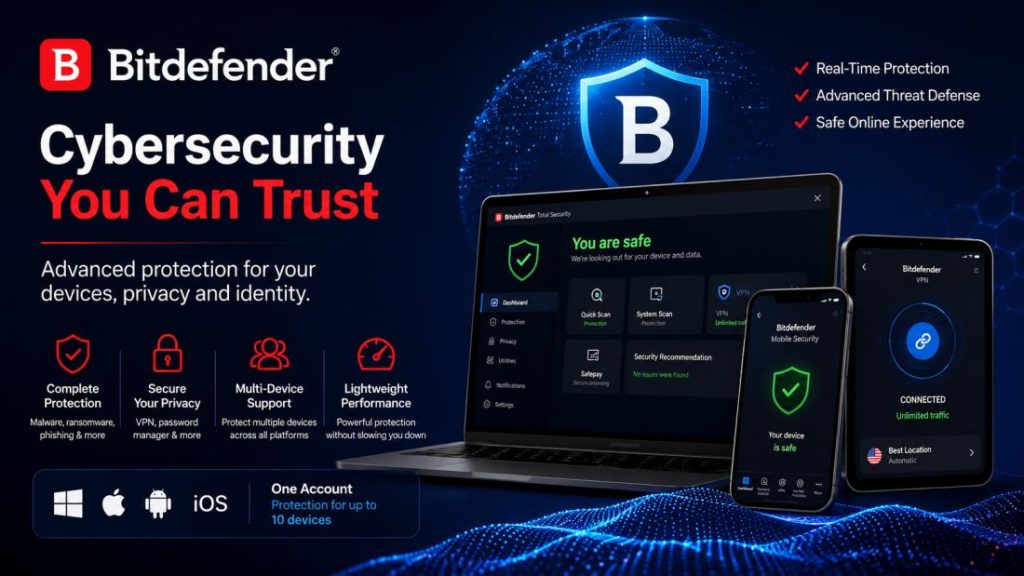
Bitdefender is a cybersecurity company known for antivirus software, internet security, and digital protection products for individuals, families, and businesses. Its consumer security portfolio includes tools designed to help protect computers and mobile devices against malware, ransomware, phishing websites, suspicious links, and other online threats. Depending on the selected subscription, customers may also receive features such as password management, VPN access, scam protection, privacy tools, and identity-related monitoring.
Choosing security software is no longer just about detecting computer viruses. Modern users need to protect personal documents, online accounts, financial information, smartphones, and everyday internet activity. A suitable security solution should combine effective protection with manageable settings, compatible devices, and subscription terms that make sense for the user’s budget.
This Bitdefender review examines the company’s main consumer products, key security features, advantages, limitations, and factors to consider before buying. It also explains how to compare different plans without paying for unnecessary extras. Product features and availability can vary by country, operating system, and subscription, so always verify the current details on the official Bitdefender website before purchasing.
Explore Bitdefender Security
Compare antivirus products, security features, supported devices, and current subscription options.
Visit Bitdefender Official Website →Affiliate Disclosure: CatalogSpot may earn a commission from qualifying links at no extra cost to you. Prices and features may change, so check the provider’s website before purchasing.
Table of Contents
- What Is Bitdefender?
- Bitdefender Products and Plans
- Antivirus and Malware Protection
- Ransomware and File Protection
- Web Protection and Anti-Phishing
- Scam Protection and Email Security
- Bitdefender VPN and Online Privacy
- Password Management and Account Security
- Privacy and Identity-Related Features
- Windows, Mac, Android, and iOS Protection
- Performance and Ease of Use
- How to Choose the Right Plan
- Pricing, Renewals, and Subscription Terms
- Advantages and Limitations
- Who Should Consider Bitdefender?
- Tips for Getting More from Security Software
- Frequently Asked Questions
- Final Verdict
What Is Bitdefender?
Bitdefender is a cybersecurity provider offering protection for personal computers, mobile devices, and business environments. Its consumer products focus on helping users defend against malicious software, suspicious websites, online fraud, and other risks associated with everyday digital activity.
The company offers several consumer security products rather than a single package designed for everyone. Entry-level antivirus options focus on core device protection, while broader subscriptions can combine additional security and privacy features. Higher-tier products may include tools such as unlimited VPN traffic, advanced scam protection, password management, and identity-related services, depending on the product and region.
This range allows customers to compare different levels of protection. Someone who mainly uses one computer for browsing and everyday tasks may have different needs from a household with several laptops, smartphones, and tablets. Likewise, a privacy-conscious user may place greater value on VPN access and password management than someone who simply wants protection against malware.
Bitdefender is also known for participating in independent cybersecurity testing. Independent test results can be useful when comparing antivirus products, but results should be considered in context. Testing methods, product versions, operating systems, and threat samples can change over time. No single test should be treated as a guarantee of future protection.
When evaluating Bitdefender, focus on the exact product being offered, the features included in its subscription, compatibility with your devices, and the total cost over time.
Bitdefender Products and Plans
Bitdefender’s consumer range includes several plans aimed at different levels of protection. Product names and bundles may differ between markets, so use the official product comparison page to confirm which options are currently available in your country.
| Product or plan | Main purpose | What to consider |
|---|---|---|
| Bitdefender Antivirus Plus | Core antivirus and online threat protection | Included features, supported devices, and device allowance |
| Bitdefender Total Security | Broader security for multiple device types | Included privacy tools, device management, and platform support |
| Bitdefender Premium Security | Security combined with additional privacy features | VPN allowance, scam protection, and password management |
| Family plans | Protection for multiple users and household devices | Number of accounts, users, and supported devices |
| Mobile security products | Security features for smartphones and tablets | Android and iOS feature differences |
| Business security products | Protection and management for organizational devices | Business size, centralized administration, and licensing |
This table is a general guide, not a guarantee that every listed product or feature is available in every country. Subscription names, device allowances, and included services may change. Review the current product page before making a purchase.
Bitdefender Antivirus Plus
Antivirus Plus is intended for customers looking for core device security with additional online protection features. Depending on the current offering, the product can include malware protection, ransomware defenses, web protection, and selected privacy or scam-related tools.
This type of plan may be suitable for users who want a security product without paying for every feature available in a premium bundle. Check the device allowance carefully and confirm which operating systems are supported by the version offered in your region.
Bitdefender Total Security
Total Security is a broader consumer security option designed for users who want protection across multiple compatible device types. Depending on the current subscription, it can include antivirus protection and additional tools for device security and management.
It is worth comparing this plan with an entry-level antivirus product if you use more than one operating system or want a broader set of security features. However, the value depends on which included functions you will actually use.
Bitdefender Premium Security
Premium Security is aimed at customers looking for a more comprehensive combination of device protection and privacy features. Depending on the current plan, it can include unlimited VPN traffic, password management, and advanced scam protection in addition to core security features.
Users who would otherwise purchase several separate services may find a bundled subscription convenient. Before choosing it, compare the price against the cost of the individual services you need and verify the features available in your country.
Family plans
Family-oriented subscriptions can help households manage security across several people and devices. These plans may be useful when family members use different computers and mobile devices and need a consistent approach to security.
Check the number of accounts, the number of supported devices, and whether each person receives the same features. Do not assume that a plan’s device allowance automatically means unlimited users or identical functionality on every operating system.
Antivirus and Malware Protection
Antivirus protection remains one of the most important parts of a consumer cybersecurity solution. Malicious software can compromise files, collect information, interfere with normal device operation, or provide attackers with unauthorized access. A reputable security product can help detect and block many known and emerging threats.
Bitdefender’s consumer products are designed to protect against a range of malicious software, including viruses, trojans, spyware, and other forms of malware. Protection can involve real-time monitoring, threat detection, and actions intended to prevent or contain suspicious activity.
Why real-time protection matters
Manual scans can help users investigate a device, but they are not a substitute for continuous protection. Real-time security features can examine files and activity as they are encountered, reducing reliance on users remembering to run a scan before opening a download or attachment.
This is particularly important because malicious files are not always obvious. A file may appear to be a document, an installer, or an ordinary download. Security software can provide an additional opportunity to detect suspicious content before it causes harm.
Threats antivirus software may help address
- Viruses: Malicious code that can attach itself to files or programs and spread when they are used.
- Trojans: Programs that appear legitimate but perform harmful actions after installation.
- Spyware: Software designed to monitor activity or collect information without appropriate authorization.
- Ransomware: Malware that can encrypt files or otherwise restrict access to data.
- Rootkits: Components intended to hide malicious activity or maintain unauthorized access.
- Malicious downloads: Files that may install harmful software or compromise a device.
Antivirus protection is important, but it cannot guarantee that every attack will be blocked. New threats, software vulnerabilities, and social engineering can still expose users to risk. Keep your operating system updated, download applications from trusted sources, and maintain backups of important files.
Is Bitdefender suitable for everyday users?
Bitdefender may be worth considering for people who want security software to operate in the background while they browse, work, study, or use online services. When comparing products, look for clear protection status, understandable alerts, compatibility with your device, and a manageable set of settings.
Users who want additional privacy or identity-related features should compare broader plans rather than assuming that every function is included in the entry-level antivirus product.
Ransomware and File Protection
Ransomware is a particularly disruptive form of malware. It may encrypt documents, photographs, business files, and other data, then demand payment in exchange for a promised recovery method. Paying a ransom does not guarantee that files will be restored or that stolen information will not be disclosed.
Bitdefender’s consumer security products include ransomware-related protection designed to help defend against these threats. The exact features depend on the product, operating system, and configuration.
Why layered protection matters
Ransomware incidents can begin in several ways, including malicious email attachments, compromised credentials, unsafe downloads, or exploitation of software vulnerabilities. A security product can help detect certain threats, but prevention also depends on reducing the opportunities available to attackers.
Users should install security updates promptly, avoid running unexpected attachments, use unique passwords, and enable multi-factor authentication on important accounts. If a device contains sensitive files, maintain backups that are not continuously connected to the same system.
Backups remain essential
Backups are one of the most useful safeguards against data loss. Keep copies of important documents, family photographs, and work files in a separate location. Where possible, use a backup method that cannot be modified or encrypted directly from the everyday account used on your computer.
Test the recovery process occasionally. A backup is only useful if the files can actually be restored when needed. Security software and reliable backups serve different purposes and should be treated as complementary layers of protection.
Web Protection and Anti-Phishing
Many online attacks begin with a website or link that appears legitimate. Phishing pages often imitate banks, online shops, email services, cloud platforms, and payment providers. Their goal is to persuade users to disclose credentials, financial details, or other sensitive information.
Bitdefender offers web protection features intended to help users identify or avoid certain dangerous online destinations. Depending on the product, protection may cover phishing websites, malicious links, and other suspicious content encountered while browsing.
Common phishing scenarios
- A message claims that your bank account will be suspended unless you sign in immediately.
- A fake delivery notification asks for a small payment to release a parcel.
- An online shop advertises unusually low prices to attract payment information.
- A fraudulent sign-in page imitates a popular email or cloud service.
- A message impersonates a colleague and asks you to open an unexpected document.
Web protection can help identify some risky pages, but it should not be treated as a guarantee that every phishing attempt will be blocked. Criminals regularly create new domains and change their techniques.
How to browse more safely
Inspect the domain before entering a password or payment details. Be cautious about misspellings, unusual subdomains, shortened links, and unexpected redirects. HTTPS indicates that a connection is encrypted; it does not prove that the website itself is trustworthy.
When a message claims to come from a bank, delivery company, or online service, visit the official website directly or open its legitimate application. Avoid using unexpected links for sensitive transactions.
Bitdefender’s web protection is best treated as an additional safeguard alongside careful browsing habits, secure passwords, and multi-factor authentication.
Scam Protection and Email Security
Modern scams often target human decisions rather than relying solely on infected files. Fraudsters may use email, text messages, social media, fake shopping websites, or convincing impersonation attempts to persuade people to transfer money or disclose information.
Bitdefender offers scam-related features in selected consumer products. Depending on the plan, these tools may help identify suspicious emails, messages, links, or websites. Advanced offerings may include broader scam protection across supported communication channels.
Examples of common scams
- Delivery scams: Messages request payment or personal information to resolve a supposed shipping problem.
- Bank impersonation: Fraudulent alerts urge users to verify their accounts through a suspicious link.
- Fake technical support: A caller or website claims that a device is infected and demands payment for unnecessary services.
- Shopping fraud: A fake retailer collects payments without delivering the advertised products.
- Investment scams: Promoters promise unrealistic returns and pressure people to act quickly.
- Account takeover attempts: Attackers try to obtain passwords or verification codes by impersonating a trusted service.
What to check before buying scam protection
Confirm which channels are covered by the selected subscription. An email protection feature may not operate in the same way as SMS or chat protection, and platform support may vary. Check the supported email providers, browsers, mobile operating systems, and messaging services before purchasing.
Security tools can help users recognize suspicious content, but they cannot replace independent verification. Never share one-time verification codes with someone who contacts you unexpectedly. If a financial request seems unusual, confirm it through a trusted communication channel.
Bitdefender VPN and Online Privacy
A virtual private network, commonly called a VPN, creates an encrypted connection between a compatible device and a VPN server. This can help protect network traffic from being easily observed by other people on the same local network. VPNs can be particularly useful when connecting through public Wi-Fi in hotels, airports, cafés, and other shared environments.
Bitdefender offers VPN functionality, but the amount of traffic included depends on the selected product. Some plans provide limited daily traffic, while eligible premium subscriptions offer unlimited VPN traffic. Confirm the exact allowance and terms before choosing a plan.
Potential benefits of using a VPN
- Public Wi-Fi privacy: Encryption can help protect network traffic on shared connections.
- Travel: A VPN can provide an additional layer of privacy when using unfamiliar networks.
- IP address masking: Websites may see the VPN server’s public IP address instead of the address associated with your normal connection.
- Everyday browsing: A VPN can reduce the visibility of certain network activity to local network operators.
What a VPN cannot guarantee
A VPN does not make a user completely anonymous. Websites may still identify visitors through account logins, cookies, browser characteristics, and other tracking methods. It also does not replace antivirus protection or guarantee that every malicious download will be blocked.
When comparing VPN services, consider server availability, speed, connection limits, supported devices, privacy policies, and the conditions attached to the subscription. If you already pay for a standalone VPN, compare its features with the Bitdefender bundle before paying for overlapping services.
Password Management and Account Security
Passwords remain an important part of online security, but reusing the same password across several websites creates unnecessary risk. If one service suffers a data breach, attackers may try the exposed credentials on other websites. A unique password for every account helps reduce this risk.
Bitdefender includes password management in selected plans. A password manager can help users store and organize credentials, making it easier to use stronger, unique passwords without memorizing each one individually.
Why unique passwords matter
Many users have accounts for email, online shopping, banking, social media, cloud storage, and work services. Reusing one password across all of them creates a single point of failure. If an attacker obtains that password, several accounts may become vulnerable.
A password manager can simplify the process of creating and storing distinct credentials. Before selecting a bundled password manager, compare its supported browsers, devices, import options, sharing features, and recovery process with your existing solution.
Combine password management with multi-factor authentication
Multi-factor authentication adds another verification step beyond the password. Depending on the service, this may involve an authenticator application, security key, or another supported method. Enable it for important accounts, particularly email, financial services, and accounts that can be used to reset other passwords.
A password manager does not eliminate every account security risk. Protect the master password, keep recovery information secure, and use the security features offered by the services you access.
Privacy and Identity-Related Features
Personal information can be exposed through data breaches, compromised accounts, public records, and online data sources. Depending on the information involved, exposure can increase the risk of spam, targeted scams, account takeover, or identity-related fraud.
Selected Bitdefender subscriptions include identity-related monitoring or data breach detection features. These tools may help users identify when certain personal information has appeared in a reported breach and provide recommendations for responding. The exact coverage depends on the subscription and region.
What breach monitoring can do
Breach monitoring can help users discover potential exposure of information associated with their accounts. If an alert identifies a compromised email address or password, users should change affected credentials, avoid reusing the new password elsewhere, and enable multi-factor authentication where possible.
Monitoring is not the same as preventing every breach. A service cannot guarantee that every incident or data source will be detected, and it cannot automatically reverse every consequence of an exposure.
Protect personal information proactively
- Use unique passwords for important accounts.
- Enable multi-factor authentication whenever possible.
- Keep account recovery email addresses and phone numbers current.
- Review privacy settings on social networks and online services.
- Avoid sharing unnecessary personal details publicly.
- Be cautious when asked to provide identity documents or financial information.
Before purchasing a plan primarily for identity-related services, verify which information is monitored, what alerts are provided, and whether additional benefits are available in your country. Some identity protection services are limited to particular markets.
Windows, Mac, Android, and iOS Protection
Bitdefender offers consumer security options for several major operating systems. However, the available features differ by platform because Windows, macOS, Android, and iOS have different security architectures and application permissions.
Windows
Windows users may benefit from antivirus protection, ransomware defenses, web protection, and additional security tools included in the selected plan. Compatibility depends on the Windows version and the product’s current system requirements.
Keep Windows updated, use a standard user account for everyday activity where practical, and download applications from trusted sources. If you play games, work with sensitive documents, or use financial services, consider which security features best match those activities.
macOS
Mac computers have built-in security technologies, but they can still face malicious downloads, phishing attempts, unwanted applications, and account compromise. Additional security software may be useful for users who want another layer of protection.
Before buying Bitdefender for a Mac, confirm compatibility with your macOS version and check which features are available. Do not assume that every Windows-specific function is also available on macOS.
Android
Android users should install applications from trusted sources, review app permissions, and keep the operating system updated. Depending on the product, Bitdefender’s mobile offerings may provide security and web protection features intended for compatible Android devices.
Review the permissions requested by security applications and make sure the product supports the version of Android installed on your device.
iPhone and iPad
iOS uses a different application security model from Windows and Android. Security products on iPhone and iPad therefore do not necessarily provide the same type of system-wide antivirus scanning available on a desktop operating system.
For Apple mobile devices, review the exact features offered, such as supported web protection or privacy-related functions. Also use strong device authentication, keep iOS updated, and enable multi-factor authentication for important accounts.
Protecting several devices
If you use a mixture of computers and mobile devices, check whether the subscription covers all of them. A multi-device plan may be convenient, but the device allowance and included features should match your actual needs.
Performance and Ease of Use
Security software should protect a device without making everyday tasks unnecessarily difficult. The actual performance impact depends on hardware, operating system, background applications, scan activity, and product configuration.
A modern computer with adequate memory and storage may handle security software differently from an older system with limited resources. A temporary increase in system activity during a scan is also different from persistent slowdowns throughout the day.
What to consider when evaluating performance
- How the computer performs during ordinary browsing and office work.
- Whether scans can be scheduled at convenient times.
- How clearly the application communicates security alerts.
- Whether the settings are understandable and manageable.
- Whether the product is compatible with your other applications.
If a computer becomes slower after installing security software, check resource usage and background processes before assuming that the antivirus product is the only cause. Other applications, limited memory, outdated drivers, or an existing system problem may contribute.
Ease of use for everyday customers
A security dashboard should make it easy to understand whether protection is active and whether an action is required. Users should be able to review alerts, manage covered devices, and access essential settings without unnecessary complexity.
Bitdefender’s suitability will depend partly on your preferred level of control. If you want straightforward protection, focus on the automatic security features. If you want to manage VPN settings, privacy tools, and several devices, review the dashboard and documentation for the product you plan to use.
How to Choose the Right Bitdefender Plan
The best security subscription is not necessarily the most expensive one. A suitable plan should provide the protection you need, work with your devices, and remain affordable when the initial promotional period ends.
1. Identify your devices
List the computers, smartphones, and tablets you want to protect. Check their operating systems and versions, then compare those details with the product’s system requirements. If you need to cover several devices, confirm the subscription allowance before buying.
2. Prioritize your main security needs
If malware protection is your main concern, compare the core antivirus options first. If you want additional VPN traffic, password management, or advanced scam protection, examine the broader plans and confirm that the features are included in your region.
3. Check whether you already have similar services
You may already pay for a password manager, VPN, or another privacy tool. Compare the capabilities and costs of those services with the bundled features in a Bitdefender subscription. Avoid paying extra for overlapping tools unless the combined package provides a clear benefit.
4. Compare device allowances
A single-device subscription may be adequate for one computer, while a multi-device or family plan may be more convenient for a household. Confirm whether the allowance refers to devices, accounts, or users, and check whether all covered users receive the same functions.
5. Review the full price
Compare the initial payment, subscription length, renewal price, and cancellation conditions. Introductory offers may apply only to the first term. A discount percentage alone does not show whether a subscription represents good long-term value.
6. Confirm local availability
Product names and feature bundles can differ by country. Use the official Bitdefender website for your region to confirm pricing, taxes, supported languages, device coverage, and the terms that apply to your purchase.
7. Consider the alternatives
Compare Bitdefender with other security providers using the same criteria: protection features, operating system support, ease of use, independent testing, renewal costs, and customer support. A consistent comparison is more useful than choosing a product based only on advertising or brand recognition.
Pricing, Renewals, and Subscription Terms
Bitdefender prices and promotions can change over time. The amount you pay may depend on your country, product, subscription duration, number of covered devices, and eligibility for a promotional offer. For this reason, a price quoted in an older review may no longer reflect the current offer.
Always review the official checkout page before purchasing. Pay particular attention to the difference between the introductory price and the renewal price. Check whether the subscription is billed annually or for another period, and whether taxes are included in the displayed amount.
Questions to ask before buying
- What is the total price for the initial subscription period?
- How long does the subscription last?
- What price applies when the plan renews?
- Is automatic renewal enabled?
- How can renewal settings be managed or changed?
- How many devices and accounts are included?
- Are the advertised features available in my country?
- What are the refund and cancellation conditions?
It is also sensible to keep your purchase confirmation and check your account settings after installation. Knowing the renewal date and subscription terms helps you manage costs and decide whether the product remains suitable before the next billing period.
Advantages and Limitations of Bitdefender
Bitdefender offers a broad consumer security portfolio, but the value of a particular subscription depends on the features included and the user’s requirements. The following points can help you decide whether it deserves a place on your shortlist.
Potential advantages
- Broad malware protection: Consumer products are designed to help protect against viruses, trojans, ransomware, spyware, and other threats.
- Web security features: Selected products can help identify dangerous websites and phishing attempts.
- Multiple product tiers: Users can compare core antivirus protection with broader security bundles.
- Cross-platform options: Products are available for several major operating systems, subject to compatibility and feature differences.
- Additional privacy tools: Eligible plans may include VPN access, password management, and identity-related features.
- Scam protection: Selected subscriptions provide tools designed to help users recognize suspicious messages and online scams.
- Family options: Multi-user plans may help households manage protection across several devices.
- Independent testing: Bitdefender products have a history of participation in independent security testing, which can provide useful comparative evidence when current results are available.
Potential limitations
- Different features by plan: Not every subscription includes every advertised function.
- Regional differences: Pricing, device allowances, and privacy features may vary between countries.
- Renewal pricing: Introductory offers may differ from the price charged for later subscription periods.
- Bundled features: Some users may pay for services they already have or do not need.
- Operating system differences: Features available on Windows may not be identical on macOS, Android, or iOS.
- No complete guarantee: No security product can prevent every attack or replace safe online behavior.
- Subscription management: Buyers need to understand device allowances, automatic renewal, and cancellation terms.
These limitations do not automatically make Bitdefender a poor choice. They show why customers should compare the exact product and its terms rather than relying only on the brand name or an advertised discount.
Who Should Consider Bitdefender?
Home users who want antivirus protection
Bitdefender may be worth considering if you want a dedicated security product for a personal computer or compatible mobile device. Compare the core protection features, system requirements, and price with your actual needs before choosing a plan.
People who use several devices
Users who own a laptop, desktop computer, smartphone, and tablet may prefer a subscription that covers multiple compatible devices. Confirm the device allowance and whether the same security features are available across all the operating systems you use.
Privacy-conscious users
Customers who want VPN access, password management, or additional privacy features should compare the broader subscriptions. Consider whether the bundle replaces services you already pay for or simply adds unnecessary overlap.
Families
Households with several people may benefit from a family-oriented plan, provided that the number of accounts and covered devices matches their requirements. Families should also review the features available on children’s devices and maintain appropriate online safety practices.
People who frequently shop or communicate online
Users who regularly receive messages, shop online, or manage many accounts may value web protection and scam-related tools. These features can support safer decisions, but users should still verify unexpected requests independently.
Who might prefer another option?
Someone who needs only a standalone VPN, for example, should compare dedicated VPN providers as well as security bundles. Users who already have a password manager and other privacy tools should calculate whether a broader subscription provides enough additional value to justify the cost.
The most suitable product is the one that meets your security requirements without adding unnecessary complexity or expense.
Tips for Getting More from Security Software
Installing security software is only one part of protecting your digital life. The following habits can reduce common risks and help you get more value from a security subscription.
- Install updates promptly: Keep your operating system, browser, and applications updated to address known vulnerabilities.
- Use unique passwords: Avoid reusing credentials across websites and services.
- Enable multi-factor authentication: Add another layer of protection to important accounts wherever supported.
- Maintain backups: Keep copies of important documents and photographs in a separate location.
- Download software carefully: Prefer official websites and trusted application stores.
- Verify unexpected messages: Contact banks, delivery companies, and other organizations through known official channels.
- Review application permissions: Limit unnecessary access to your location, contacts, camera, microphone, and files.
- Understand security alerts: Read warnings carefully before allowing a file or application to run.
- Check subscription settings: Know which devices are covered and when the plan renews.
- Protect recovery methods: Keep recovery email addresses and phone numbers secure and up to date.
These practices are useful regardless of which antivirus provider you choose. A combination of updated software, strong account security, regular backups, and careful browsing provides a more complete approach than relying on any single application.
Bitdefender Frequently Asked Questions
Is Bitdefender a good antivirus?
Bitdefender is an established cybersecurity provider with consumer products designed to protect against malware and other online threats. Whether a particular product is right for you depends on your devices, required features, budget, and the current evidence from independent testing.
Does Bitdefender protect against ransomware?
Bitdefender’s consumer security products include ransomware-related protection. The exact capabilities depend on the plan and platform. Keep backups of important files because no security product can guarantee recovery from every ransomware incident.
Does Bitdefender protect against phishing?
Selected products include web protection designed to help identify or block certain dangerous websites and phishing attempts. Users should still inspect website addresses and avoid entering sensitive information after following unexpected links.
Does Bitdefender include a VPN?
Bitdefender offers VPN functionality. The included traffic allowance depends on the plan: some subscriptions have a daily limit, while eligible premium subscriptions include unlimited VPN traffic. Verify the current terms before buying.
Does Bitdefender include a password manager?
Password management is included in selected subscriptions. Check the current product comparison to confirm whether it is part of the plan you intend to purchase.
Can Bitdefender protect multiple devices?
Yes, eligible subscriptions cover multiple devices. The number of supported devices and accounts depends on the selected plan and region.
Is Bitdefender available for Mac?
Bitdefender offers products for macOS. Check the current system requirements and confirm which features are available for your version of macOS.
Does Bitdefender work on Android and iPhone?
Bitdefender offers mobile security options for Android and iOS, but the features differ between the operating systems. Review the product details for your specific device before purchasing.
Can Bitdefender make my computer slower?
Performance depends on the computer’s hardware, software, background activity, and security configuration. If you notice persistent slowdowns, check resource usage and other applications before assuming that the antivirus software is the only cause.
Should I run two antivirus programs at the same time?
Running two real-time antivirus products simultaneously can cause conflicts, duplicate scanning, or unnecessary resource use. In most cases, using one primary real-time security product is the simpler approach unless the vendors specifically support another configuration.
Is Bitdefender suitable for families?
It may be suitable for households that need to cover multiple users and compatible devices. Compare the family plan’s account allowance, device limit, included features, and total cost.
Does Bitdefender offer a free trial?
Trial availability depends on the product and region. Check the official website for the current trial options, eligibility requirements, and any conditions that apply.
Is Bitdefender worth paying for?
It can be worth considering if the included protection matches your needs and the subscription cost is reasonable. Compare the features you will actually use, check renewal pricing, and consider alternative products before making a decision.
Where can I check current Bitdefender prices?
The official Bitdefender website provides current product information and subscription offers. Prices, taxes, device allowances, and renewal terms may differ by country and can change over time.
Final Verdict: Is Bitdefender Worth Considering?
Bitdefender is worth considering for users who want antivirus protection backed by a broader range of consumer security products. Its portfolio includes core malware protection and, in selected plans, additional features such as web protection, scam detection, VPN access, password management, and identity-related monitoring.
The main advantage is the ability to compare different levels of protection within one product range. Users who only need core antivirus protection can evaluate entry-level options, while people who want additional privacy tools or protection across several devices can compare broader subscriptions.
The main consideration is selecting the right plan. Not every user needs every feature, and product availability, device limits, and pricing can differ by region. Promotional pricing should also be compared with renewal terms rather than considered in isolation.
Before purchasing, list the devices you need to protect, identify the features that matter most, check compatibility, and compare the full subscription cost. If you already pay for a VPN or password manager, consider whether a bundle offers meaningful savings or simply duplicates existing services.
Overall, Bitdefender deserves consideration as part of a cybersecurity shortlist. The best choice is the subscription that meets your actual requirements, works with your devices, and provides good value over the full billing period.
Ready to Explore Bitdefender?
Compare the current products, review the included security features, and check subscription terms on the official website.
Visit Bitdefender Official Website →Affiliate Disclosure: CatalogSpot may earn a commission from qualifying links at no extra cost to you. Prices and features may change, so check the provider’s website before purchasing.