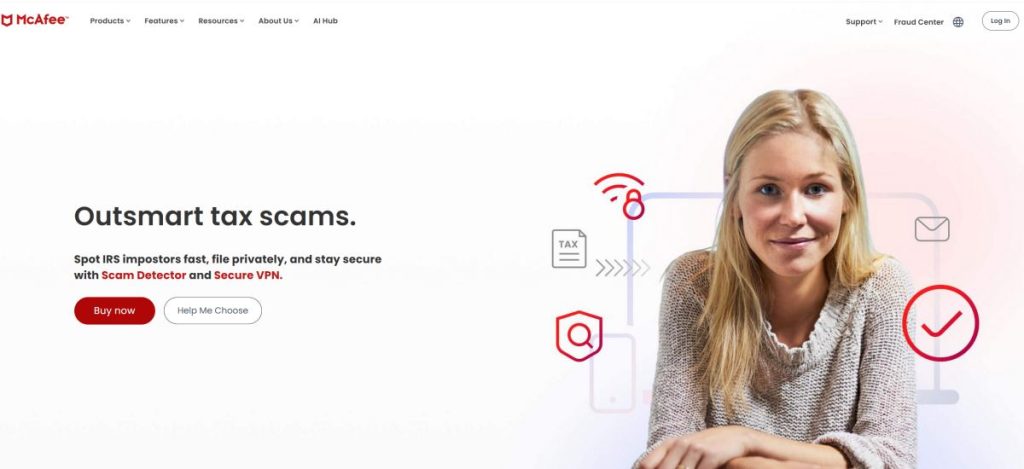
McAfee is a well-known cybersecurity brand offering consumer security products designed to help protect devices, personal information, online activity, and digital accounts. While many users still associate the company primarily with antivirus software, its modern product portfolio extends into scam detection, privacy tools, secure browsing, VPN functionality, identity monitoring, and broader online protection.
This wider approach reflects how digital threats have changed. Traditional malware remains important, but everyday users also face phishing messages, fraudulent websites, account breaches, malicious links, impersonation attempts, unsafe downloads, and increasingly sophisticated online scams. As a result, choosing a security plan is no longer simply a matter of asking whether it can scan a Windows PC for viruses.
The right option depends on your devices, household size, privacy requirements, budget, and the specific tools you will actually use. Some buyers may need straightforward antivirus protection, while others may benefit from a broader package combining device security with privacy and identity-related features.
What Is McAfee?
McAfee is a cybersecurity company focused on consumer online protection. Its products are designed to address multiple areas of digital security, including malicious software, risky links, online scams, privacy concerns, and identity-related risks.
The exact combination of tools depends on the selected subscription, device platform, and regional availability. This is important because security packages can differ substantially. A basic plan may focus on core device protection, while broader packages can add privacy, VPN, identity, or cleanup-related functionality.
For buyers, the most practical approach is to compare the exact plan rather than assuming that every product carrying the same brand name includes every advertised feature.
A Broader Approach to Online Security
Modern cybersecurity is increasingly about more than detecting infected files. Many attacks begin with social engineering rather than a traditional virus. A convincing message may encourage a user to click a malicious link, enter credentials into a fake login page, transfer money, or reveal sensitive personal information.
For this reason, the current security portfolio extends across several layers:
- antivirus and malware protection
- scam and suspicious-message detection
- web and phishing protection
- VPN functionality
- identity monitoring
- privacy-oriented tools
- password management in applicable plans
- mobile security
- multi-device protection
This broader model can be attractive to users who prefer one security ecosystem instead of assembling several unrelated products. However, the value of a bundle depends on whether you genuinely need the included features.
Explore McAfee Security Options
Compare current plans, device coverage, included security tools, and available offers before subscribing.
Antivirus and Malware Protection
Antivirus protection remains a central part of the security offering. The goal is to help detect and respond to malicious software and other threats that may affect compatible devices.
Potential risks include:
- viruses
- trojans
- spyware
- ransomware-related threats
- malicious downloads
- suspicious files
- other forms of unwanted or harmful software
Real-time protection is particularly important because users do not always know when a downloaded file, attachment, or application may be dangerous. Security software therefore needs to operate as an ongoing protective layer rather than only as a manual scanner launched after a problem appears.
No antivirus product can make risky behavior completely harmless, so good security habits still matter. Keeping operating systems and applications updated, using unique passwords, enabling multi-factor authentication where available, and treating unexpected messages carefully remain important.
Scam Protection for Modern Online Threats
One of the most relevant areas of modern consumer cybersecurity is scam protection. Online fraud increasingly uses convincing messages, impersonation, urgency, fake offers, fraudulent payment requests, and manipulated media to influence victims.
Potential scam channels can include:
- text messages
- suspicious links
- fake websites
- impersonation attempts
- fraudulent offers
- AI-assisted deceptive content
This is an important distinction from traditional antivirus protection. A scam does not necessarily require malware to succeed. A victim may voluntarily enter credentials into a fraudulent page or send money after receiving a convincing fake message.
For users who frequently shop online, manage finances digitally, communicate through multiple messaging channels, or help less technical family members stay safe, scam-oriented features may be particularly relevant.
Web Protection and Safer Browsing
Web protection can help address threats encountered during ordinary browsing. Users may reach dangerous pages through search results, advertisements, social media posts, emails, text messages, or compromised websites.
Common risks include:
- phishing pages
- malicious downloads
- fraudulent login screens
- dangerous links
- sites designed to steal personal information
A useful security strategy combines technical protection with careful user behavior. Before entering passwords or payment details, check the destination carefully, especially when a page was opened from an unexpected message.
Secure VPN and Online Privacy
Selected security packages include VPN functionality. A virtual private network encrypts traffic between a compatible device and the VPN server, which can be particularly useful when connecting through public or unfamiliar networks.
Potential use cases include:
- hotel Wi-Fi
- airport networks
- cafés and shared spaces
- travel
- general privacy on unfamiliar connections
A VPN should not be confused with antivirus software. The two technologies address different risks. Antivirus focuses on threats affecting the device, while a VPN protects network traffic between the device and the VPN server.
If VPN functionality is important to you, compare the exact terms of the selected plan. Availability, functionality, device support, and other conditions can depend on the product and region.
Need More Than Basic Antivirus?
Explore current packages that may combine device security with privacy, VPN, scam, or identity-related features.
Identity Monitoring and Protection
Identity-related protection has become an increasingly important part of broader consumer security packages. Data breaches can expose email addresses, credentials, financial details, and other personal information, creating risks that traditional antivirus scanning alone cannot address.
Depending on the plan and country, identity-oriented capabilities may help users monitor selected personal information and receive alerts when relevant data appears in known breach-related sources or other monitored environments.
Potentially monitored information may vary and can include selected types of:
- email addresses
- phone numbers
- account-related information
- financial details
- other eligible personal data
Availability matters greatly here. Identity services can differ by country because products, data sources, legal frameworks, and support capabilities are not identical worldwide.
Personal Data and Privacy Tools
Many users are surprised by how widely personal information can circulate online. Data brokers and people-search services may collect and display details from multiple sources.
Selected privacy-oriented packages may include tools intended to help users identify where personal information appears and, depending on eligibility and plan level, assist with cleanup or removal-related processes.
These capabilities can be attractive to users concerned about:
- data broker exposure
- people-search websites
- unnecessary online visibility
- old accounts
- personal information circulating across multiple services
Again, the exact feature set should be checked carefully because availability can vary by subscription and region.
Password Management
Password-related tools can add practical value when included in an eligible package. Reusing the same password across multiple websites creates a major security weakness because one compromised account can increase risk elsewhere.
A stronger approach is to use unique passwords for important accounts and enable multi-factor authentication wherever practical. Password management tools can make this easier by reducing the need to memorize every credential manually.
Before choosing a bundle primarily for password functionality, check whether the feature is included in the exact subscription you are considering and whether it meets your device and browser requirements.
Mobile Security for Android and iPhone
Online security is no longer a desktop-only issue. Smartphones are used for banking, shopping, email, authentication, social media, travel, work, and private communication. A compromised account or successful phishing attempt on a phone can therefore be highly damaging.
Mobile-oriented security functionality may include features related to:
- safer browsing
- identity-related alerts
- VPN access
- scam protection
- account security
- device-oriented protection
The exact capabilities differ between Android and iOS because the operating systems have different security architectures and permissions. Buyers should compare platform-specific functionality rather than assuming identical features on every device.
Security for Families and Multiple Devices
A modern household can quickly accumulate many connected devices. Two adults and several children may collectively use laptops, desktop computers, smartphones, and tablets.
For this reason, device coverage is an important buying criterion. Before subscribing, count the devices you realistically want to protect and compare that number with the allowance of the selected plan.
Family-oriented buyers should also consider:
- number of users
- number of supported devices
- operating system compatibility
- identity-related features
- privacy tools
- ease of account management
A broader package may offer better value for a household, but only when its included features match real needs.
Performance and Everyday Use
Performance is a common concern when installing security software. Users want strong protection without unnecessary interruptions or excessive system overhead.
The real experience can depend on several factors:
- device age
- processor performance
- available memory
- storage type
- background applications
- scan activity
- operating system condition
On older computers, it can be useful to review startup applications, remove unused software, keep the operating system updated, and avoid running multiple real-time antivirus products simultaneously.
Users should also distinguish between a temporary increase in resource use during scanning and persistent performance problems during normal operation.
How to Choose the Right McAfee Plan
The best plan is not automatically the most expensive one. Start with your actual requirements and work upward only when additional features provide genuine value.
For one primary device
A simpler security option may be sufficient when you mainly need core protection for a single computer. Compare the exact device allowance and included tools before buying.
For several personal devices
If you use a laptop, desktop, and smartphone, a broader multi-device package may be more convenient than managing separate products.
For families
Pay close attention to user coverage, device allowances, identity-related capabilities, and whether the package can be managed conveniently across the household.
For privacy-focused users
Compare VPN access, personal data tools, identity monitoring, and other privacy-related functionality. Do not assume these capabilities are identical across every tier.
For users worried about scams
Look closely at current scam-oriented features and supported platforms. This can be particularly relevant for people who frequently receive promotional messages, shop online, manage digital payments, or help family members identify suspicious content.
Before making a decision, check current McAfee plans and offers to compare the latest available packages, device coverage, and included features.
Potential Advantages and Limitations
Potential Advantages
- broad consumer cybersecurity portfolio
- antivirus and malware protection
- modern scam-oriented functionality
- web and phishing protection
- VPN availability in eligible plans
- identity-related tools in selected packages
- privacy-oriented features
- multi-device options
- mobile applications
Potential Limitations
- features vary between plans
- regional availability can differ
- broader bundles may include tools some users do not need
- subscription and renewal terms require careful review
- platform-specific capabilities may differ
- the number of available options can make plan selection less straightforward
McAfee FAQ
What does McAfee do?
It provides consumer cybersecurity products designed to help address threats such as malware, suspicious links, online scams, privacy risks, and identity-related concerns. Exact capabilities depend on the selected product, platform, and country.
Is McAfee an antivirus?
Yes, antivirus protection is a central part of the product portfolio. However, broader packages can extend beyond traditional antivirus scanning into privacy, scam, VPN, and identity-related functionality.
Does it protect against malware?
Malware protection is one of the core functions of the security software. This can include detection and response capabilities for various types of malicious or unwanted software.
Does it help protect against ransomware?
Security products are designed to address multiple forms of malicious activity, including ransomware-related threats. No security product can guarantee complete protection against every attack, so backups, software updates, and careful handling of suspicious files remain important.
Can it help detect scams?
Current consumer security offerings place significant emphasis on scam protection, including threats delivered through messages, links, and other deceptive content. Exact functionality depends on plan and platform.
Is a VPN included?
VPN functionality is available with eligible products and plans. Check the exact subscription terms, supported devices, and regional availability before purchasing.
Does a VPN replace antivirus protection?
No. A VPN and antivirus software address different risks. A VPN encrypts traffic between your device and the VPN server, while antivirus software focuses on threats affecting the device and its files or applications.
Does it work on Android?
Mobile security options are available for Android. Exact features can differ from desktop products because mobile operating systems use different security architectures.
Does it work on iPhone?
Security functionality is also available for iPhone users, although iOS capabilities are not identical to Android or Windows features.
Can I protect multiple devices?
Multi-device coverage is available with eligible subscriptions. The exact number of devices depends on the selected plan and current terms.
Is it suitable for families?
It can be, particularly when a household needs protection across several devices or wants broader privacy and identity-related functionality. Compare user and device allowances carefully.
Does it include identity monitoring?
Identity monitoring is available in selected products and regions. The exact types of information that can be monitored depend on eligibility, subscription level, and country.
What is Personal Data Cleanup?
It is a privacy-oriented capability associated with identifying personal information on eligible data broker or people-search sources and, depending on the plan, supporting removal-related processes.
Will it slow down my computer?
Performance depends on the device, operating system, background software, scan activity, and available hardware resources. Older or heavily loaded systems may react differently from modern computers with faster processors and SSD storage.
Should I run two antivirus products at the same time?
Running multiple real-time antivirus products simultaneously can create conflicts, duplicate scanning, and unnecessary resource use. In most cases, one primary real-time security solution is the cleaner approach.
Is McAfee good for beginners?
It can be suitable for users who want a consumer-focused security ecosystem with accessible applications and multiple protection categories. The best choice still depends on selecting an appropriate plan rather than simply choosing the largest bundle.
What should I check before subscribing?
Review the total upfront price, subscription duration, renewal terms, device allowance, supported platforms, regional availability, and exact features included in the selected package.
Is McAfee the Right Security Solution for You?
McAfee may be a strong option for users who want more than traditional antivirus scanning. Its broader consumer security approach can combine device protection with scam-oriented features, privacy tools, VPN functionality, identity monitoring, and other capabilities depending on the selected package and region.
The main advantage is breadth. Instead of treating malware, suspicious links, online scams, privacy, and identity as completely separate issues, broader plans can address several areas within one ecosystem.
The main challenge is choosing the right subscription. Not every user needs the largest bundle, and feature availability can vary by plan, device, and country. Before paying, compare the exact package carefully and focus on tools that match your real online habits.
For users who shop online, manage multiple devices, travel, use public networks, or want broader protection against modern digital risks, the available security packages are worth comparing.
Ready to Explore McAfee?
Compare current security plans, included features, device coverage, subscription terms, and available offers.