
WaveSpeedAI – AI Image, Video, Audio Generation and APIs
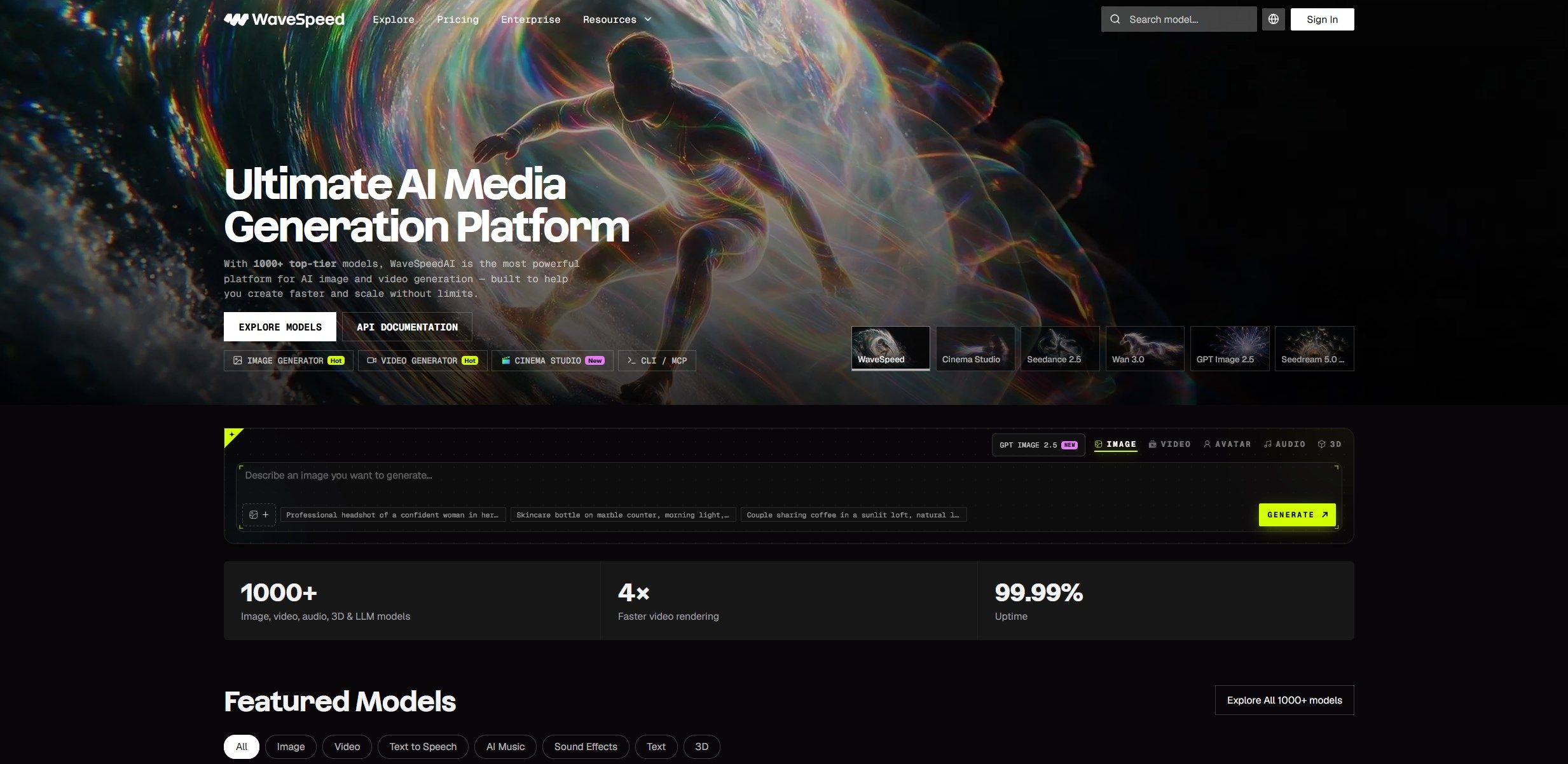
Artificial intelligence is transforming how creators produce images, videos, animations, and digital media. Instead of switching between multiple platforms to test different models, creators and developers can use a unified service to explore a wider range of generative AI tools. WaveSpeedAI is designed to make this process more accessible by bringing AI models, generation tools, and developer integrations together in one platform.
Whether you are a content creator, marketer, designer, video producer, entrepreneur, or software developer, WaveSpeedAI offers a way to experiment with different AI workflows. You can explore image generation, image editing, text-to-video, image-to-video, audio generation, upscaling, and other capabilities depending on the models available in the platform.
One of the main advantages of this approach is flexibility. Different models can produce different visual styles, motion characteristics, levels of detail, and output formats. Having multiple options available in one environment can make it easier to test alternatives and choose the right tool for a particular project.
Explore WaveSpeedAI
Discover AI models and creative tools for image generation, video production, editing, and automated workflows.
Explore WaveSpeedAIWhat Is WaveSpeedAI?
WaveSpeedAI is an AI generation and inference platform that provides access to a broad selection of models through a unified environment. Its tools are intended for both people who want to generate content without writing code and developers who need to integrate AI capabilities into applications, websites, or automated production systems.
The platform brings together different model families and generation methods. Depending on the selected model, users can create images from text prompts, transform existing images, animate still pictures, generate videos from descriptions, improve image or video quality, and explore additional media workflows.
WaveSpeedAI also provides developer-oriented access through APIs and software development tools. This is particularly useful when AI generation needs to become part of a repeatable process rather than a one-time creative experiment. Developers can connect a generation model to an application, send requests programmatically, and retrieve results for further processing.
The available capabilities can change as new models and endpoints are introduced. Before starting a project, it is worth reviewing the current model catalog, the supported inputs and outputs, and the pricing for the particular model you intend to use.
Key Features of WaveSpeedAI
1. Access to Multiple AI Models
One of the platform’s defining characteristics is its model selection. Rather than relying on one generation engine for every task, users can explore different models according to their needs. Some models are designed for realistic photography, others for illustrations, product visuals, stylized artwork, video generation, or image editing.
This flexibility matters because no single model is necessarily the best option for every creative brief. A model that works well for a product image may not be ideal for a cinematic scene, while a fast video model may be more appropriate for testing concepts than producing a final commercial asset.
WaveSpeedAI can help users compare alternatives within a common platform. This can simplify experimentation, particularly for creators who want to evaluate several model families before choosing a production workflow.
2. AI Image Generation
AI image generation allows users to turn written descriptions into visual content. A prompt can describe the subject, environment, lighting, composition, color palette, artistic style, and other details. The selected model then generates an image based on its capabilities and the supplied instructions.
This workflow can support a wide variety of projects, including blog illustrations, social media graphics, product concepts, marketing visuals, mood boards, fictional environments, character concepts, and creative experiments.
WaveSpeedAI provides access to image-generation models from different model families. The exact results depend on the selected model, prompt quality, settings, and output requirements. Some models may be better suited to realistic imagery, while others may perform better with stylized compositions, text within images, or particular editing tasks.
For professional use, it is important to review the output rather than assuming that every generated image will be ready to publish. Check composition, small details, typography, object consistency, brand elements, and any requirements related to image dimensions or commercial use.
3. Image Editing and Transformation
Image generation is not limited to creating a picture from scratch. Editing workflows can transform an existing image according to written instructions or model-specific controls. Depending on the model, this may include changing a background, modifying lighting, adjusting an object’s appearance, changing the overall style, or producing a variation of an existing composition.
These capabilities can be valuable for marketers and designers who already have source images but need alternative versions for different campaigns. An online store might need multiple product scenes, while a content creator may want to adapt one visual concept to several styles or formats.
When using image editing, begin with a clear description of what should change and what should remain unchanged. For example, if you want to replace a background while preserving the main product, state that requirement explicitly. Then review the result carefully to check whether the model preserved the important details.
Editing performance varies by model. Before committing to a large project, test a small number of representative images and compare the results.
4. AI Video Generation
Video generation is another major use case for WaveSpeedAI. AI video models can create moving scenes from written descriptions, animate still images, or work with reference material, depending on the supported workflow.
Text-to-video generation is useful when you want to describe a scene without supplying an existing image. Image-to-video generation begins with a visual reference and attempts to add motion. Other models may support reference-based generation, video editing, or extending an existing clip.
These workflows can help creators develop short promotional clips, social media videos, visual concepts, animated backgrounds, storyboards, and creative experiments. They can also help video producers explore a scene before investing time in traditional production.
Different models may vary significantly in motion quality, prompt adherence, duration, resolution, audio support, and generation speed. A model designed for quick drafts may be appropriate during ideation, while a different model may be better for a polished final result.
Create AI-Generated Videos
Explore video-generation workflows and compare models for your next creative project.
Explore Video Tools5. Image-to-Video Animation
Image-to-video generation is especially useful when you already have a strong visual concept. Instead of generating every frame manually, you can provide a starting image and describe how the scene should move.
Possible applications include animating product imagery, creating atmospheric scenes, adding subtle camera movement to illustrations, developing short character animations, and producing social media content from existing artwork.
The prompt should describe the intended motion as clearly as the subject itself. Specify whether the camera should move forward, pan sideways, orbit an object, or remain stationary. If the scene contains moving subjects, describe their actions and the overall pacing.
It is also important to set realistic expectations. Generated video may contain inconsistent details, unexpected movement, or changes in the appearance of objects between frames. Testing different models and refining the prompt can improve the result, but professional review remains important.
6. AI Audio and Speech Tools
Audio generation and processing can complement visual content workflows. Depending on the models and tools currently available, users may be able to explore speech synthesis, voice-related tasks, music or sound generation, and other audio capabilities.
These tools can be useful for creators developing narrated videos, demonstrations, digital presentations, prototypes, or multimedia projects. Developers can also investigate audio endpoints when building applications that combine generated visuals with speech or other sound elements.
Audio features should be evaluated individually. Supported languages, voice options, output formats, duration limits, and commercial-use conditions can differ between models. If you plan to publish or monetize generated audio, review the relevant licensing terms and any restrictions on voice imitation or other sensitive uses.
7. AI Upscaling and Media Enhancement
Upscaling tools aim to improve the apparent resolution or detail of existing images and videos. They can be useful when preparing content for larger displays, repurposing older assets, or improving the visual quality of material intended for publication.
Depending on the tool, enhancement may involve increasing image resolution, restoring details, reducing the appearance of compression artifacts, or processing video. Different methods can produce different results, so it is worth comparing outputs rather than assuming that a higher-resolution file is automatically more accurate.
For product photography, portraits, logos, and text-heavy graphics, inspect the enhanced result carefully. AI processing can introduce details that were not present in the original file. If factual accuracy is important, retain the original asset and compare it with the processed version.
8. AI Models for 3D Content
Some AI workflows extend beyond flat images and video into three-dimensional content. Depending on the available model, users may be able to create 3D assets from text descriptions, images, or other supported inputs.
These capabilities may be useful for concept development, early-stage visualization, game asset experimentation, product mockups, and creative prototyping. They can help artists explore ideas more quickly before moving into a traditional 3D workflow.
However, generated 3D assets may require additional work before they are ready for professional use. Geometry, textures, topology, scale, materials, and compatibility with the intended application should all be checked. The suitability of an asset depends on whether it is intended for a still render, animation, interactive use, or manufacturing-related visualization.
Who Can Benefit from WaveSpeedAI?
Content Creators and Social Media Publishers
Content creators often need a steady supply of fresh visuals. AI generation can help with thumbnails, background images, illustrations, short video concepts, and other supporting media. Instead of beginning each project with a blank canvas, creators can generate several ideas and select the most promising direction.
WaveSpeedAI may be worth exploring if your workflow involves both still images and video. The ability to test different models can help you discover which tools produce the style and motion you need.
Digital Marketers and Advertising Teams
Marketing teams regularly create assets for product launches, paid campaigns, email promotions, landing pages, and social channels. Generative AI can help produce concept variations and explore different visual directions before a campaign is finalized.
For example, a team could experiment with alternative backgrounds, seasonal product scenes, or short video concepts. The selected outputs can then be reviewed and adapted to match brand guidelines.
AI-generated marketing content should still pass normal quality-control checks. Confirm that product representations are accurate, that logos and text are correct, and that the content complies with advertising rules and the rights associated with any source material.
Designers and Creative Professionals
Designers can use AI generation as an ideation tool rather than a replacement for design judgment. It can help with mood boards, visual exploration, concept art, background treatments, and rapid variations.
Access to multiple models is particularly relevant when a project requires a specific aesthetic. A designer can compare different outputs, choose a useful starting point, and continue refining the image in a preferred editing application.
Video Producers and Filmmakers
Video professionals can explore text-to-video and image-to-video tools for previsualization, concept trailers, atmospheric footage, and experimental scenes. These tools can help communicate a creative direction before a production team commits to a more expensive shoot.
AI video is not automatically a substitute for conventional filming. Continuity, precise acting, product accuracy, shot matching, and frame-level control can remain challenging. It is best evaluated according to the demands of each project.
Developers and AI Product Builders
Developers may find WaveSpeedAI particularly useful when they want to add generative media to a website, application, or internal tool. A unified API can reduce the need to create a separate integration for every model provider.
Potential use cases include automated image creation, video-generation features, content-production dashboards, media-processing services, and applications that let users submit prompts and receive generated assets.
Developers should examine authentication, model identifiers, request parameters, task-status handling, error responses, concurrency limits, and billing before deploying an integration. Model-specific behavior should be tested under realistic workloads.
Small Businesses and Entrepreneurs
Small businesses may use AI media tools to prototype promotional concepts, prepare website illustrations, create social content, or test different approaches to product presentation. These workflows can be helpful when a business needs more creative options but has limited production resources.
The right approach is to start with a clearly defined task. Generate a small batch of assets, compare quality and cost, and determine whether the time saved justifies the expense. Not every business needs every generation category, and a focused workflow is often more efficient than experimenting with tools that do not solve a real problem.
WaveSpeedAI for Developers: API and Automation
While browser-based generation can be convenient for individual projects, developers often need a repeatable way to create media. WaveSpeedAI provides API access to supported models, allowing applications to submit generation requests and retrieve results programmatically.
Integrating AI Generation into an Application
A typical integration begins when an application collects a prompt and any required input files from the user. The application sends a request to the relevant model endpoint, authenticates with an API key, and processes the response. Depending on the endpoint, the result may be returned directly or made available through a task that must be checked until processing is complete.
For production systems, the integration should handle failures, timeouts, invalid inputs, and rate limits. It should also keep API credentials secure and prevent private keys from being exposed in public browser code.
Model identifiers and parameters can differ. Before implementing an endpoint, consult the model’s documentation and use the exact model identifier shown in the catalog. Check the expected input fields, supported file formats, output structure, and current pricing.
Python and JavaScript Workflows
Developers can use standard API requests or supported software development tools to connect generation workflows to Python or JavaScript applications. A simple prototype might accept a text prompt, send it to an image model, and display the resulting file. A more advanced application might queue multiple jobs, store output metadata, and let users manage their generation history.
When building a larger system, consider adding input validation, retries for transient errors, logging, usage tracking, and limits on how many requests a user can submit. These safeguards help control costs and make failures easier to diagnose.
Automation with Workflow Tools
AI generation becomes more powerful when it is part of a larger content workflow. Automation tools can connect a content brief to a generation request, pass the result to a review stage, and send approved assets to another service.
For example, a marketing workflow could start with a campaign record, generate a set of image concepts, notify a reviewer, and store approved files in a media library. Another workflow could create video drafts from selected images and route the outputs to an editing queue.
WaveSpeedAI documents integrations and options for different development environments. Before choosing an automation architecture, verify the current integration instructions and confirm that the specific model and task type are supported.
How to Choose the Right AI Model
With many models available, selecting the right one can be more important than simply choosing the newest option. The best model depends on the task, output requirements, available budget, and how much control you need over the final result.
Define the Output First
Begin by deciding what you need to create. A static product image, a cinematic video, an animated illustration, and an upscaled photograph are different tasks. Selecting the correct category narrows the number of models you need to test.
Compare Quality and Speed
Some models prioritize visual quality or instruction-following, while others emphasize faster generation or lower cost. If you need to produce many drafts, a faster option may be appropriate for the first stage. A higher-quality model may then be used for selected final outputs.
Check Supported Inputs
Confirm whether a model accepts text prompts, reference images, video files, audio, or other inputs. If you need to preserve the appearance of a particular product or character, choose a workflow that supports the required reference material and test its consistency.
Review Resolution and Duration
For images, check output dimensions, aspect ratios, and any available quality settings. For video, examine supported resolutions, duration limits, frame rates, and audio features. These details can affect both cost and suitability for the intended platform.
Test with Representative Prompts
Do not evaluate a model using only one easy prompt. Test it with the types of scenes, objects, and instructions that appear in your real work. Save the results and compare them using the same criteria, such as composition, detail, consistency, speed, and cost per acceptable output.
WaveSpeedAI Pricing and Cost Considerations
The cost of AI generation depends on the selected model and the specific operation. Different models may charge different amounts for image generation, video generation, editing, enhancement, or other tasks. Output resolution, duration, processing options, and other parameters may also affect the final cost.
For that reason, it is better to check the current pricing displayed for the exact model you plan to use instead of assuming that all generations have the same price.
Pay Attention to Cost per Usable Result
The cheapest generation is not necessarily the most economical option. If a low-cost model frequently produces unusable results, you may need many attempts to obtain one acceptable asset. A more expensive model could be better value if it consistently meets your requirements with fewer retries.
Estimate the cost of a completed project, not just a single request. Include expected drafts, failed generations, revisions, and any additional processing steps. For recurring workloads, run a small test and use the observed results to estimate monthly usage.
Set a Clear Testing Budget
When exploring a new platform, define a reasonable budget before generating large batches of content. Test a small number of models, record the results, and expand the workflow only when the benefits are clear.
Developers should also monitor usage by user, application, or project where possible. Add limits and alerts to avoid unexpected spending when an automated workflow runs repeatedly or receives more requests than expected.
Review Account and Usage Limits
API platforms may apply different concurrency limits, rate limits, or account levels. These restrictions can affect how many generation tasks run simultaneously and how quickly a workload can be processed. Check the current account rules and contact the provider if your project requires a higher volume of requests.
Compare Models and Pricing
Review the available generation options and identify a model that fits your quality, speed, and budget requirements.
Explore WaveSpeedAIWaveSpeedAI Compared with Single-Model AI Tools
A dedicated AI generator can be a good choice when you already know which model you need and prefer a focused interface. A multi-model platform serves a different purpose: it lets users explore multiple generation options and build workflows around different models.
The following table summarizes the practical differences between these approaches. It is a general comparison of platform types, not a claim that every competing service has the same features.
| Consideration | WaveSpeedAI approach | Single-model tool |
|---|---|---|
| Model selection | Access to multiple model families | Primarily focused on one model or provider |
| Creative experimentation | Useful for comparing different generation approaches | Useful when its specific output style is preferred |
| Developer integration | Unified API access to supported models | Depends on the provider’s API and integration options |
| Pricing | Varies by model and operation | Depends on the tool’s pricing structure |
| Learning curve | Users may need to compare models and settings | Can be simpler when the task is narrowly defined |
| Best fit | Users who value flexibility and multiple workflows | Users who already know their preferred tool |
The key question is whether you benefit from having multiple models available. If your projects involve different visual styles, media types, or programmatic workflows, a unified platform may simplify experimentation. If you only need one specific feature, compare the focused alternative as well.
Tips for Getting Better Results
Write Specific Prompts
Describe the main subject, environment, composition, lighting, mood, and intended visual style. A prompt such as “a product photo” leaves many decisions open. A more useful prompt explains the product, background, camera angle, light source, and desired atmosphere.
Separate the Subject from the Motion
For video generation, describe both what appears in the scene and how it should move. Explain the camera movement, the subject’s action, and the pace of the clip. Avoid adding unnecessary actions that may compete with the main idea.
Use Reference Material Carefully
When the model supports reference images, provide material that clearly communicates the visual elements you want to preserve. Make sure you have the right to use the supplied material, especially when it contains commercial artwork, identifiable people, or copyrighted assets.
Iterate in Small Steps
If the first result is close but not quite right, change one or two prompt details at a time. This makes it easier to understand which adjustments improve the output. For image editing, clearly distinguish between elements that should change and those that should remain consistent.
Keep Track of Successful Settings
Save useful prompts, model names, settings, and output examples. This creates a repeatable workflow and makes it easier to reproduce a successful result later. For development projects, record the model identifier and relevant parameters alongside the generated asset.
Privacy, Rights, and Responsible Use
Before uploading sensitive files or using AI-generated content commercially, review the current terms, privacy documentation, and licensing conditions that apply to the selected service and model.
Do not assume that every model has identical data-handling rules or commercial-use permissions. Requirements can vary depending on the provider, the type of input, and the intended use. For confidential business material, evaluate the platform’s data policies and determine whether the available configuration meets your organization’s requirements.
Users should also consider intellectual property and consent. Avoid submitting images, voices, or other materials unless you have the necessary rights. Be especially careful with realistic depictions of identifiable people, misleading synthetic media, and content that could be mistaken for genuine evidence.
For business use, establish a review process before publishing generated content. Check factual claims, trademarks, product accuracy, and any applicable disclosure requirements. Human review remains important even when the generation process is automated.
Potential Limitations to Consider
WaveSpeedAI provides access to different models, but that flexibility also means that results are not uniform across the platform. Each model can have its own strengths, weaknesses, input requirements, and pricing. Users may need to experiment before finding the best option for a particular task.
Generative AI can also produce mistakes. Images may contain distorted objects or inaccurate text, while videos may show inconsistent details or unexpected motion. Upscaling can introduce artificial detail, and generated 3D assets may require manual cleanup.
Developers should account for processing time, request failures, concurrency restrictions, and changes to model availability. A workflow that works well for a small experiment may require additional engineering before it can support a large production workload.
Finally, the total cost depends on actual usage. Test the workflow with representative inputs and check current model pricing before relying on it for a high-volume project.
How to Get Started with WaveSpeedAI
- Visit the platform. Open WaveSpeedAI and explore the available tools and model catalog.
- Choose a task. Decide whether you need image generation, image editing, video creation, audio tools, upscaling, or a developer API.
- Select a suitable model. Compare the supported inputs, expected output, and current pricing.
- Prepare your prompt or source material. Give clear instructions and use only material you are authorized to submit.
- Generate a small test batch. Review the quality, consistency, processing time, and cost of the results.
- Refine your workflow. Adjust prompts, settings, or model selection based on the test results.
- Scale when ready. For recurring or automated projects, add quality checks, usage controls, and appropriate error handling.
Starting with one well-defined project makes it easier to understand whether the platform fits your needs. Once you have a reliable process, you can explore additional models and generation categories as your requirements grow.
Explore WaveSpeedAI Today
Discover AI tools for creating images, generating videos, enhancing media, and building automated creative workflows.
Visit WaveSpeedAIFrequently Asked Questions
What is WaveSpeedAI used for?
WaveSpeedAI provides access to AI models and tools for tasks such as image generation, image editing, video generation, audio-related workflows, media enhancement, and selected 3D applications. Developers can also use supported APIs to integrate generation capabilities into applications and automated workflows.
Can I generate images with WaveSpeedAI?
Yes. The platform offers image-generation tools that can create visuals from text prompts. Depending on the selected model, users may also be able to edit existing images, transform styles, or perform other image-processing tasks.
Can WaveSpeedAI create videos from text?
WaveSpeedAI provides access to text-to-video models. Supported features, output duration, resolution, audio generation, and other options vary by model, so check the relevant model page before starting a project.
Can I animate an existing image?
Yes, supported image-to-video models can use a source image to generate motion. Results depend on the selected model, the input image, and the motion instructions supplied in the prompt.
Does WaveSpeedAI offer an API?
Yes. WaveSpeedAI provides API access to supported models, allowing developers to integrate AI generation into software applications and automated processes. Review the API documentation for authentication, model identifiers, parameters, and response handling.
Do I need programming skills to use the platform?
Not necessarily. Browser-based generation tools allow users to work with prompts and supported controls without writing code. Programming knowledge is useful for API integrations, custom applications, and more advanced automation.
How much does WaveSpeedAI cost?
Pricing varies by model and operation. Check the current price for the model and output settings you intend to use, then test a small workload to estimate the cost of your project.
Which AI model should I choose?
The best option depends on the task. Consider image quality, video motion, supported inputs, output resolution, speed, and cost. Test several models with representative prompts if you are unsure which one will perform best.
Is WaveSpeedAI suitable for commercial projects?
It may be suitable for commercial workflows, depending on the model, your account, and the applicable terms. Review the current licensing, usage restrictions, and data policies before publishing or selling generated content.
Can developers automate content generation?
Yes. Supported API endpoints can be incorporated into applications and automated workflows. Production implementations should include secure credential handling, input validation, error management, usage monitoring, and quality checks.
Is WaveSpeedAI useful for beginners?
Beginners can start with browser-based generation tools and simple prompts. Exploring different models may take some experimentation, but starting with a single clear task can make the learning process more manageable.
Discover More AI Tools on CatalogSpot
WaveSpeedAI is one option for exploring generative AI and media-production workflows. If you are researching other platforms for software development, productivity, content creation, or digital projects, browse the CatalogSpot AI Tools directory to discover more services and compare their potential uses.