
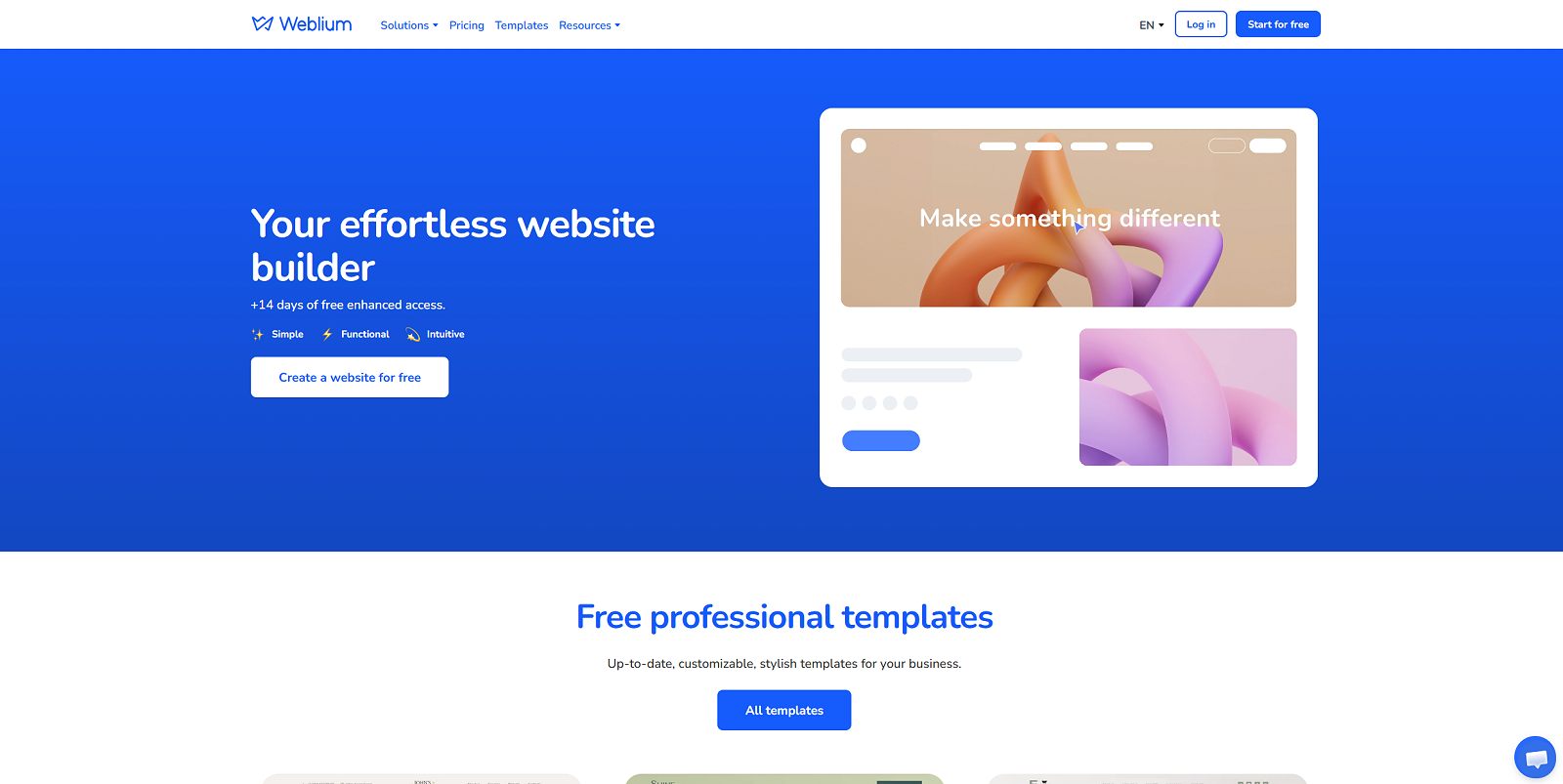
Creating a professional website no longer requires advanced coding skills, expensive development services, or months of preparation. Modern website builders provide visual editing tools, ready-made templates, and integrated business features that help individuals and companies establish an online presence more efficiently.
Weblium is a website builder designed to simplify website creation for small businesses, entrepreneurs, freelancers, and other users who want to build and manage a website without handling a traditional hosting setup. Its platform combines a visual editor, customizable templates, responsive layouts, SEO settings, AI-assisted features, and tools for collecting leads and selling products online.
Whether you need a company website, landing page, portfolio, service website, or online store, Weblium offers several tools that can help you build a website within a single platform. However, the right solution depends on your project requirements, the features included in each subscription, and the level of customization you need.
This Weblium review explores the platform’s main features, pricing structure, AI capabilities, design tools, SEO functionality, e-commerce options, advantages, and limitations. It also explains who should consider Weblium and how it compares conceptually with alternatives such as WordPress and other website builders.
Build a professional website with Weblium.
Explore WebliumExplore the available plans, templates, and website-building tools.
Affiliate Disclosure: CatalogSpot may earn a commission from qualifying links at no extra cost to you. Prices and features may change, so check Weblium’s website before purchasing.
Table of Contents
- Weblium Overview
- What Is Weblium?
- Weblium Plans and Pricing
- Website Editor and Templates
- AI Website Building Features
- SEO Features
- Online Store and E-Commerce
- Business Tools and Integrations
- Hosting, Security and Performance
- Ease of Use
- Advantages and Limitations
- Who Should Use Weblium?
- Weblium Alternatives
- Final Verdict
- Frequently Asked Questions
Weblium Overview
Weblium is a hosted website-building platform that combines website design, publishing, and selected business tools in one environment. Instead of installing a content management system on a separate hosting account, users create and manage their websites through the Weblium platform.
The service is particularly relevant to people who want a professional-looking website but do not want to manage a server, install updates manually, or build every page from scratch. Its templates and reusable content blocks provide a starting point for different types of projects.
Weblium also offers a free plan and paid subscriptions with additional capabilities. Depending on the selected plan, users can access custom domains, more pages, expanded storage and bandwidth, advanced SEO settings, integrations, blogging, multilingual websites, and online store functionality.
Quick Facts
| Feature | Details |
|---|---|
| Product category | Website Builder / Software |
| Main purpose | Build and manage websites without traditional coding workflows. |
| Website editor | Visual editor with customizable templates and ready-made blocks. |
| AI functionality | Evo AI assistant and AI-assisted website-building features. |
| SEO tools | Meta tags, image alt text, sitemap, canonical URLs, redirects, and other settings depending on the plan. |
| E-commerce | Product pages, categories, order management, and online payment features on eligible plans. |
| Hosting | Hosted website infrastructure with SSL certificates included. |
| Best suited for | Small businesses, freelancers, service providers, and entrepreneurs. |
What Is Weblium?
Weblium is a no-code website builder that allows users to create and publish websites using a visual interface. It is designed to reduce the technical complexity involved in building a website by combining page design, hosting, templates, and website management tools.
Traditional website development may require separate services for domain registration, hosting, content management, design, security certificates, and integrations. A hosted builder simplifies much of this setup by providing a centralized environment for the website.
Weblium is therefore worth considering if your priority is launching a website quickly and managing it without extensive technical maintenance.
What Can You Build with Weblium?
The platform’s templates and design blocks can be used for a variety of website types, including:
- Small business websites: Present your company, services, contact details, and business information.
- Landing pages: Create focused pages for marketing campaigns, lead generation, or individual offers.
- Freelancer portfolios: Showcase projects, skills, testimonials, and professional services.
- Service business websites: Explain your services, display pricing, and collect customer inquiries.
- Restaurant and hospitality websites: Present menus, services, locations, and contact information.
- Online stores: Create product listings and sell products using eligible e-commerce features.
- Blogs and content websites: Publish articles when the selected plan includes blogging functionality.
- Multilingual websites: Build sites in multiple languages with eligible paid plans.
The platform is most attractive when the website fits its supported design and business features. Users who need highly customized backend applications or unusual technical integrations should verify the available capabilities before committing to the service.
Weblium Plans and Pricing
Weblium offers a free plan alongside paid subscriptions designed for different website requirements. The main distinction is not just the price: plans can differ in page limits, storage, bandwidth, domain support, advanced design tools, integrations, blogging, and e-commerce functionality.
The following table summarizes the main plan structure. Check the official pricing page for current prices, billing terms, trial availability, and feature limits before subscribing.
| Plan | Best For | Typical Capabilities |
|---|---|---|
| Free | Testing the builder and creating simple websites. | Visual editor, templates, basic site features, and limited resources. |
| Starter | Business websites and lead generation. | Custom domain support, additional design and SEO capabilities, integrations, and higher limits. |
| Business | Online sales, blogs, and larger projects. | Online store, blogging, multilingual features, and expanded page and resource limits. |
Weblium Free Plan
The free plan provides a way to explore the editor and create a simple website before paying for a subscription. It can be useful for experimenting with templates, learning the design workflow, or creating a basic draft.
However, the free plan has restrictions. The published plan information lists a limited number of pages, limited storage and bandwidth, and restrictions on connecting a custom domain and removing Weblium branding. These limitations may make it unsuitable for a professional business website.
If you are building a site for a business, consider whether you need your own domain, additional SEO controls, integrations, more pages, or a professional presentation without platform branding.
Weblium Starter
The Starter plan is aimed at business websites and lead-generation projects. It adds features that can be important for businesses, such as connecting a custom domain, expanded SEO settings, additional design capabilities, and integrations.
This plan may be a reasonable fit for freelancers, consultants, local businesses, and service providers who want a professional website without needing a complete online store.
Before choosing Starter, confirm the current page limit, storage allowance, bandwidth, and whether the features you require are included. If you intend to publish a large number of articles or sell products online, compare the Business plan carefully.
Weblium Business
The Business plan is designed for larger projects and websites that need additional publishing or sales capabilities. Weblium’s published plan information lists online store functionality, blogging, multilingual websites, and expanded resource limits among its Business features.
This plan may suit a small online shop, a content website, or a business that wants to manage multiple languages through the platform.
Review the product limit, payment integrations, shipping options, transaction-related costs, and any restrictions that apply to your target market. These details are especially important if your website will be a major sales channel.
Monthly vs. Annual Billing
Weblium offers different billing options, and annual subscriptions may provide a lower effective monthly cost than paying month by month. However, an annual subscription requires a larger upfront payment.
If you are still evaluating the platform, start by testing the available features and confirming that the editor suits your workflow. Before paying for a longer period, review renewal pricing, cancellation conditions, refund terms, and any applicable taxes.
Website Editor and Templates
The website editor is one of Weblium’s main selling points. Instead of building every page from scratch, users can start with a template, customize its sections, and adapt the design to their business or personal project.
Ready-Made Website Templates
Weblium advertises a library of more than 300 templates and a collection of reusable design blocks. The available templates cover different business categories, including technology, restaurants, education, architecture, beauty, finance, retail, and professional services.
Starting with a relevant template can reduce the amount of design work needed to launch a website. It also provides a useful structure for organizing content, displaying services, and guiding visitors toward an action.
However, a template should be treated as a starting point rather than a finished business website. Replace sample text and images, adjust the page structure, and make sure the content reflects your actual products or services.
Visual Editing and Content Blocks
Weblium provides ready-made blocks for common website elements, such as introductions, service descriptions, pricing sections, team presentations, and other content areas. Reusable blocks make it easier to build consistent pages without manually recreating every section.
The platform also offers global style settings for elements such as fonts, colors, and buttons. This helps maintain a consistent visual identity across the website.
For a business website, consistency is important. Repeated button styles, clear headings, readable typography, and a coherent color palette make a site easier to navigate and help establish a professional appearance.
Responsive Design
Weblium supports responsive layouts for desktop, tablet, and mobile devices. The editor includes mobile-oriented options, allowing users to preview and adjust how a website appears on different screen sizes.
Responsive design is essential because visitors may reach your website from smartphones, tablets, laptops, and large displays. A page that looks good on a desktop but is difficult to use on a phone can lose potential customers.
Before publishing, check the mobile layout carefully. Review text size, image cropping, spacing, button placement, navigation, and form usability. Responsive behavior helps, but a final manual review is still worthwhile.
Design Flexibility
Weblium offers a visual workflow that prioritizes ease of use and consistent layouts. Users can customize templates, move and edit content blocks, adjust global styles, and access additional design features through eligible plans.
This approach is convenient for people who want to avoid coding. On the other hand, a hosted builder may be less suitable than a self-hosted content management system for projects that require unusual layouts, specialized plugins, custom backend logic, or complete control over the underlying infrastructure.
AI Website Building Features
Artificial intelligence is becoming increasingly important in website creation. AI-assisted tools can help users organize ideas, prepare initial content, and reduce some of the repetitive work involved in launching a website.
Weblium includes its Evo AI assistant and promotes AI-related website-building capabilities. The available functionality depends on the current platform features and plan.
Evo AI Assistant
The Evo AI assistant is part of Weblium’s broader set of tools for building and managing a website. AI-assisted features can be useful when you need help developing an initial structure, refining content, or moving from a general idea to a more organized website project.
For example, a freelancer creating a service website might begin with a list of services, target customers, and contact details. AI assistance can help turn those ideas into a more structured draft that can then be edited inside the website builder.
AI-generated material should not automatically be treated as publication-ready. Review factual claims, improve the wording, remove generic statements, and make sure the content accurately represents your business.
AI and Website Content
Website content needs to do more than fill empty template sections. It should answer visitor questions, communicate the value of the business, explain services, and make the next step clear.
AI tools may help create a first draft, but original experience, specific product information, genuine customer questions, and clear business details are what make the final content useful.
For SEO, avoid publishing many nearly identical AI-generated pages. Each page should have a clear purpose, distinct information, and a reason to exist for the visitor.
AI Does Not Replace Website Strategy
Even with AI assistance, a successful website needs a defined audience, clear messaging, effective navigation, and a suitable conversion path. A service website should make it easy to understand what is offered and how to contact the business. An online store needs clear product information, pricing, delivery details, and a straightforward checkout experience.
Weblium can provide the building tools, but the business owner remains responsible for the content, strategy, customer experience, and accuracy of the information published.
Weblium SEO Features
Search engine optimization is important for businesses that want to attract visitors through Google and other search engines. Weblium includes SEO-related tools, but the results depend on how the website is structured, the quality of its content, competition, and the technical requirements of the project.
Meta Titles and Descriptions
Search engines use page titles and may use meta descriptions when generating search result snippets. Weblium’s published feature list includes meta tag settings.
Write a unique title and description for each important page. Titles should describe the page accurately, while descriptions should summarize the value the visitor can expect. Avoid repeating the same text across every page of the website.
Heading Structure
Weblium supports heading elements, including H1 through H3. A logical heading structure helps users understand a page and provides search engines with useful context.
Use one clear main heading for the page, followed by relevant section headings. Do not select heading levels solely to make text look larger or smaller; use visual styling separately where possible.
Image Alt Text
Alt text describes the purpose or content of an image. It helps make a website more accessible and can provide useful context to search engines.
Write meaningful alt text for informative images, such as product photographs, diagrams, or screenshots. Decorative images may not need descriptive alt text. Avoid stuffing keywords into every image description.
XML Sitemap and Canonical URLs
Weblium lists an automatically generated sitemap and canonical URL settings among its SEO features. A sitemap can help search engines discover important pages, while canonical references can indicate the preferred URL when similar or duplicate content exists.
These features are useful, but they do not guarantee indexing or high rankings. Make sure important pages are accessible, contain useful content, and are not accidentally blocked from search engines.
Custom URLs and Redirects
Clean URLs help visitors understand where a link leads. Weblium’s published feature list includes custom page URLs and redirect settings.
Use concise, descriptive URLs and avoid changing published URLs unnecessarily. When a URL must change, configure an appropriate redirect and update internal links to point to the new destination.
Structured Data and Search Console
Weblium lists Schema.org markup support among its SEO features, and its paid plan comparison includes Google Search Console verification functionality for eligible plans.
Structured data should accurately represent the page content. Search Console can help website owners monitor indexing, search queries, and technical issues. Neither structured data nor verification guarantees enhanced search results or higher rankings.
Can You Rank a Weblium Website on Google?
Yes, a website built with Weblium can be optimized for search engines using the platform’s available SEO settings. However, ranking potential depends on more than the builder itself.
Useful content, topical relevance, internal links, site structure, page experience, competition, and external signals can all influence organic visibility. A small business website may need a different strategy from a large content site with hundreds of articles.
Before committing to a platform for a major SEO project, test the features you need, including URL control, redirects, indexing settings, structured data, blog management, and the ability to maintain a useful internal linking structure.
Weblium Online Store and E-Commerce
Weblium’s Business plan includes online store functionality designed for users who want to sell products through their websites. The platform’s published feature list includes product pages, product categories, order management, and online payment functionality on eligible plans.
Product Catalog Management
An online store needs more than a collection of product images. It should provide clear product names, descriptions, pricing, product options where applicable, and useful category navigation.
Weblium supports product-related features intended to help users organize a store through its website editor. The provider also lists product import capabilities and feeds among its published features, although availability can depend on the plan and integration.
Before choosing Weblium for a larger catalog, verify the current product limit, available import methods, inventory features, and how product variants are handled.
Payments and Orders
Online payment features are included in eligible paid plans. Before launching a store, check which payment providers are supported in your country and whether they meet your business requirements.
Also review the checkout process, order notifications, shipping settings, refund workflows, and any third-party payment processing fees. Payment availability can vary by region and provider.
Is Weblium Suitable for Small E-Commerce Businesses?
Weblium may be worth considering for a small store that wants a relatively simple way to combine website design and product sales. It can be especially convenient when the store is part of a broader business website rather than a highly customized e-commerce operation.
However, larger stores may need advanced inventory workflows, complex product configurations, extensive integrations, sophisticated shipping rules, or custom checkout functionality. Compare those requirements with Weblium’s current capabilities before migrating an existing store or building a large catalog.
SEO for an Online Store
Each important product and category page should provide clear information and a useful shopping experience. Unique descriptions, descriptive titles, accurate images, and logical category navigation help customers and search engines understand the catalog.
Avoid relying exclusively on manufacturer descriptions that appear on many competing websites. Where possible, add practical details, original explanations, buying guidance, and answers to common customer questions.
Business Tools and Integrations
A business website often needs to do more than display information. It may need to collect leads, manage customer inquiries, measure visitor activity, or connect with other services used by the business.
Weblium includes a range of business-related features, with availability depending on the selected plan and configuration.
Contact Forms and Lead Generation
Contact forms allow visitors to request information, ask questions, or inquire about a service without leaving the website. Lead capture tools can be particularly useful for consultants, agencies, local businesses, and other service providers.
Keep forms simple and ask only for the information required to respond. Explain how submitted information will be used and ensure that your website follows applicable privacy and data protection requirements.
Built-In CRM
Weblium lists CRM functionality for managing leads and customer information among its features. A CRM can help organize inquiries, track potential customers, and keep follow-up activities more structured.
For a small business, this may reduce the need to manage every inquiry manually across separate spreadsheets and email folders. However, businesses with complex sales processes should verify whether the CRM supports their required workflow, reporting, access permissions, and integrations.
Analytics and Tracking
Analytics help website owners understand how visitors find and use their websites. Weblium’s published feature comparison lists analytics and tracking-related functionality among its plan features.
Before launching a marketing campaign, confirm which analytics integrations and tracking options are available on your plan. Configure consent and privacy settings appropriately, especially if you use advertising pixels or analytics tools that process personal data.
Custom Code and Integrations
Some projects require external booking tools, marketing integrations, analytics scripts, or other third-party services. Weblium lists integrations and custom code capabilities among the features of eligible paid plans.
Check whether your required integration is supported before subscribing. A platform that works well for a standard service website may not provide every integration required by a specialized business application.
Multilingual Websites
Weblium’s published Business plan information includes multilingual website functionality. This can be useful for businesses serving customers in more than one language.
Creating a multilingual website involves more than translating navigation labels. Each language needs accurate content, suitable page URLs, translated metadata, and a consistent navigation experience. Review how the platform handles language versions and SEO settings before launching a multilingual project.
Hosting, Security and Performance
Weblium is a hosted platform, so users do not need to purchase and configure a separate web server for an ordinary Weblium website. Hosting and SSL certificate functionality are included in its published platform features.
Managed Hosting
With a hosted website builder, the provider manages much of the underlying infrastructure. This can reduce the maintenance burden for users who do not want to administer server software or configure a traditional hosting environment.
The trade-off is that customers depend on the platform’s supported functionality and service terms. You should review available export options, data portability, domain management, and the procedure for moving to another platform if your requirements change.
SSL and HTTPS
Weblium lists free SSL certificates among its hosting and security features. HTTPS helps encrypt data transferred between a visitor’s browser and the website.
After connecting your domain, confirm that the website loads correctly over HTTPS, that the preferred domain redirects consistently, and that there are no mixed-content issues.
Performance and Mobile Experience
Weblium promotes hosted infrastructure and responsive design features. Nevertheless, actual website speed depends on the design, image sizes, embedded media, scripts, page structure, and network conditions.
Use compressed images, avoid unnecessary third-party scripts, and keep important pages focused. Test the published website on mobile devices and use performance tools to identify specific bottlenecks.
Backups and Site History
Weblium’s feature list includes site history and backup-related management functionality. Check the current plan details to understand which recovery features are included and how far back you can restore a previous version.
For a business-critical website, keep copies of essential text, images, product information, and other business data outside the platform. A separate copy can be useful if you need to rebuild or migrate your website in the future.
Platform Limitations
A hosted website builder is convenient, but it does not offer the same level of infrastructure control as a self-hosted system. You may not have unrestricted access to server configuration, databases, or custom backend code.
Before choosing Weblium for a complex project, identify any requirements involving custom APIs, specialized applications, unusual data structures, or third-party software. Confirm that the platform supports those requirements rather than assuming they can all be added later.
Is Weblium Easy to Use?
Weblium is designed to reduce the technical barrier to website creation. Templates, visual editing, reusable blocks, and global design settings can help users build a consistent site without starting from a blank page.
For Beginners
Beginners can start with a template, replace sample content, adjust images and colors, and create the main pages for their project. The visual approach is more accessible than manually building a website from HTML, CSS, and JavaScript.
Users should still plan the site’s structure before publishing. A homepage, services or product page, about page, and contact page are common starting points for a small business website.
For Freelancers and Agencies
Freelancers and agencies can use templates and reusable design patterns to create websites for clients more efficiently. Consistent styling and a centralized editing environment may help when managing multiple projects.
However, agencies should check the platform’s collaboration tools, site management options, billing arrangements, and terms for client projects. Make sure the workflow suits the way you deliver websites and provide ongoing support.
Learning Curve
Although a visual builder can simplify design work, users still need to learn the editor and understand basic website principles. Good navigation, clear calls to action, accessible text, and well-organized pages remain important.
The time required to build a website depends on the complexity of the project and how much content is already available. A simple landing page may be relatively quick to create, while a multilingual business website or online store requires more planning and testing.
Weblium Advantages and Limitations
Advantages
- Visual website editing: Create pages without relying on a traditional coding workflow.
- Large template library: Start with a design suited to your business or project.
- AI-assisted tools: Use Evo AI and related features to support the website-building process.
- Responsive layouts: Preview and adjust websites for desktop, tablet, and mobile devices.
- Integrated hosting: Avoid setting up a separate hosting account for a standard Weblium website.
- SSL functionality: HTTPS support is included among the platform’s advertised features.
- SEO controls: Manage important settings such as metadata, headings, alt text, and URLs.
- Business features: Access forms, CRM-related tools, and integrations depending on the plan.
- E-commerce capabilities: Eligible plans support product catalogs and online sales.
- Free starting option: Test the editor before committing to a paid subscription.
Limitations and Considerations
- Plan restrictions: Page limits, storage, bandwidth, and features vary by subscription.
- Custom domain limitations: A free website may not offer the same domain capabilities as a paid plan.
- Advanced customization: A hosted builder may not provide the control of a self-hosted CMS or custom application.
- Platform dependency: Website management and functionality depend on Weblium’s environment and terms.
- Feature availability: E-commerce, blogging, advanced SEO settings, and integrations may require specific paid plans.
- SEO is not automatic: The presence of SEO settings does not guarantee search visibility.
- Online store requirements: Payment methods, shipping options, and regional support must be checked before launching.
- Migration planning: Users should verify export and migration options before building a large website.
Who Should Use Weblium?
Small Business Owners
Weblium can be a good candidate for businesses that need a professional online presence without hiring a developer for every design change. Templates, contact forms, and custom domain support can help create a straightforward company website.
Freelancers and Consultants
Freelancers can use Weblium to present their services, show portfolio examples, explain their process, and collect inquiries. A well-structured site can help prospective customers understand what the freelancer offers and how to get in touch.
Entrepreneurs and Startups
Entrepreneurs who want to validate an idea or launch a small business website may benefit from the visual editor and ready-made templates. A hosted builder can reduce the initial technical work while allowing the business to focus on its offer and target audience.
Local Service Businesses
Restaurants, consultants, beauty businesses, contractors, and other local service providers often need a website that explains their services and encourages customers to contact them. Weblium’s templates and lead-generation tools may fit these needs.
Small Online Stores
Businesses with relatively straightforward product catalogs may consider Weblium’s e-commerce functionality. Before choosing the platform, check product limits, payment options, shipping workflows, and the integrations required by your business.
Users Who Prefer a No-Code Workflow
Weblium is especially relevant to users who prefer visual editing over server management and custom coding. If your priority is getting a professional website online without maintaining a traditional hosting stack, the platform may be worth evaluating.
Who May Need an Alternative?
Developers who need full server control, complex custom applications, unusual database structures, or extensive backend customization may prefer a more flexible platform. Businesses planning a large content operation should also evaluate blogging workflows, export options, URL control, and long-term scalability before choosing a hosted builder.
Weblium Alternatives
Weblium is not the only option for building a website. The best alternative depends on whether you prioritize visual simplicity, design flexibility, e-commerce, content publishing, or control over the underlying software.
- Wix: Worth comparing if you want a visual website builder with a broad selection of templates and business features.
- Squarespace: An alternative to evaluate for design-focused websites, portfolios, and selected online business projects.
- WordPress: A flexible content management system for users who want extensive control over themes, plugins, hosting, and website functionality.
- Shopify: Worth evaluating when the primary purpose of the website is running an online store.
- Hostinger: An option to compare if you want website-building tools alongside a broader hosting offering.
These platforms differ in pricing, design flexibility, e-commerce tools, ownership, hosting arrangements, and migration options. Compare the actual features you need rather than choosing a product based only on its starting price.
Final Verdict: Is Weblium Worth It?
Weblium is worth considering if you want a visual website builder that combines templates, hosting, AI-assisted features, SEO settings, and business tools in one platform. Its approach can be especially useful for small businesses, freelancers, entrepreneurs, and service providers who want to create a professional website without managing a traditional hosting environment.
The free plan provides a way to explore the platform, while paid plans add capabilities for custom domains, business websites, blogging, and online sales. The right subscription depends on your page count, storage requirements, integrations, and whether you need an online store.
Its main strength is convenience. Users can work with templates and reusable blocks instead of building everything from scratch. However, that convenience comes with platform-specific limitations. If your project requires extensive backend customization, unusual integrations, or full control over hosting, a self-hosted solution may be a better fit.
Our recommendation: Weblium is a sensible option to test if your goal is to build a professional small business website, landing page, portfolio, or straightforward online store with minimal technical overhead. Start by testing the editor and reviewing the features available on each plan. Before committing to a paid subscription, confirm the current pricing, domain options, SEO controls, e-commerce capabilities, and migration arrangements.
Ready to Build Your Website?
Explore Weblium’s templates, visual editor, AI-assisted features, and available subscription plans.
Visit WebliumFrequently Asked Questions
What is Weblium?
Weblium is a hosted website builder that allows users to create and manage websites using a visual editor, templates, and ready-made content blocks. It also offers AI-assisted features and business tools depending on the selected plan.
Is Weblium free?
Weblium offers a free plan for creating simple websites and testing the platform. The free plan has restrictions, including limits on pages, storage, bandwidth, and domain functionality. Paid plans provide additional features and resources.
Does Weblium offer AI website-building tools?
Weblium includes its Evo AI assistant and promotes AI-assisted website-building capabilities. Available features can change, so check the current platform and plan details to confirm which AI tools are included.
Is Weblium suitable for small businesses?
Yes. Its templates, visual editor, contact forms, custom domain support on eligible plans, and business features can help small companies build a professional online presence without maintaining a traditional hosting setup.
Can I create an online store with Weblium?
Yes. Weblium’s Business plan includes online store functionality. Review the current product limits, payment providers, shipping features, and other e-commerce requirements before choosing the platform for your store.
Does Weblium support SEO?
Weblium provides SEO-related features such as meta tags, heading elements, image alt text, custom URLs, sitemap generation, canonical URLs, and redirects. Rankings still depend on content quality, site structure, competition, and other SEO factors.
Can I connect my own domain to Weblium?
Custom domain functionality is available with eligible paid plans. Check the current subscription details and domain connection instructions before launching your website.
Does Weblium include hosting?
Yes. Weblium is a hosted website-building platform, so you do not need to purchase a separate hosting account for a standard website built on the service. Review the plan’s storage, bandwidth, and other resource limits.
Does Weblium provide SSL certificates?
Weblium lists free SSL certificates among its hosting features. After connecting your domain, verify that the website loads correctly over HTTPS.
Can I create a multilingual website with Weblium?
Weblium lists multilingual website functionality in its Business plan information. Check the current plan details and language limits before building a multilingual site.
Is Weblium good for blogging?
Weblium’s published plan comparison includes blogging functionality in the Business plan. If you intend to run a large content website, compare its publishing workflow, URL control, SEO features, and export options with those of a dedicated content management system.
Is Weblium better than WordPress?
Neither platform is automatically better for every project. Weblium focuses on a hosted visual-building experience, while WordPress offers a flexible content management system with extensive themes and plugins. The right choice depends on how much customization, control, and maintenance your website requires.
Can I use Weblium without coding?
Yes. The platform is designed around visual editing, templates, and reusable content blocks. Some advanced integrations or custom requirements may still involve technical work, depending on your project.
Does Weblium offer a free trial for paid features?
Weblium advertises a 14-day free trial for selected paid features and plans. Trial availability and terms may change, so confirm the current offer before signing up.
Who should choose Weblium?
Weblium is worth considering for small businesses, freelancers, service providers, entrepreneurs, and users who want to build a website without managing a traditional hosting setup. Users who need extensive backend customization should compare more flexible alternatives.
Affiliate Disclosure: CatalogSpot may earn a commission from qualifying links at no extra cost to you. Features, pricing, and plan availability can change, so verify the latest details with Weblium before subscribing.