
Kamatera Review – Cloud Hosting, VPS Servers & Pricing
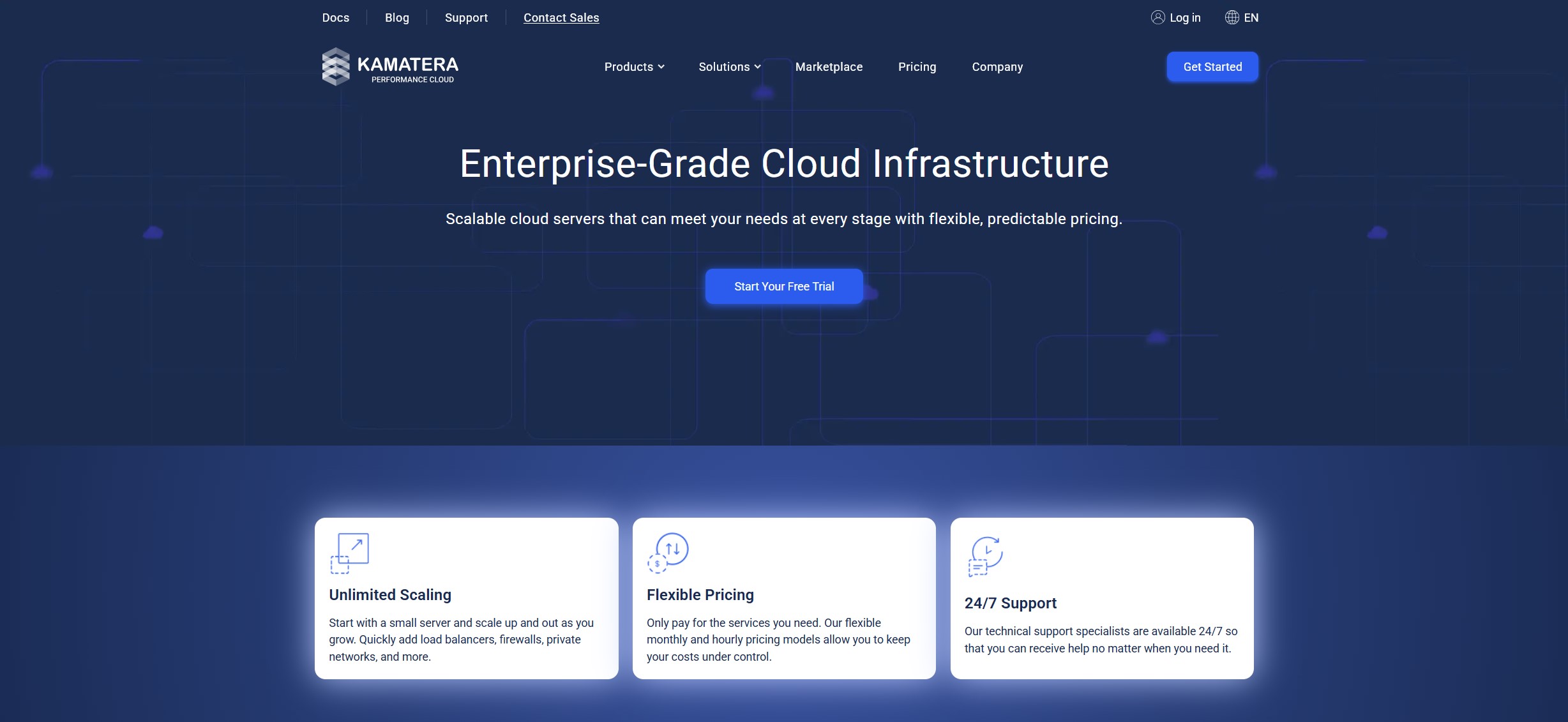
Kamatera is a cloud infrastructure provider offering customizable cloud servers, virtual private servers, scalable computing resources, and managed cloud services for developers, businesses, agencies, and growing online projects. Instead of limiting customers to a small selection of fixed hosting packages, the platform allows users to configure server resources according to their specific requirements, including CPU, RAM, storage, operating system, and data center location.
For website owners and developers who need greater control over their hosting environment, this flexibility can be particularly valuable. A cloud server can support WordPress websites, web applications, databases, development environments, business software, and other workloads that require configurable computing resources. Customers can start with a smaller configuration and increase resources as their projects grow.
One of the platform’s main attractions is its combination of customizable infrastructure and flexible billing. Entry-level cloud server configurations are advertised from $4 per month, while larger configurations are priced according to the resources selected. Hourly billing is also available for eligible server configurations, allowing users to run temporary development environments or test applications without necessarily committing to a fixed monthly server configuration.
However, flexibility also comes with responsibilities. An unmanaged cloud server requires more technical knowledge than conventional shared hosting. Customers may need to configure the operating system, install applications, maintain software, apply security updates, and organize backups themselves unless they choose additional management services. Understanding this distinction is essential before selecting a hosting solution.
This guide explores Kamatera’s cloud servers, pricing structure, server customization, data center locations, managed services, security considerations, performance characteristics, and suitability for different types of projects. The goal is to help you determine whether this cloud infrastructure platform matches your technical requirements, budget, and long-term hosting plans.
Explore Kamatera Cloud Hosting
Configure cloud servers, compare available resources, and explore infrastructure designed for websites, applications, and business workloads.
Explore Kamatera Plans →Check the current configuration options, pricing, and service terms before ordering.
Table of Contents
- What Is Kamatera?
- Quick Facts
- Cloud Server Plans and Pricing
- Features at a Glance
- Customizable Cloud Servers
- Performance and Global Data Centers
- Managed and Unmanaged Services
- Security, Backups, and Reliability
- Who Should Choose Kamatera?
- Advantages and Considerations
- How to Evaluate Cloud Hosting Alternatives
- Frequently Asked Questions
- Is Kamatera Right for You?
Quick Facts
| Feature | Details |
|---|---|
| Provider | Kamatera |
| Industry | Cloud infrastructure and hosting |
| Main services | Cloud servers, VPS, managed cloud services, virtual private cloud, cloud firewall, load balancing, and block storage |
| Starting advertised price | From $4 per month for a basic configuration |
| Billing options | Hourly and monthly options, depending on configuration |
| Server customization | CPU, RAM, storage, operating system, and location options |
| Storage | NVMe-based server configurations and additional storage options |
| Operating systems | Supported Linux and Windows configurations, depending on availability and licensing |
| Managed services | Optional managed cloud services |
| Free trial | 30 days, subject to eligibility and trial limits |
| Best suited for | Developers, technical teams, businesses, agencies, and scalable applications |
Features, prices, trial conditions, and available configurations may change. Always check the current offer and calculate the full cost of your chosen setup before purchasing.
What Is Kamatera?
Kamatera provides cloud computing infrastructure that allows customers to deploy and manage virtual servers without purchasing and maintaining their own physical hardware. Instead of operating a server in an office or private data center, users rent computing resources from the provider and access their environment remotely.
This model is useful for projects that need a dedicated virtual environment, configurable resources, and the ability to adjust infrastructure as requirements change. A business might use a cloud server for its website, application backend, database, internal software, or development environment. A developer might create separate servers for testing and production. An agency might deploy different environments for several clients.
Traditional shared hosting usually provides a simplified control panel and a predefined set of resources. This can be convenient for beginners, but it offers less control over the server environment. A configurable cloud server gives users more freedom over software, system settings, and resource allocation, although the level of responsibility depends on the selected management service.
The distinction matters because cloud infrastructure is not automatically equivalent to fully managed website hosting. Customers should understand what is included in their selected configuration and what they must install, maintain, monitor, and secure themselves.
The platform is especially relevant to customers who value control over server specifications and want to avoid being restricted to a handful of predefined hosting packages. It can also be useful when workloads vary over time and infrastructure needs to be scaled accordingly.
Cloud Server Plans and Pricing
One of the defining characteristics of the platform is its resource-based pricing approach. Customers can choose a predefined starting configuration or customize a server according to their requirements. The final price depends on the selected CPU type, processing resources, memory, storage, traffic configuration, operating system, management options, and other services.
The provider advertises basic cloud server configurations from $4 per month. This entry-level option is attractive for lightweight projects, experiments, development environments, and users who want to explore cloud infrastructure without immediately choosing a larger server.
However, the cheapest configuration is not necessarily the right choice for every production website. A busy WordPress installation, an application with substantial memory requirements, or a database-driven project may need more CPU capacity, RAM, and storage. The most appropriate configuration should be based on actual workload requirements rather than the lowest advertised price.
| Configuration | Advertised price | Example specifications | Potential use |
|---|---|---|---|
| Basic | $4/month | 1 vCPU, 1 GB RAM, 20 GB NVMe storage, 5 TB traffic | Small tests, lightweight services, and development |
| Standard | $25/month | 2 vCPU, 2 GB RAM, 20 GB NVMe storage, 5 TB traffic | Small applications and selected web workloads |
| Pro | $39/month | 2 vCPU, 4 GB RAM, 20 GB NVMe storage, 5 TB traffic | Workloads that need additional memory |
| Custom configuration | Calculated individually | Resources selected to match project requirements | Growing websites, applications, and specialized workloads |
These are examples of advertised configurations, not a guarantee that every specification will be available in every region or under every operating system. Check the live pricing calculator for current prices and configuration details.
Hourly and Monthly Billing
Monthly billing can make budgeting easier when you know that a server will remain in operation continuously. Hourly billing can be useful for temporary projects, development environments, testing, or workloads that do not need to run indefinitely. The exact billing behavior depends on the selected server and its configuration.
Do not assume that switching a server off eliminates every cost. Storage, IP address allocation, licenses, or other retained resources may continue to generate charges. Review the billing documentation before using a server as a temporary environment.
Additional Costs to Consider
The base server price is only one part of the total cost. Depending on your setup, you may need additional storage, a licensed operating system, backup services, managed support, firewall services, load balancing, or other infrastructure components.
For example, a developer who needs only a basic Linux server may have a relatively simple bill. A business that requires managed administration, extended backups, multiple servers, and a production-ready application environment should calculate those services before comparing providers.
- Estimate the CPU and memory requirements of your application.
- Choose an appropriate storage capacity and storage type.
- Check included traffic allowances and additional traffic rates.
- Review operating system and software licensing costs.
- Determine whether managed support is necessary.
- Include backup and recovery requirements in your budget.
- Confirm how billing works when servers are upgraded, stopped, or deleted.
A transparent cost comparison should use the complete configuration required to operate your project safely, rather than comparing only the smallest advertised entry-level prices.
Build a Cloud Server for Your Project
Review available server specifications and calculate the cost of the resources, storage, and services you actually need.
View Kamatera Pricing →Features at a Glance
| Feature | Availability | What to know |
|---|---|---|
| Configurable cloud servers | Yes | Select resources to match the workload |
| NVMe storage | Available configurations | Confirm the storage option included in your setup |
| Linux server options | Yes | Choose a supported distribution and version |
| Windows server options | Available configurations | Licensing and configuration requirements may apply |
| Hourly billing | Available configurations | Check the rate and retained-resource charges |
| Monthly billing | Yes | Useful for continuously running workloads |
| Managed cloud services | Optional | Management scope depends on the selected service |
| Data center selection | Yes | Choose a suitable location for your audience |
| Cloud firewall | Available as a service | Review configuration and pricing |
| Load balancing | Available as a service | Useful for selected multi-server architectures |
| Trial offer | Eligible new customers | Limits and payment verification apply |
Customizable Cloud Servers
Custom server configuration is one of the platform’s most useful characteristics. Rather than choosing a fixed plan that bundles resources into a predetermined package, customers can build an environment around the technical requirements of their applications.
CPU and Processing Resources
CPU resources influence how efficiently a server can process application requests, execute background jobs, handle database queries, and perform computational tasks. Different workloads benefit from different CPU configurations, so a larger number of virtual CPUs is not automatically the best solution for every project.
A simple website with limited traffic may not need the same processing capacity as a busy online store, a complex application, or a service that performs regular data processing. Customers should consider typical usage, peak demand, software architecture, and expected growth when choosing a configuration.
RAM and Application Requirements
Memory capacity is particularly important for databases, content management systems, application servers, caching systems, and multiple services running on the same machine. If a server has insufficient memory, it may become unstable or experience slowdowns under load.
For WordPress, for example, the appropriate amount of RAM depends on the number of sites, plugins, caching configuration, PHP workers, database activity, and traffic patterns. A small test installation and a busy commercial website can have very different requirements.
It is sensible to begin with a realistic estimate and monitor resource utilization. If usage consistently approaches the limits of the current server, increasing resources may be more effective than repeatedly troubleshooting capacity-related problems.
Storage and Data Management
Storage affects how much data a server can retain and can influence the performance of applications that frequently read or write files. NVMe storage is available in advertised server configurations, while additional storage can be selected according to the project requirements.
Before choosing a storage size, account for operating system files, application software, website files, databases, logs, temporary files, and future growth. If the project stores media libraries, customer uploads, or large datasets, storage needs can increase quickly.
Storage capacity should also be considered separately from backup capacity. A production server should have an appropriate recovery strategy rather than relying on its main storage device as the only copy of important data.
Operating System and Software Flexibility
Cloud infrastructure is useful when customers need control over the operating system and software stack. Supported configurations can accommodate Linux-based environments and Windows server workloads, subject to availability and licensing.
Depending on the application, users may install a web server, database, programming runtime, deployment tools, monitoring software, or a control panel. This flexibility is useful for developers who need a specific environment, but it also means that customers must understand compatibility, maintenance, and security requirements.
Users who prefer a graphical hosting panel should confirm that their preferred panel is supported and calculate any license costs. A cloud server does not necessarily include a conventional website management interface simply because the infrastructure is available.
Performance and Global Data Centers
Hosting performance depends on several factors, including CPU capacity, memory, storage, network quality, application configuration, database efficiency, and the distance between the server and its users. Cloud infrastructure provides the resources on which performance depends, but it does not eliminate the need for application optimization.
Choosing the Right Data Center
The platform offers multiple data center locations across different regions. Choosing a location near your primary audience can help reduce network latency, although the final experience also depends on routing, the user’s internet connection, and the architecture of the application.
For a website targeting visitors in Poland and other European countries, a European data center may be a sensible starting point. For an application serving customers across several continents, the decision may require additional planning around regional deployments, data replication, caching, and traffic distribution.
Consider the following when choosing a server location:
- Where most visitors or customers are located.
- Whether the application communicates with external services in particular regions.
- Data residency and compliance requirements relevant to your organization.
- Latency between the server, database, and other application components.
- Availability of the required server configuration in the preferred region.
Do not choose a location based solely on its name or geographic proximity. If latency is important, test the available locations and evaluate the complete application path.
Scalability as Traffic Grows
One benefit of configurable cloud infrastructure is the ability to adjust resources when a project grows. A website that begins with modest traffic may eventually need additional CPU, memory, or storage. A business application might also require separate servers for the web layer, database, or background processing.
Scaling a server vertically means increasing resources on an existing environment. Scaling horizontally means distributing workloads across multiple servers or services. The right method depends on application architecture, database design, session management, and how effectively the software can distribute traffic.
Although cloud platforms make resource changes easier than purchasing new physical hardware, scaling is not always automatic or completely seamless. Customers should understand the available upgrade process, possible service interruptions, and the need to test applications after significant changes.
Reliability and Uptime
Infrastructure reliability matters for websites, online stores, APIs, and business applications that need to remain available. The provider advertises a 99.95% uptime guarantee for its infrastructure services. Customers should review the current service-level agreement to understand the exact scope, exclusions, measurement method, and remedies that apply.
An uptime commitment does not mean that every application hosted on the platform will achieve the same availability. Application bugs, incorrect firewall rules, resource exhaustion, database failures, expired certificates, and configuration errors can all affect a website even when the underlying infrastructure is operational.
For important projects, use monitoring, backups, tested recovery procedures, and an appropriate deployment strategy. A resilient architecture requires planning beyond simply selecting a cloud server.
Managed and Unmanaged Services
One of the most important decisions when choosing a cloud server is determining who will manage the environment after deployment. The difference between managed and unmanaged services affects cost, technical workload, security responsibilities, and the amount of time needed to maintain the application.
Unmanaged Cloud Servers
With an unmanaged server, the customer receives cloud infrastructure but remains responsible for much of the software environment inside the server. This generally includes operating system administration, software installation, configuration, security patches, application maintenance, and routine troubleshooting.
This arrangement can be attractive to developers, system administrators, and technically capable businesses. It gives them greater freedom to configure the environment and can reduce costs compared with a more comprehensive management service.
The trade-off is responsibility. A server administrator must know how to secure remote access, manage users and permissions, configure the firewall, monitor resources, apply updates, investigate errors, and restore services after problems. These tasks require time and expertise, especially for production systems.
Managed Cloud Services
Optional managed services are intended for customers who want assistance with cloud infrastructure administration. Depending on the selected service, support can include operating system maintenance, monitoring, technical assistance, configuration, and other infrastructure management tasks.
The precise scope matters. Managed cloud services should not automatically be interpreted as unlimited application development, website editing, WordPress plugin support, or troubleshooting of every third-party application. Before choosing a managed service, review which tasks the provider will handle and which remain the customer’s responsibility.
Managed support can be particularly valuable for businesses that need professional infrastructure assistance but do not want to employ a full-time server administrator. It may also help teams focus on application development instead of routine infrastructure work.
| Consideration | Unmanaged service | Managed service |
|---|---|---|
| Server configuration | Primarily customer responsibility | Assistance depends on the selected service |
| Operating system maintenance | Customer responsibility | Included within the applicable management scope |
| Security updates | Customer responsibility | May be handled by the management team |
| Monitoring | Customer must plan and configure it | Monitoring options depend on the selected package |
| Technical knowledge | Higher requirements | Can reduce routine administration work |
| Cost | Lower service cost, but more internal work | Higher total cost in exchange for additional support |
Security, Backups, and Reliability
Cloud infrastructure security is a shared responsibility. The provider manages the underlying infrastructure, but customers must still protect the operating system, applications, credentials, databases, and information stored on their servers unless those tasks are explicitly included in their managed service.
Firewall and Network Controls
Firewalls help control which network connections can reach a server. A secure configuration should expose only the services that are required for the application to function. Administrative interfaces and remote access services should not be left unnecessarily open to the public internet.
Before deploying a production workload, identify the ports required for website traffic, administration, database communication, and other application services. Restrict access wherever practical and review firewall rules whenever the application changes.
Operating System and Application Updates
Outdated operating systems, libraries, plugins, and applications can introduce security risks. Administrators should establish a patching routine, remove unnecessary services, use supported software versions, and monitor security advisories relevant to their environment.
Customers using managed services should confirm exactly which components are updated by the provider. Application-level maintenance may remain the customer’s responsibility even when operating system management is included.
Backup Strategy and Recovery
Backups are essential for protecting against accidental deletion, application errors, failed updates, and other incidents that could damage data. The platform offers backup-related options, including extended backup services that can be selected for eligible configurations.
Before ordering, check what is included by default and what costs extra. Confirm backup frequency, retention periods, restoration procedures, and whether backups are stored separately from the primary server resources.
A backup is only useful if it can be restored successfully. Periodically test recovery procedures and document the steps required to bring your website or application back online after a serious incident.
Data Protection and Compliance
Organizations handling customer data should evaluate the security and compliance requirements relevant to their industry and geographic markets. This can include data location, access control, logging, encryption, retention policies, and contractual obligations.
Choosing a cloud provider does not automatically make an application compliant with every regulation. Compliance depends on the complete system, organizational processes, configuration, and the responsibilities assigned to each party. Businesses should review the provider’s current documentation and obtain professional guidance where necessary.
Who Should Choose Kamatera?
The platform is best suited to users who need configurable cloud infrastructure rather than a simplified shared hosting package. Its flexibility can support a wide range of projects, but the level of technical responsibility should be matched to the customer’s experience and resources.
Developers and Software Teams
Developers can use cloud servers to host applications, APIs, staging environments, test databases, and background workers. Configurable resources make it possible to build an environment around a project’s specific technical requirements.
Teams can also separate development and production environments, helping reduce the risk of testing changes directly on a live application. Appropriate access controls, deployment processes, and backups remain important regardless of the hosting platform.
Businesses and Growing Websites
Businesses that have outgrown basic shared hosting may need greater control over server resources and application configuration. A cloud server can support a business website, customer portal, database-driven application, or other workload that requires more flexibility.
Before migrating, evaluate the technical requirements of the existing website and identify which services need to be recreated. A move from shared hosting to a cloud server may involve configuring the operating system, web server, database, email services, SSL certificates, backups, and DNS records.
Agencies and Technical Consultants
Agencies managing multiple client projects may value the ability to create separate server environments for different workloads. This can support customized configurations and clearer resource allocation between projects.
However, agencies should establish a consistent approach to security, billing, access management, backups, and monitoring. The flexibility of cloud infrastructure is most useful when supported by sound operational processes.
WordPress Users
WordPress can run on a suitably configured cloud server, but users should understand that infrastructure hosting is different from a fully managed WordPress package. Installing WordPress is only one part of the process. A reliable production environment also requires PHP, a database, a web server, SSL, caching, backups, security updates, and ongoing monitoring.
Experienced WordPress administrators may appreciate the control offered by a cloud server. Beginners who want to publish content without managing server software may prefer conventional managed WordPress hosting instead.
Temporary Projects and Testing
Developers can use flexible billing and configurable resources for testing, demonstrations, temporary applications, and proof-of-concept projects. This can be useful when a server is needed for a limited period or when resource requirements are not yet fully understood.
Remember to check billing for storage and other retained resources after stopping a server. Remove unused infrastructure and verify that important data has been backed up before deleting any environment.
Advantages and Considerations
| Advantages | Considerations |
|---|---|
| Flexible server resource configuration | Requires more planning than choosing a fixed shared hosting package |
| Entry-level configurations from $4/month | The lowest-priced server may not suit a production workload |
| Hourly and monthly billing options | Additional services and retained resources can affect total cost |
| Multiple data center locations | Location selection requires consideration of audience, latency, and data requirements |
| Optional managed cloud services | Management increases cost and has a defined scope |
| Suitable for custom software environments | Application installation and maintenance may remain the customer’s responsibility |
| Resources can be adjusted as needs change | Scaling may require configuration changes and testing |
| Trial option for eligible new customers | Trial limits and payment verification requirements apply |
Advantages
- Customization: Users can select resources and server configurations according to the needs of their projects.
- Flexible billing: Hourly and monthly options can accommodate different usage patterns.
- Scalability: Resources can be adjusted as applications and businesses grow.
- Global infrastructure: Multiple data center locations provide options for different audiences and workloads.
- Management choices: Optional managed services can reduce the burden of infrastructure administration.
- Developer flexibility: Cloud servers can support a wide range of operating systems and custom software environments.
Considerations
- Technical complexity: Unmanaged servers require knowledge of server administration and security.
- Variable total costs: Storage, traffic, licenses, backups, and management can increase the monthly bill.
- No automatic application optimization: Website speed still depends on software configuration and resource usage.
- Management scope: Customers must confirm which maintenance tasks are included in any managed service.
- Backup responsibility: Users should verify backup options and establish a recovery plan.
- Not ideal for every beginner: Users who want a ready-to-use hosting dashboard may prefer a simpler service.
How to Evaluate Cloud Hosting Alternatives
Choosing a cloud provider involves more than comparing the lowest advertised price. The right solution depends on how much control you need, who will administer the server, what your application requires, and how predictable your monthly budget must be.
When comparing providers, build a like-for-like configuration that includes the same approximate CPU resources, RAM, storage, traffic allowance, backup requirements, operating system, and management level. A low entry price can be misleading if the final workload requires several paid add-ons.
| Evaluation factor | Questions to ask |
|---|---|
| Pricing | What is the complete monthly cost of the configuration I need? |
| Management | Who installs updates, secures the operating system, and handles server maintenance? |
| Performance | Can I select enough CPU, memory, and storage for the workload? |
| Location | Can I deploy close to my audience or required services? |
| Backups | What backup options are available, and how much does recovery cost? |
| Support | What help is available, at what times, and for which types of issues? |
| Scaling | How can resources be upgraded, and will the change require downtime? |
| Ease of use | Does the service provide the control panel and tools my team needs? |
Traditional shared hosting may be a better fit for a small website that needs a straightforward control panel and minimal server administration. Managed WordPress hosting may be more suitable for users who want the provider to handle much of the underlying environment. Configurable cloud infrastructure is more attractive when custom server control and resource flexibility are priorities.
For another approach to managed cloud VPS hosting, you can also explore our ScalaHosting overview. Its service model and included management features differ from a more infrastructure-focused cloud server, so compare the precise requirements of your project before choosing.
Frequently Asked Questions
1. What is Kamatera?
Kamatera is a cloud infrastructure provider offering customizable cloud servers, virtual private servers, managed cloud services, and additional infrastructure products. It is designed for customers who need configurable computing resources for websites, applications, development environments, and business workloads.
2. How much does Kamatera cost?
Advertised basic cloud server configurations start at $4 per month. Larger configurations cost more depending on CPU, memory, storage, traffic, operating system, and additional services. Check the current pricing calculator for the total cost of your selected setup.
3. Does Kamatera offer a free trial?
Yes. The provider advertises a 30-day free trial for eligible new customers. The offer has defined resource and traffic limits, and payment verification is required. Review the current trial terms before creating a server.
4. Is Kamatera suitable for WordPress?
WordPress can run on a suitably configured cloud server. However, users may need to install and maintain the operating system, web server, PHP, database, SSL configuration, security controls, and backups unless those responsibilities are included in a managed service.
5. Is Kamatera good for beginners?
It can be suitable for beginners who are willing to learn server administration or use an appropriate management service. Users who want a simple hosting dashboard with minimal technical maintenance may find traditional shared hosting or managed WordPress hosting easier to operate.
6. What is the difference between managed and unmanaged cloud hosting?
With unmanaged hosting, customers are responsible for most operating system and software administration. Managed services add professional assistance for defined maintenance, monitoring, and infrastructure tasks. The exact scope depends on the service selected.
7. Can I choose a data center location?
Yes. Multiple data center locations are available. Choose a location based on the geographic distribution of your users, latency, application architecture, and any relevant data residency requirements. Check current availability for your desired configuration.
8. Does Kamatera support Linux?
Yes. Linux server configurations are available, with supported distributions and versions depending on the current options. Check the server creation interface to confirm that your preferred operating system is available in the selected location.
9. Can I use Windows Server?
Windows server configurations are available, subject to the supported options and applicable licensing. Before ordering, check the operating system version, license costs, resource requirements, and compatibility with your application.
10. Does Kamatera include backups?
Backup options are available, including extended backup services for eligible configurations. Do not assume that every backup feature is included in the base server price. Confirm frequency, retention, storage location, restoration procedures, and additional costs.
11. Can I scale my server as my website grows?
Cloud server resources can be adjusted as requirements change. The best scaling approach depends on the application and may involve increasing CPU, memory, or storage, or distributing workloads across multiple servers. Some changes may require planning or a restart.
12. Does Kamatera provide a hosting control panel?
The platform provides a cloud management console for configuring infrastructure. A traditional web hosting control panel is a separate consideration. If you want to manage domains, email, databases, and websites through a graphical interface, verify whether your preferred panel is available and account for any license or installation requirements.
13. Is Kamatera suitable for high-traffic websites?
It can support appropriately configured workloads, but performance depends on resource allocation, application efficiency, database design, caching, and architecture. High-traffic projects should be tested and monitored, with a scaling and recovery plan in place.
14. Can I run applications other than websites?
Yes. Depending on operating system support and resource requirements, cloud servers can host APIs, databases, development environments, business applications, background jobs, and other workloads. Check software compatibility, security requirements, and any applicable usage restrictions before deployment.
15. Is the $4 configuration enough for a production website?
It may be sufficient for some lightweight workloads, but it is not a universal recommendation for production use. The right configuration depends on traffic, software, memory usage, database activity, and reliability requirements. Estimate and test the resources needed before committing.
16. What should I check before ordering?
Confirm the full price, CPU and RAM allocation, storage, traffic allowance, operating system, data center, management scope, backup options, licensing, and billing rules. Also make sure you understand who will maintain and secure the server after deployment.
Is Kamatera Right for You?
Kamatera is worth considering if your project needs configurable cloud infrastructure, control over server resources, flexible billing, and the ability to adjust capacity as requirements change. Its cloud servers can accommodate a broad range of technical workloads, from development environments and small applications to more demanding business systems when configured appropriately.
The main decision is whether you want to manage the server yourself. Experienced developers, system administrators, and technical teams may value the control offered by an unmanaged environment. Businesses that need help with maintenance can investigate the available managed services, carefully checking which tasks are included and what additional costs apply.
For users who simply want to launch a small WordPress website with minimal technical work, a conventional managed hosting plan may be easier. For users who need custom software, flexible resource selection, and more direct control over infrastructure, a configurable cloud server can be a better match.
Before making a decision, compare the complete cost of the configuration you need, including storage, traffic, backups, licenses, and management. Review the current terms and test the platform if you are eligible for the trial. A careful comparison will help you choose a solution based on your actual requirements rather than the lowest advertised starting price.
Ready to Explore Cloud Hosting?
Review server configurations, compare resource options, and find out whether Kamatera fits your website, application, or business infrastructure needs.
Get Started with Kamatera →Pricing, availability, trial eligibility, and service terms may change. Confirm details on the provider’s website.
Related Hosting Resources
- ScalaHosting Review: Managed Cloud VPS and WordPress Hosting
- Web Hosting Providers, Reviews and Buying Guides
More Web Hosting Providers
Explore other hosting brands featured on CatalogSpot to compare different hosting models, management options, and infrastructure solutions.
Affiliate Disclosure: CatalogSpot may earn a commission when you purchase a product or service through certain links on this page, at no additional cost to you. This helps support our website. Pricing, features, and service availability can change, so always verify the current details directly with the provider before purchasing.