
Artlist – Royalty-Free Music, Stock Footage, AI Tools & Creative Assets
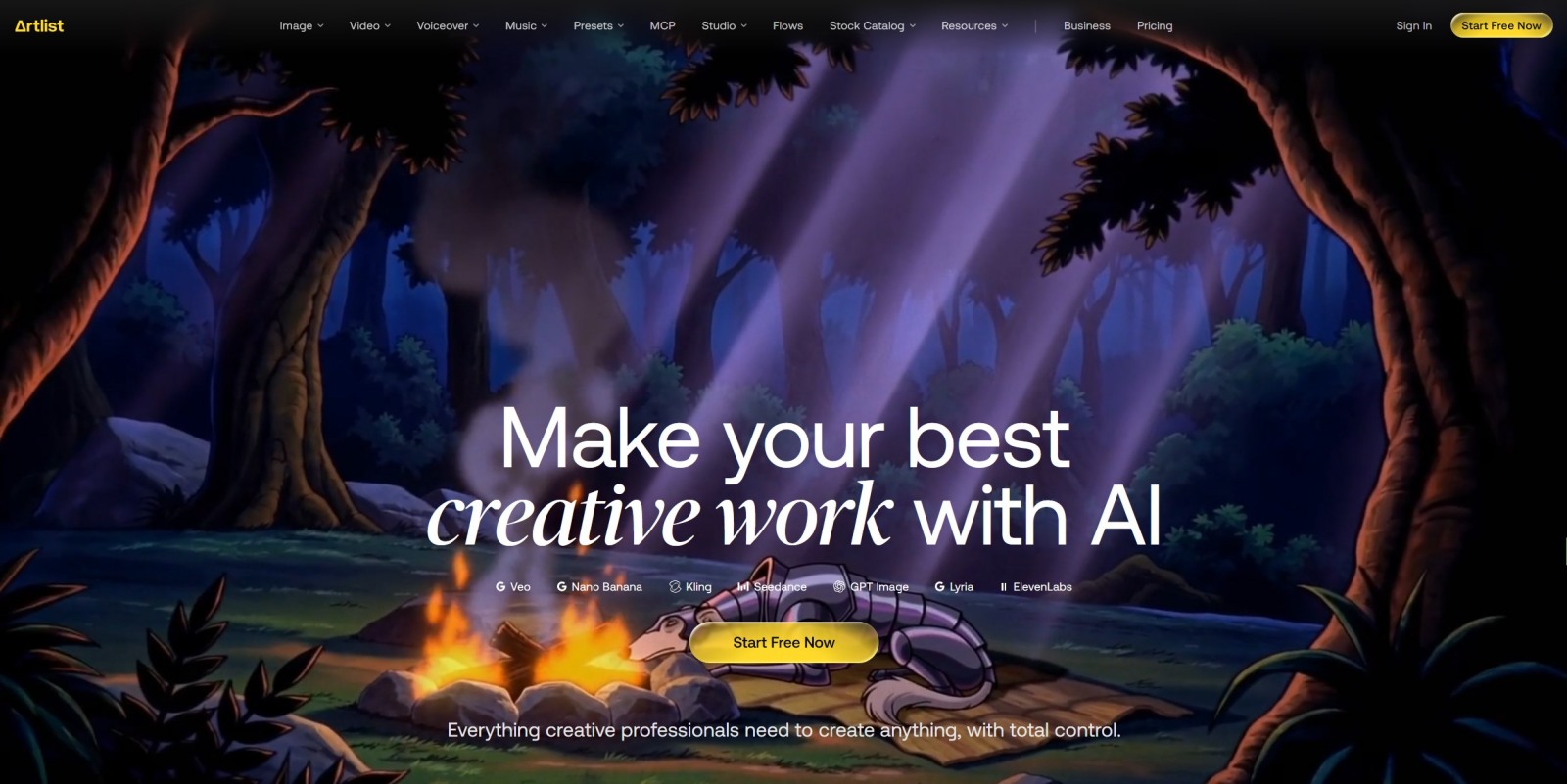
Artlist is a creative platform built for video creators, filmmakers, YouTubers, social media creators, editors, agencies and businesses looking for high-quality music, sound effects, stock footage, video templates and AI-powered creative tools in one place.
What makes the platform particularly interesting is the way traditional stock content and generative AI are brought together. Instead of searching only for pre-existing assets, creators can also use AI-powered tools to generate images, videos, music and voiceovers, while Artlist Studio provides an end-to-end environment for developing AI video projects.
The platform can therefore be useful at several stages of a production workflow. You can search for a soundtrack, find sound effects, download stock footage, choose a motion graphics template, apply a LUT, generate a voiceover or create new visual content with AI.
Explore Artlist’s creative tools, stock assets and AI-powered production platform.
Explore ArtlistWhat Is Artlist?
Artlist is a subscription-based creative platform that provides access to a large catalog of digital assets and a growing collection of AI-powered creative tools. Its stock catalog includes music, music stems, sound effects, video footage, templates and LUTs, while its AI Toolkit expands the workflow into image, video, music and voice generation.
The platform is designed around the needs of people who create visual and audio content regularly. Instead of sourcing every component from a different service, creators can use Artlist to build a substantial part of a project from one ecosystem.
This approach can be particularly useful for video production. A typical project may need background music, transition sounds, cinematic footage, titles, motion graphics, color grading and narration. Artlist brings many of those resources together and adds AI generation on top.
The platform also includes tools for organizing creative assets. Artboards can be used to collect music, SFX, footage, templates, LUTs and AI-generated content for individual projects or campaigns.
Artlist Music Library
Music is one of the core parts of the Artlist experience. The platform provides a large library of royalty-free music intended for use in creative projects, with tracks covering many genres, moods, styles and production requirements.
For video creators, music can have a major impact on the final result. A travel video, cinematic short film, product advertisement, gaming video and social media reel can all require completely different musical styles.
Artlist allows creators to search its catalog according to the type of sound they need. Search can be based on concepts such as mood, genre, instrumentation or other characteristics. Similar-song recommendations can also help creators discover tracks related to an initial selection.
Find music for videos, social content, films, podcasts and creative projects.
Browse ArtlistMusic for YouTube Videos
YouTube creators often need music that supports the story without distracting from narration or the visuals. Depending on the project, this might mean ambient music, cinematic tracks, upbeat electronic music, acoustic compositions or energetic tracks for action-oriented content.
A large music library makes it easier to experiment with different moods before deciding which direction fits the final edit. Creators can also save tracks and organize them around specific projects.
Music for Social Media
Short-form video creates different musical requirements. TikTok, Instagram and other social platforms often benefit from tracks that establish an atmosphere quickly and work well with shorter edits.
Creators producing frequent social content can use a dedicated library to maintain a consistent production workflow instead of searching for new music from scratch for every video.
Music for Films and Commercial Projects
Long-form productions require a different approach. Music may need to work across several scenes, transition between emotional moments and support the narrative structure.
For professional projects, licensing is especially important. The exact rights depend on the subscription and license associated with the account, so creators should always verify that their selected plan covers the intended project, distribution method and client relationship.
Music Stems
Music stems provide additional flexibility for editors who want greater control over a track. Instead of treating a song as one inseparable audio file, stems can provide separate elements that can be adjusted within the editing workflow.
This can be particularly useful when a creator wants to lower certain musical elements underneath dialogue, create transitions or adapt the arrangement to match the timing of a video.
For editors working on detailed productions, access to stems can make music easier to integrate into a larger sound design rather than simply placing a finished track underneath the video.
Sound Effects
Music is only one part of professional sound design. Sound effects can add realism, energy and atmosphere to a production, and Artlist provides a dedicated sound-effects catalog alongside its music collection.
Sound effects can be used for everything from footsteps and environmental ambience to interface sounds, impacts, transitions, vehicles, nature, machinery and cinematic effects.
A strong sound-effects library can save considerable production time. Instead of recording every sound manually, an editor can search for a suitable effect and integrate it into the timeline.
Add professional sound effects and atmosphere to your videos.
Explore Music & SFXSound Design for Video
Good sound design can make otherwise simple footage feel more immersive. A city scene can benefit from traffic and environmental sounds, while a cinematic sequence might need impacts, whooshes and subtle atmospheric layers.
For social videos, small sound effects can also help emphasize transitions, text animations and visual changes.
Stock Footage
Artlist’s footage catalog provides stock video that can be incorporated into a wide range of productions. The catalog includes cinematic imagery as well as practical footage for everyday creative projects.
Stock footage can be useful when filming an entire sequence independently would be too expensive, time-consuming or impractical. A creator might use stock footage as a establishing shot, background visual, transition, B-roll element or part of a larger montage.
Depending on the plan, footage can be available in professional formats and resolutions, including HD, 4K and higher-resolution options. Some plans also provide access to RAW or LOG footage as an upgrade.
Find cinematic stock footage for your next video project.
Explore Stock FootageFootage for YouTube
Stock footage can be particularly valuable for YouTube creators who need additional visuals to support narration. For example, a technology channel can use footage of computers and modern workplaces, while a travel creator can supplement their own recordings with additional location imagery.
Footage for Commercial Content
Commercial productions frequently require a large amount of supporting material. Stock footage can help agencies and businesses build advertisements, presentations, social campaigns and branded videos without filming every individual scene.
Professional users should pay close attention to the applicable license because commercial and client work can require different licensing terms from personal social content.
Video Templates
Templates are another important part of the platform. Artlist’s template catalog includes customizable designs for titles, lower thirds, intros, transitions, slideshows, presentations, infographics, logos and other motion-graphics applications.
Templates can significantly reduce editing time. Instead of creating an animation from scratch, an editor can start with a professionally designed structure and replace the placeholder text, imagery and other elements with project-specific content.
Templates are particularly useful for creators who publish frequently. A consistent visual language can be maintained across videos while individual projects still receive their own content and messaging.
Speed up editing with customizable video templates and motion graphics.
Explore TemplatesTemplates for Premiere Pro and Other Editors
Artlist’s template catalog supports several popular editing environments, including Adobe Premiere Pro, After Effects, Final Cut Pro and DaVinci Resolve for selected templates. The exact software compatibility should always be checked on the individual template before downloading.
This makes templates useful for creators who already have an established editing workflow and want to add professionally designed elements without changing their main editing software.
LUTs and Color Grading
Color grading can dramatically change the appearance of footage. Artlist includes LUTs that can be used as part of a video-production workflow to help establish a particular visual style.
LUTs can be especially useful when a creator wants to experiment with different cinematic looks or establish a consistent appearance across multiple clips.
However, a LUT should generally be treated as part of the grading process rather than a substitute for proper exposure, white balance and color correction. The final result depends on the original footage and the way the LUT is applied.
Artlist AI Toolkit
One of the biggest developments in the Artlist platform is its AI Toolkit. The current offering includes AI-powered tools for generating images, videos, music and voiceovers, along with access to multiple AI models through the platform.
This creates a workflow where creators can move from an initial concept to generated media without necessarily switching between multiple AI services.
The available models and capabilities can change over time, so users should check the current Artlist interface and plan details when choosing a subscription.
Explore Artlist’s AI-powered creative toolkit.
Explore Artlist AIAI Image Generation
AI image generation allows creators to produce original visual concepts from text prompts. This can be useful for thumbnails, concept development, moodboards, social-media graphics and visual elements for video projects.
Instead of searching for an existing photograph that exactly matches an idea, a creator can describe the desired composition and generate a visual starting point.
AI-generated imagery can also be useful during pre-production. A filmmaker can explore visual concepts before committing to locations, costumes, lighting or other production decisions.
AI Video Generation
Artlist’s AI Toolkit also provides AI video generation. The platform can generate short video clips from text descriptions and can also animate still images into moving sequences.
This makes AI video useful for concept visualization, social content, creative experiments, transitions and projects where generating a particular visual manually would be difficult.
The current AI video workflow allows creators to select models and configure generation options, while some plans provide unlimited generation on selected models.
As with any generative AI system, results can vary depending on the prompt, model and desired scene. Creators may need several generations before obtaining a result that fits the project.
AI Music Generation
AI music generation adds another creative option to the traditional music catalog. Instead of selecting an existing track, users can describe the kind of music they want and generate an original track.
This can be useful when a creator has a very specific concept that is difficult to locate in a conventional stock library. It can also provide a rapid way to explore different musical directions during the early stages of production.
Artlist’s AI music capabilities can also work from visual inspiration, allowing creators to experiment with music based on an image or visual concept.
AI Voiceover
Voiceover generation is another part of the AI Toolkit. AI voiceover can help creators produce narration for videos without recording every script themselves.
This can be useful for tutorials, explainer videos, social content, product videos, presentations and other projects where narration is needed.
Depending on the available tools and plan, creators can work with multiple languages and voice styles. Voice generation can also make it easier to test different narration approaches before finalizing a script.
Create AI voiceovers for videos, presentations and creative projects.
Explore AI VoiceoverArtlist Studio
Artlist Studio takes the AI workflow further by providing an end-to-end environment for AI video production. Instead of simply generating isolated clips, Studio is designed around the process of developing a complete visual project.
The workflow includes character creation, location development, framing scenes and directing shots. This approach can be useful when consistency between scenes is important.
Characters and Locations
Creators can establish reusable characters and locations as part of a project. This provides a foundation for maintaining visual consistency as the project develops.
For narrative videos, short films, advertisements and other structured productions, consistency can be just as important as generating an attractive individual image or video clip.
Framing and Shot Design
Artlist Studio allows creators to work with start and end frames and define how a shot should develop. Camera movement, action and directing prompts can be used to shape the generated sequence.
This gives creators more control than simply entering one generic prompt and accepting whatever video is returned.
Artboards for Organizing Projects
Artboards are designed to help creators organize assets around individual projects. A board can contain music, sound effects, footage, templates, LUTs and AI-generated media.
Artlist also uses AI-powered recommendations within Artboards to suggest assets that fit the existing content and project description.
This can be useful when building a complete creative package. For example, a creator working on a travel video can collect a soundtrack, several sound effects, B-roll footage, templates and color-grading options in one place.
Organize music, footage, SFX, templates and AI assets around your projects.
Discover ArtboardsArtlist for YouTube Creators
YouTube creators can use Artlist at almost every stage of video production. Music can establish the atmosphere, sound effects can improve the edit, footage can provide additional B-roll and templates can make titles and transitions more polished.
AI tools add another layer by allowing creators to generate voiceovers, images, videos and music.
This can be particularly useful for channels that publish frequently and need to maintain a consistent production schedule. Instead of spending hours creating every supporting asset from scratch, creators can combine stock resources with AI-generated content.
Artlist for Social Media Creators
Short-form content requires speed. Instagram Reels, TikTok videos and other social formats often need to be created quickly while maintaining a consistent visual identity.
Templates can accelerate editing, while stock footage can fill gaps in original recordings. Music and sound effects can provide additional production value, and AI tools can generate supporting visuals or narration.
Social creators should pay particular attention to the license associated with their subscription. Artlist’s Social plans are designed specifically around registered personal social channels, while broader commercial or client work can require a Pro license.
Artlist for Filmmakers
Filmmakers can use Artlist as a supporting resource throughout production and post-production. Stock footage can supplement original cinematography, while music, stems and sound effects can contribute to the final soundtrack.
Templates and LUTs can also accelerate post-production. For projects requiring custom AI-generated content, the AI Toolkit and Artlist Studio provide additional creative possibilities.
The exact licensing requirements depend on the project and subscription, so professional filmmakers should verify the applicable terms before publishing or distributing a production.
Artlist for Businesses and Marketing Teams
Businesses increasingly produce their own video content for websites, advertisements, social media and internal communications. Artlist can provide a centralized source for many of the assets required by a marketing team.
A marketing department might use stock footage for an advertising campaign, music for a promotional video, templates for social posts and AI-generated visuals for concept development.
Teams and agencies should pay attention to the number of users, client work, commercial distribution and other licensing requirements when selecting a plan.
Artlist for Freelance Video Editors
Freelancers often work on projects for multiple clients and therefore need a workflow that can adapt to different production styles.
Having access to music, SFX, footage, templates and AI tools in one environment can make it easier to build complete projects without maintaining numerous separate subscriptions.
For client work, however, the appropriate license is particularly important. Artlist’s Pro licensing is designed to cover professional and client-oriented projects, while the Social license is intended for personal social channels.
Artlist and Video Editing Software
Artlist is designed to fit into established editing workflows rather than forcing creators to replace their preferred editing software.
Depending on the asset and subscription, the ecosystem can integrate with popular tools including Adobe Premiere Pro, After Effects, Final Cut Pro and DaVinci Resolve. Templates should always be checked individually for software compatibility before downloading.
The platform also provides an extension for Premiere Pro on eligible plans, allowing creators to access parts of the Artlist library directly within the editing environment.
Artlist Licensing
Licensing is one of the most important aspects to understand before using any stock or AI platform commercially.
Artlist’s license model is based on the subscription plan. Assets such as music, sound effects, footage and templates are licensed for integration into broader creative projects and are not intended to be distributed as standalone files.
The current Pro license covers a broad range of publishing environments, including social platforms, websites, advertisements, films, podcasts, animations and other media. Client work is also covered under the applicable Pro terms.
The Social license is designed for creators publishing on their own registered social channels. It covers platforms including YouTube, Facebook, Instagram, TikTok, Twitch and podcasts under the applicable terms.
Because licensing terms can change and different plans cover different uses, creators should always check the current Artlist license before publishing commercial, client or broadcast content.
Check the current Artlist plans and licensing options.
View Artlist PlansArtlist Plans and Creative Workflows
Artlist offers different plans depending on what a creator needs. Some plans focus on music and sound effects, others provide footage and templates, while AI-focused plans provide access to generative tools.
Artlist Max is positioned as the all-in-one option combining the stock catalog with AI capabilities. Current Max features include music and stems, sound effects, footage, templates, LUTs, plugins, AI image and video generation, AI music, AI voiceover and Artlist Studio.
Creators who only need music and sound effects do not necessarily need the complete all-in-one package. Similarly, a video editor primarily interested in stock footage and templates may want to evaluate the dedicated Footage & Templates offering.
How to Choose the Right Artlist Plan
Choose Based on What You Create
Start with your actual workflow. If you primarily create videos that need background music and sound effects, a Music & SFX plan may be sufficient.
If your main requirement is stock footage, motion graphics and templates, a Footage & Templates plan may be more relevant.
If you want both stock assets and generative AI tools, Artlist Max provides a broader ecosystem.
Consider Commercial Usage
Think about where your projects will be published. Personal social content and client advertising are not necessarily covered by the same license.
Before subscribing, identify whether you create personal content, client projects, paid advertising, commercial campaigns, broadcast material or other professional productions.
Consider Your Editing Software
If templates are important, check compatibility with your preferred editing application. Artlist provides templates for multiple professional editing environments, but individual templates can have specific software and version requirements.
Consider AI Usage
If you plan to generate images, videos, music or voiceovers frequently, examine the AI credit structure and any unlimited-generation options available on the current plans.
AI generation requirements can vary dramatically between creators. Someone generating a few images each month has very different needs from a production team generating dozens of video concepts every week.
Artlist Download and Asset Management
Artlist provides a dedicated downloads area where users can access previously downloaded assets. Music, SFX and voiceovers can be downloaded through the platform, while clips, templates, LUTs and AI-generated media have their own download workflow.
Downloaded assets can also be associated with asset-specific licensing documentation. This can be particularly useful for professional creators who need records showing that an asset was downloaded while an appropriate subscription was active.
Keeping track of project assets and their licenses is a sensible part of any professional production workflow.
Artlist for AI-Assisted Video Production
The combination of stock media and generative AI is one of the most interesting aspects of the platform. Traditional stock assets can provide predictable, ready-to-use footage, while AI can create visuals for situations where suitable stock content is unavailable.
A creator might begin with stock footage, add music and sound effects, generate a missing visual with AI, create narration using AI voiceover and finish the project with templates and color grading.
This hybrid workflow gives creators multiple ways to solve a production problem rather than forcing every scene into either a stock or generative workflow.
What Can You Create with Artlist?
- YouTube videos
- Instagram Reels
- TikTok videos
- Short films
- Documentaries
- Commercial advertisements
- Product videos
- Corporate videos
- Podcasts
- Travel videos
- Music videos
- Gaming content
- Educational videos
- Explainer videos
- Presentations
- Social media campaigns
- AI-generated visual concepts
- AI-generated video sequences
- AI voiceover projects
Artlist Creative Workflow
A practical workflow can begin with an idea and move through several stages. First, define the concept and collect references. Then search for music, footage and sound effects or create new AI assets. Organize the selected resources in an Artboard and move them into the editing environment.
After the rough edit is complete, music stems and sound effects can help refine the soundtrack. Templates can improve titles and transitions, while LUTs can contribute to the visual finishing process.
For projects using generative AI, Artlist Studio can be used to develop characters, locations and shots before integrating the resulting material into the wider production.
Artlist Comparison Guide
| Creative Need | Artlist Resource | Typical Use |
|---|---|---|
| Background music | Music Catalog | YouTube, films, social videos and advertisements |
| Sound design | Sound Effects | Transitions, ambience, impacts and cinematic effects |
| B-roll | Stock Footage | Supporting visuals and establishing shots |
| Motion graphics | Templates | Titles, transitions, intros and presentations |
| Color grading | LUTs | Visual style and finishing |
| Narration | AI Voiceover | Explainers, tutorials and social videos |
| Original visuals | AI Image and Video | Concepts, social content and creative sequences |
| Full AI production | Artlist Studio | Characters, locations, frames and directed shots |
Why Creators Use Artlist
The main attraction is the breadth of the creative ecosystem. A creator can begin with a conventional stock asset and then combine it with AI-generated content, music, sound effects, voiceover and templates.
For frequent creators, reducing the number of separate tools involved in production can make the workflow easier to manage. Instead of maintaining completely separate services for stock music, footage, sound effects and AI generation, Artlist can serve as a central creative resource.
The platform also emphasizes organization. Artboards, favorites, asset search and project-based collections can help creators keep large libraries manageable.
Things to Check Before Subscribing
- Which types of assets you actually need.
- Whether you need music, SFX, footage, templates, LUTs or AI tools.
- Whether your projects are personal or commercial.
- Whether you create content for clients.
- Which social channels you publish on.
- How many people need access to the account.
- Which editing software you use.
- Whether you need RAW or LOG footage.
- How frequently you expect to use AI generation.
- Whether your preferred AI models are included in the current plan.
- How many AI credits your workflow is likely to consume.
Artlist for Creators Looking for an All-in-One Platform
For creators who regularly produce video, the combination of stock assets and AI tools can simplify the production process. Music, sound effects, footage, templates and LUTs cover many conventional post-production needs, while AI adds the ability to create new media.
The result is a platform that can be used at different levels. A beginner may simply need background music and a few sound effects, while a professional production team may use footage, templates, plugins, AI generation and Studio as part of a much more complex workflow.
That flexibility is one of the central ideas behind the Artlist ecosystem. You can use only the resources you need or build a broader production workflow around the platform.
Create More with Artlist
Explore royalty-free music, sound effects, stock footage, templates, LUTs and AI-powered creative tools for your next project.
Explore ArtlistFrequently Asked Questions About Artlist
What is Artlist used for?
Artlist is used by creators and production teams to find music, sound effects, stock footage, video templates and LUTs, as well as to generate AI images, videos, music and voiceovers.
Is Artlist an AI platform?
Artlist is broader than an AI-only platform. Its ecosystem combines a traditional stock catalog with AI-powered creative tools. Depending on the plan, users can access music, SFX, footage, templates, LUTs, AI image generation, AI video generation, AI music, AI voiceover and Artlist Studio.
Does Artlist have royalty-free music?
Yes. Music is one of the core parts of the Artlist catalog. The platform offers music across many genres, moods and styles, with licensing determined by the user’s subscription and applicable license terms.
Does Artlist have sound effects?
Yes. Artlist provides a dedicated sound-effects catalog covering many types of production sounds, ambience, transitions and cinematic effects.
Does Artlist have stock footage?
Yes. The footage catalog includes stock video in formats and resolutions that vary by plan. Current offerings include HD, 4K and higher-resolution professional footage, with RAW and LOG options available through applicable plans or upgrades.
Does Artlist have video templates?
Yes. Templates are available for titles, lower thirds, intros, transitions, slideshows, presentations, logos, infographics and other motion-graphics uses. Individual templates specify compatible software and technical requirements.
Can Artlist generate AI videos?
Yes. The AI Toolkit can generate video from text descriptions and can also animate still images. Available models and generation options depend on the current Artlist tools and subscription.
Can Artlist generate AI images?
Yes. AI image generation is part of the platform’s AI capabilities and can be used to create original visual content from prompts.
Can Artlist generate AI music?
Yes. Artlist provides AI music generation tools that allow creators to describe the desired musical result and generate original tracks.
Does Artlist have AI voiceover?
Yes. AI voiceover is available through the platform’s AI tools, with options for generating narration and custom voices depending on the current product and subscription.
What is Artlist Studio?
Artlist Studio is an AI video production environment designed to provide greater control over the creative process. It includes workflows for characters, locations, framing and directing video shots.
Can I use Artlist for YouTube?
Yes. Artlist licenses can cover YouTube use, but the exact rights depend on the subscription. Social plans are designed for registered personal social channels, while broader professional and client usage can require a Pro or Business license.
Can I use Artlist for client projects?
Client work is covered by applicable Pro licensing, subject to the specific terms. Creators working for clients should verify that their subscription provides the required rights before beginning or publishing a project.
Can I use Artlist for commercial projects?
Commercial use is available under plans that provide the appropriate commercial license. The current Artlist pricing information identifies Music & SFX Pro, Footage & Templates, Artlist Max and Business offerings as plans that can provide commercial project coverage under their respective terms.
Can I use Artlist assets by themselves?
No. Artlist’s licensing model is designed around incorporating assets into broader creative projects. Assets such as music, footage and sound effects are not licensed for standalone redistribution, resale or presentation as separate files.
Does Artlist work with professional video editing software?
Yes. Artlist supports workflows involving popular professional editing applications. Individual templates can support software such as Adobe Premiere Pro, After Effects, Final Cut Pro and DaVinci Resolve, although compatibility varies by template.
What are Artlist Artboards?
Artboards are project-oriented collections that let creators organize music, SFX, footage, templates, LUTs and AI-generated assets in one place. Artlist also provides AI-powered recommendations for assets that may fit the project.
Does Artlist offer a free trial?
Artlist currently provides free access that lets users explore the catalog and test a limited selection of AI generations. The current free access is not a traditional time-limited subscription trial and the assets downloaded under free access are preview versions rather than licensed assets for published projects.
Explore Artlist
Artlist brings together many of the resources modern creators need to produce video and other digital content. The platform combines royalty-free music, sound effects, stock footage, templates and LUTs with AI image, video, music and voice generation.
For YouTube creators, filmmakers, freelancers, marketers and social media creators, this can provide a flexible production environment where conventional stock media and generative AI can be used together.
The most important step before subscribing is to identify your actual workflow. If you mainly need music, focus on the music catalog. If you need stock footage and templates, examine those resources. If you want a broader AI-assisted production workflow, look at the AI and Max offerings and compare the included features and licensing terms.
Start Creating with Artlist
Discover music, SFX, footage, templates, LUTs and AI-powered creative tools in one platform.
Visit Artlist